Copy database structures
You can copy the structure of an existing database and replicate it in a new database. This process includes:
- Step 1: Comparing the schemas of two databases.
- Step 2: Synchronizing databases and generating a synchronization script.
Note
You can create the database either before or during schema comparison.
Step 1: Compare database schemas
1. Open the New Schema Comparison wizard.
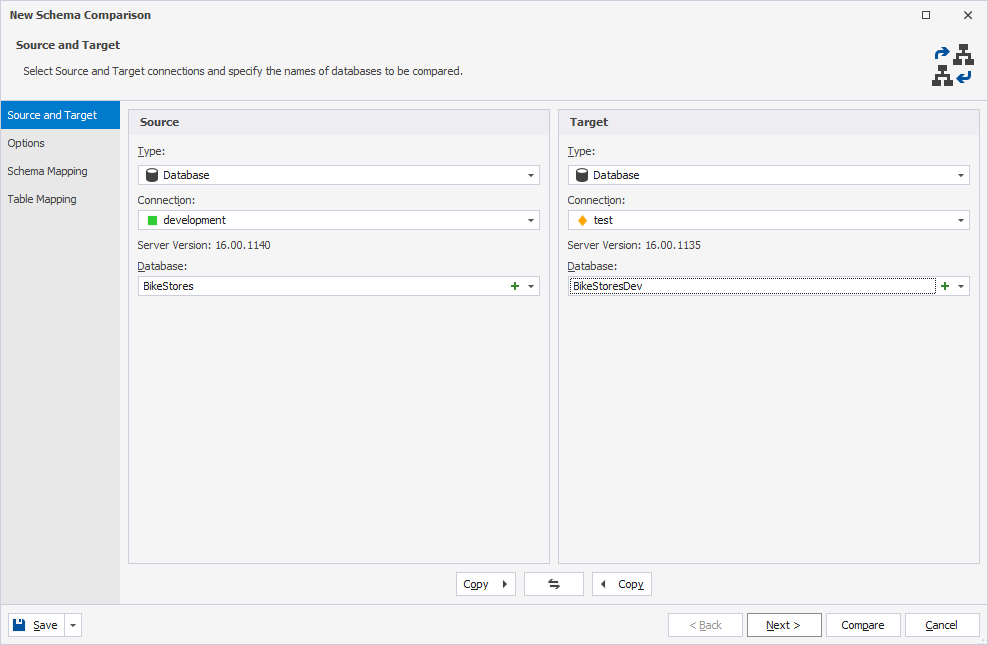
2. On the Source and Target page, configure the source and destination data sources.
- Under Source, select the source data source and configure its settings.
-
Under Target:
1. In Type, select a database.
2. In Connection, select a connection for the target database.
3. In Database, click
 .
.4. In the database editor, specify the database name.
5. Click Apply Changes.
6. Click
 to close the editor.
3. Optional: On the Options page, customize schema comparison behavior by selecting or clearing the required options.
4. On the Schema Mapping page, configure schema mapping.
Note
When comparing with a new, empty target database, there are no tables to map.
5. Click Compare.
Step 2: Synchronize databases
1. In the Schema Comparison document, clear the checkbox for the object you want to exclude from synchronization.
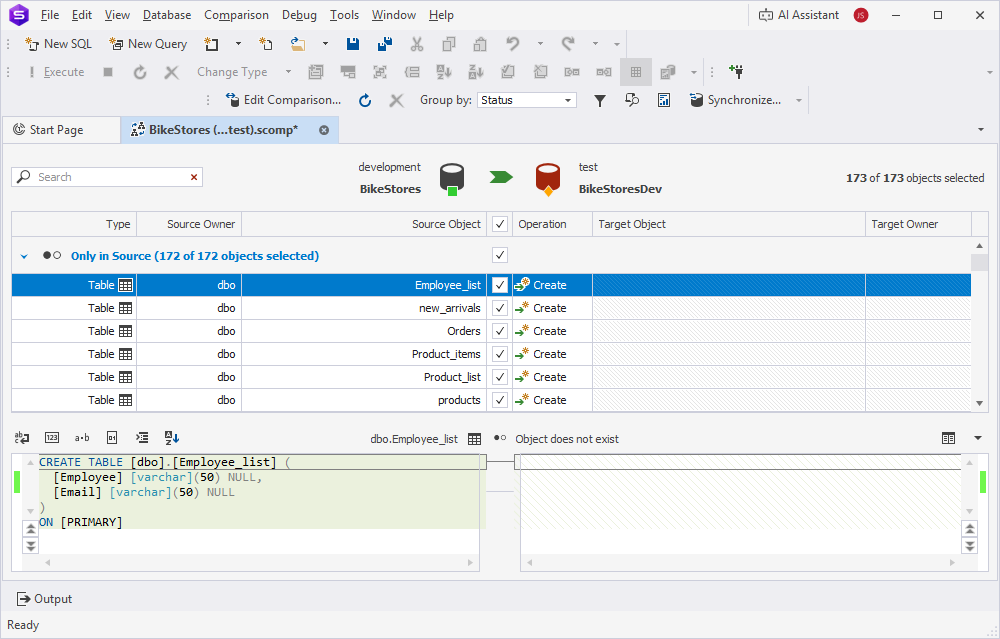
2. At the top of the document, click  to open the Schema Synchronization wizard.
3. Select the output option to manage the generated synchronization script.
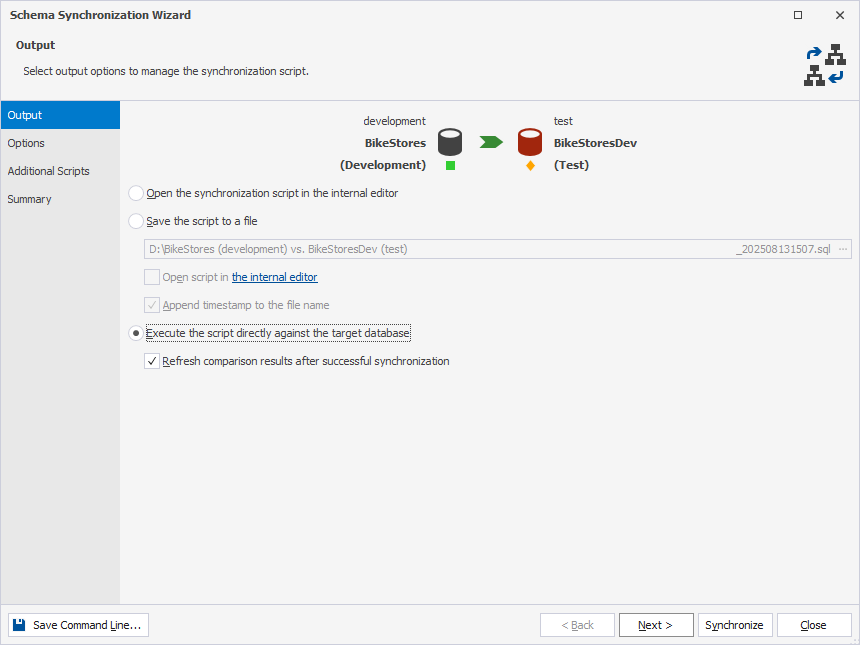
4. Optional: On the Options page, customize schema synchronization behavior by selecting or clearing the required options.
5. Optional: On the Additional scripts page, enter or select the scripts you want to execute before and/or after the schema synchronization.
6. Optional: On the Summary page, review the synchronization actions and warnings.
7. Click Synchronize.
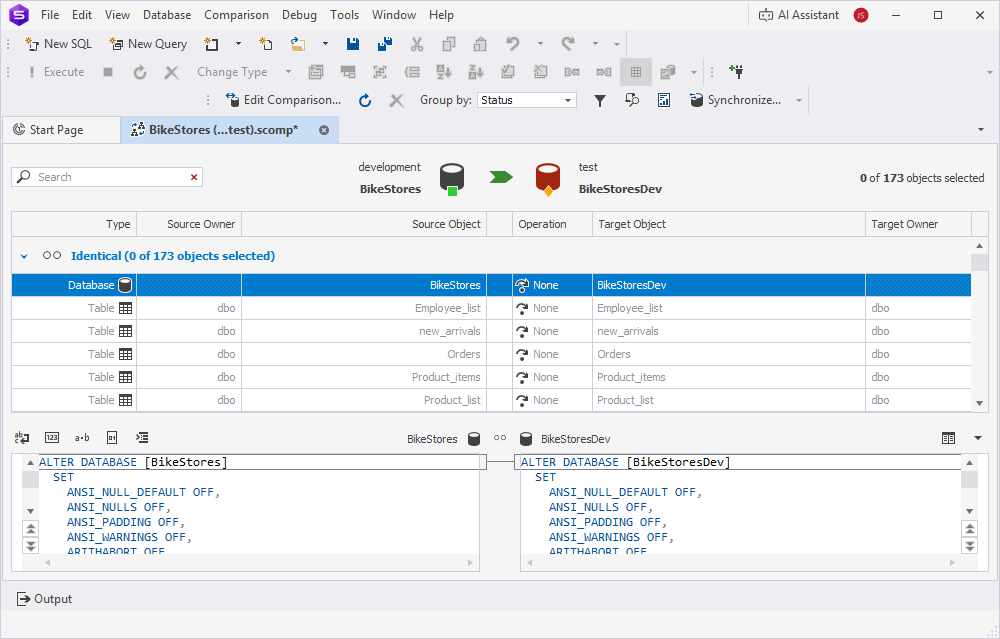
The databases are synchronized, and the Schema Comparison document displays all objects in the Identical section.
After that, you can copy data to the synchronized database. For instructions, see the Data Compare documentation.