Debug an event trigger function
An event trigger fires on a DDL command anywhere in the database, rather than on a change of data in one table. Like a regular trigger, an event trigger invokes a trigger function when the specified event occurs. That function is what you compile for debugging and step through.
This topic explains how to debug an event trigger function in dbForge Studio for PostgreSQL: how to reach it by stepping into the DDL statement issued by a wrapper procedure and how to debug the exception branch.
Prerequisites
Create the demo objects described in Sample scripts: the schema and tables, the evt_protect_schedule_objects event trigger function with its protect_schedule_objects event trigger, which prevents the core demo tables from being dropped, and the drop_schedule_table procedure.
Debug the event trigger function
An event trigger function is never called directly, so you can’t select it and click  the way you would a function or procedure. Instead, you start the debug session on drop_schedule_table (the procedure created above) and step from it into the event trigger function when it issues the
 DROP TABLE statement.
Note
If the debug engine isn’t deployed on the server, you’re prompted to deploy it. Click Deploy to continue.
To debug an event trigger function:
1. In Database Explorer, expand the schedules > Trigger Functions folder, right-click evt_protect_schedule_objects, and select Compile > Compile for Debugging. Then click OK.
2. Repeat step 1 for the drop_schedule_table procedure in the Procedures folder because it must also be compiled for debugging before you can step from it into the event trigger function.
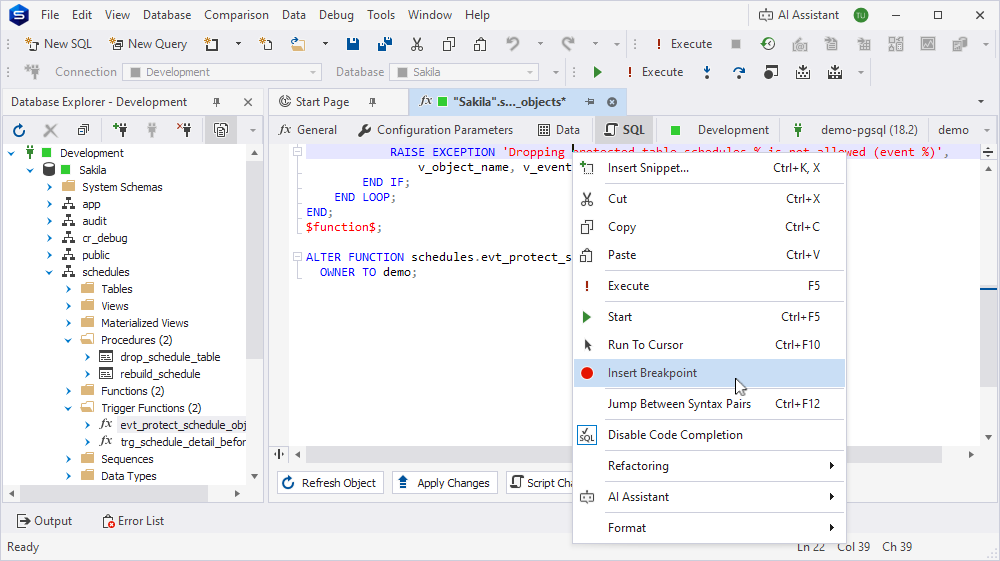
3. Double-click evt_protect_schedule_objects to open its editor, then on the SQL tab, right-click RAISE EXCEPTION 'Dropping protected table schedules.% is not allowed (event %)', and select Insert Breakpoint. The line with the breakpoint is highlighted in red.
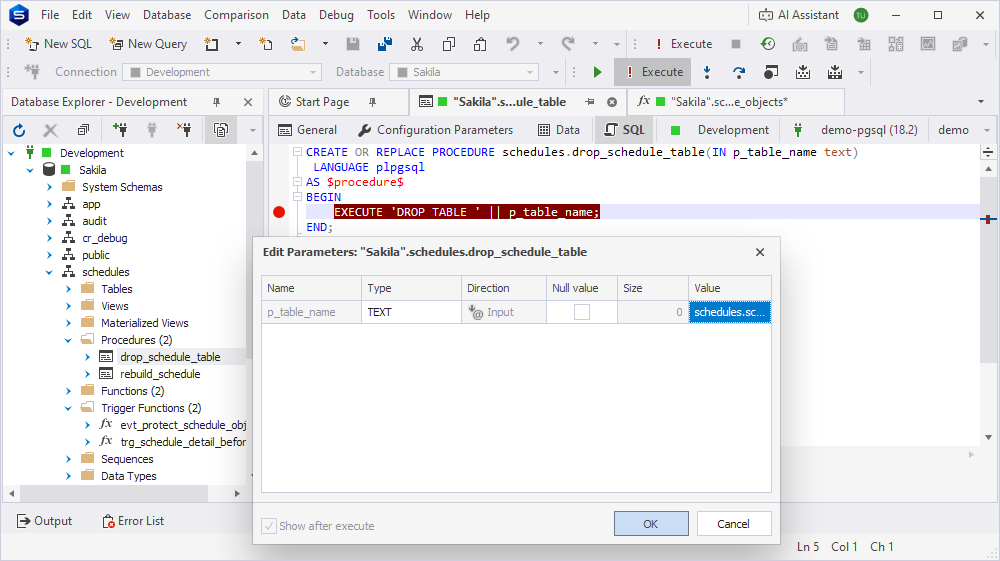
4. Double-click drop_schedule_table, then on the SQL tab, right-click EXECUTE 'DROP TABLE ' || p_table_name; and select Insert Breakpoint.
5. On the Debug toolbar, click .
6. In the Edit Parameters dialog, enter p_table_name = schedules.schedule_template_detail, then click OK.
7. Execution stops at the breakpoint you set in step 4. Click  to execute the dynamic
 DROP TABLE statement and step into evt_protect_schedule_objects until execution stops at its BEGIN line.
8. Click  to continue execution to the breakpoint on the
 RAISE EXCEPTION line: since the DROP TABLE statement targets one table, pg_event_trigger_dropped_objects() returns a single row for schedule_template_detail, so the IF condition matches on the first (and only) iteration of the loop.
9. Click or to see the exception raised.
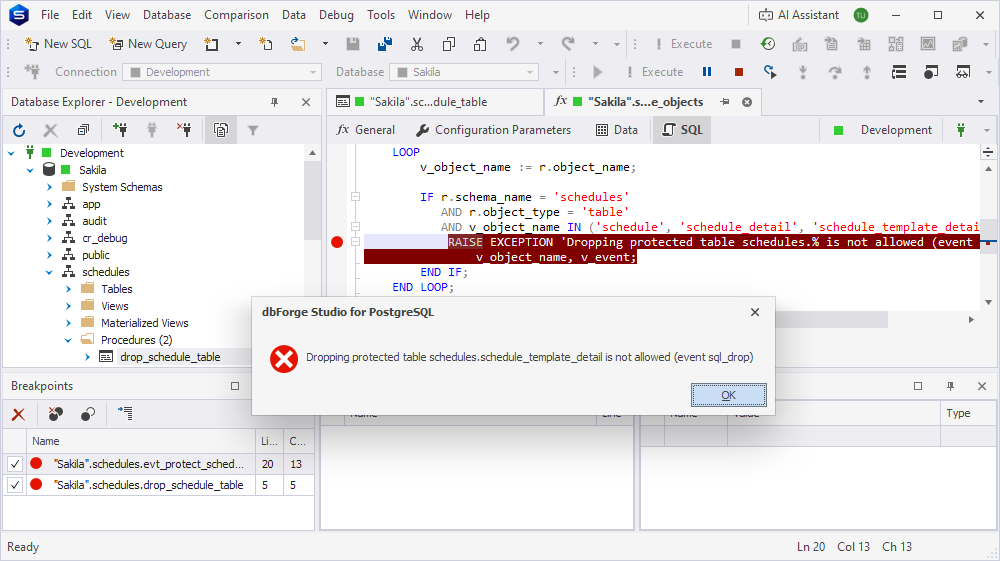
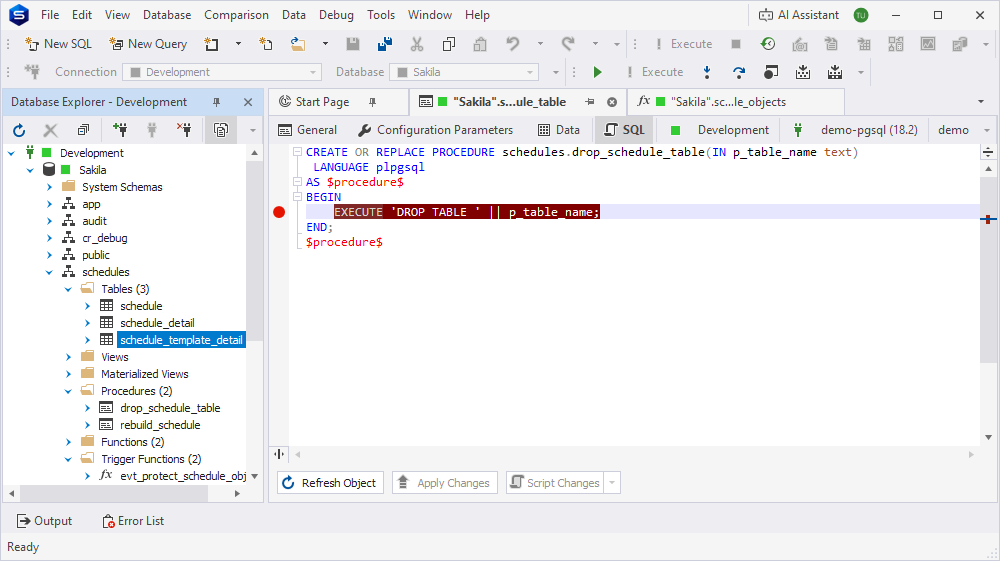
10. Click OK to dismiss the error dialog. Since the exception isn’t caught anywhere, it unwinds the whole call and ends the debug session automatically. dbForge Studio returns to drop_schedule_table on the EXECUTE 'DROP TABLE ' || p_table_name; line.
11. In Database Explorer, refresh the connection, expand the schedules > Tables folder, and confirm that schedule_template_detail still exists: the DROP TABLE statement was rolled back because the event trigger raised an exception.
Other event types and debugger behavior
ddl_command_start
This event fires before the command is executed. TG_TAG is available, but the command hasn’t taken effect yet, so pg_event_trigger_dropped_objects() and pg_event_trigger_ddl_commands() can’t be used.
ddl_command_end
This event fires after the command is executed. Use pg_event_trigger_ddl_commands() to inspect every object the command affected.
sql_drop
This event fires after objects have been dropped. Use pg_event_trigger_dropped_objects() instead, and watch the record it returns.
table_rewrite
This event fires before a table is rewritten by ALTER TABLE. Use pg_event_trigger_table_rewrite_oid() and pg_event_trigger_table_rewrite_reason().
Clean up
When you’re done debugging, remove the debug information from evt_protect_schedule_objects and drop_schedule_table. In Database Explorer, right-click each routine and select Compile > Compile.
Note
The schedules schema is shared by Debug a function, Debug a procedure, and Debug a trigger function. If you no longer need the demo objects, drop the schema and its objects with
DROP SCHEMA schedules CASCADE;.