Add a Git repository
You can link a database to a Git (GitHub, GitLab, Bitbucket, and Azure DevOps) repository and compare its revision with other data sources.
Prerequisites
- Install Git for Windows on your machine.
- Clone a Git repository to your local machine:
Add a Git repository to schema compare
1. In the New Schema Comparison wizard, select Source Control as the source or target type.
2. In Repository, click  .
.
3. In the Source Control Repository Properties dialog, configure the repository settings:
3.1. In Source control system, select Git.
3.2. In Repository folder, enter the full path to the repository, or click the ellipsis (…) to browse and select it.
By default, the selected folder name is used as the repository name. To specify a different name, enter it manually.
Note
In Repository folder, enter a local folder path. Remote URLs aren’t supported.
Ensure the repository has at least one commit before you proceed.
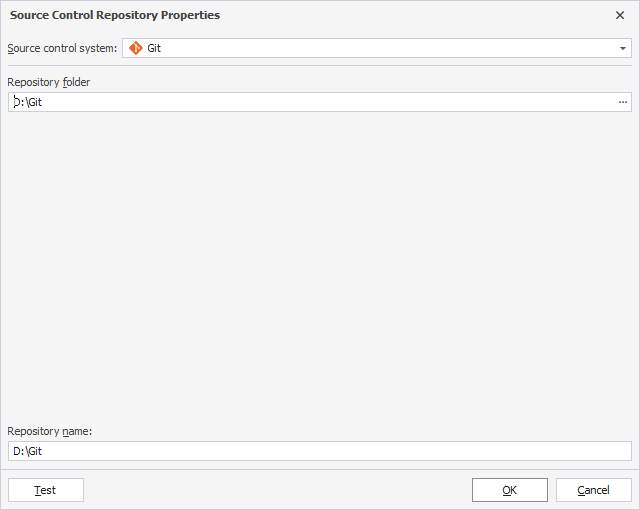
4. Optional: Click Test to verify the connection settings.
5. Click OK to save the settings and close the dialog.