Stored procedure and stored function with resultset
This example shows how to use a stored procedure that executes a parameterized SELECT query and returns matching table records as a list of complex type objects.
The following SQL Server script creates the stored procedure and table.
CREATE TABLE dbo.Department (
  DeptNo int NOT NULL,
  DName varchar(14),
  Loc varchar(13),
  PRIMARY KEY (DeptNo)
)
GO

CREATE PROCEDURE dbo.SelectDepartmentByLocation(@Loc varchar(13))
WITH EXECUTE AS CALLER
AS
SELECT * FROM dbo.Department WHERE Loc = @Loc;
GO
Using a complex type result
Creating the method
- Create a model and drag the required stored procedure from the Database Explorer window to the design area.
- In the displayed message box, click Yes to obtain metadata of the procedure result set.
As a result, a complex type and a method corresponding to the stored procedure are created.
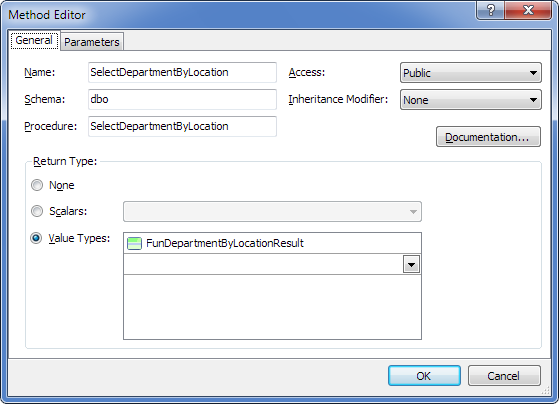
Method parameters are as follows.
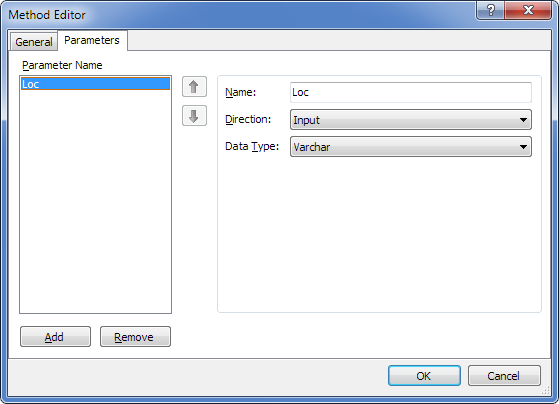
Generated code
As a result of code generation, the following method is generated with a signature close to the stored procedure.
C#:
public IList<FunDepartmentByLocationResult> SelectDepartmentByLocation(string Loc)
{
    OAParameter LocParameter = new OAParameter();
    LocParameter.ParameterName = @"Loc";
    LocParameter.Direction = ParameterDirection.Input;
    if (Loc != null)
    {
        LocParameter.Value = Loc;
    }
    else
    {
        LocParameter.DbType = DbType.String;
        LocParameter.Size = -1;
        LocParameter.Value = DBNull.Value;
    }
    IList<FunDepartmentByLocationResult> result = this.ExecuteQuery<FunDepartmentByLocationResult>(@"dbo.SelectDepartmentByLocation", CommandType.StoredProcedure, LocParameter);
    return result;
}
Using an entity result
Creating the method
If you need to retrieve the whole table:
- Create a model and add an entity corresponding to the Department table.
- Drag the required stored procedure from the Database Explorer window to the design area.
- In the displayed message box, click No to skip retrieving metadata for the procedure result set.
- Double-click the method and in the Value Types dropdown list, select the Department table.
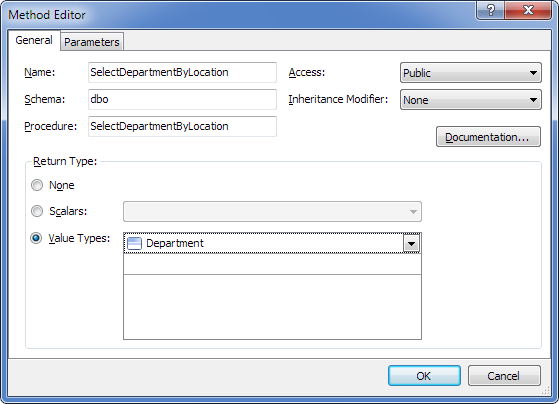
Method parameters are as follows.
Generated code
As a result of code generation, the following method is generated with a signature close to the stored procedure.
C#:
public IList<Department> SelectDepartmentByLocation(string Loc)
{
    OAParameter LocParameter = new OAParameter();
    LocParameter.ParameterName = @"Loc";
    LocParameter.Direction = ParameterDirection.Input;
    if (Loc != null)
    {
        LocParameter.Value = Loc;
    }
    else
    {
        LocParameter.DbType = DbType.String;
        LocParameter.Size = -1;
        LocParameter.Value = DBNull.Value;
    }
    IList<Department> result = this.ExecuteQuery<Department>(@"dbo.SelectDepartmentByLocation", CommandType.StoredProcedure, LocParameter);
    return result;
}