Creating constraints
How to manually create storage metadata schema constraint
1. Right-click the Constraints node in the Model Explorer, select Add from the popup menu and then select New Constraint. The Storage Constraint Editor will be displayed.
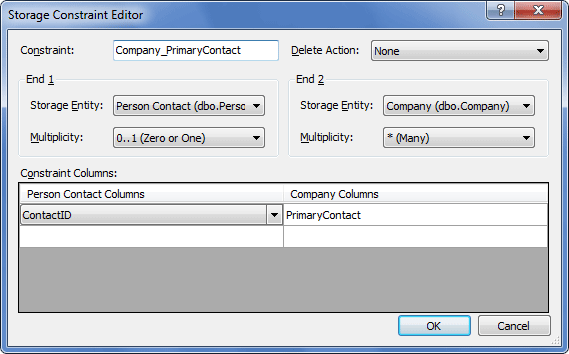
2. Enter the name of the constraint.
3. Choose parent and child tables from the corresponding Storage Entity dropdown lists.
4. Set the multiplicity for each end of the constraint.
5. Select constraint columns for each table by clicking the cells in the Constraint Columns grid and choosing columns from the dropdown lists.
6. Specify the Delete Action, if necessary, and click OK.