Storage Constraint Editor
Use this editor to create or edit the storage schema constraints.
To call Storage Constraint Editor, use one of the following options:
-
In the Model Explorer window right-click the Storage Model node to call its context menu, and in the Add submenu select New Constraint.
-
In the Model Explorer window right-click an existing constraint and in its context menu select Edit.
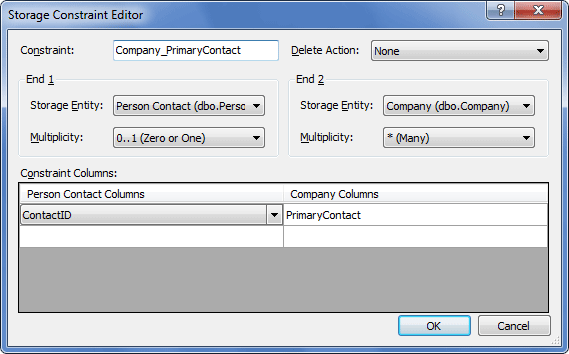
The following options are available:
Constraint – defines the name of the constraint.
Delete Action – defines behavior when deleting parent entities, having child entities. Cascade performs cascade deletion of child entities, Restrict restricts deletion, None does nothing here.
End 1 – defines parameters for the parent table of the constraint.
End 2 – defines parameters for the child table of the constraint.
End 1/End 2 Storage Entity – specifies the parent/child table.
Multiplicity – specifies the number of instances of child or parent entities that can participate in the relationship. Can accept the following values: 1 (One), 0..1 (Zero or One), * (Many).
Constraint Columns – defines pairs of the corresponding parent and child columns for the constraint.