Generate scripts from Object Viewer
You can use the Generate Script As command in Object Viewer to create scripts and templates for:
- Database objects using the Properties grid in Object Viewer.
- Data using Data Viewer in Object Viewer.
Open Object Viewer
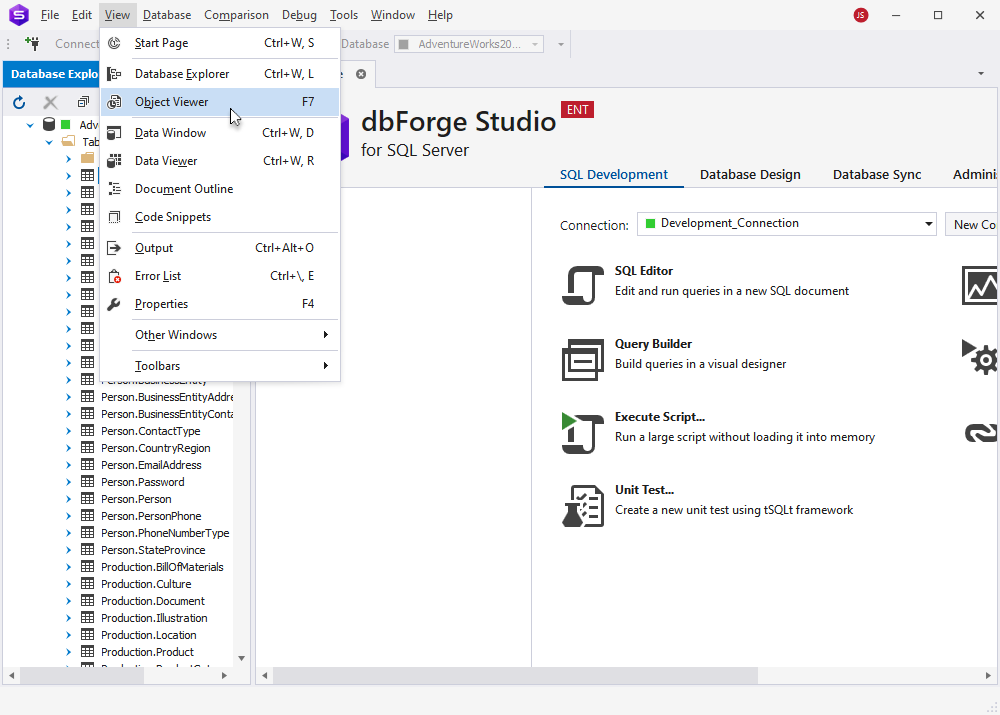
To open Object Viewer, on the menu bar, select View > Object Viewer or press F7.
Generate scripts for database objects
1. Use the Object Viewer toolbar to navigate to the required object.
Alternatively, in Database Explorer, click a node or an object for which you want to generate the script. The selected object is highlighted in Object Viewer.
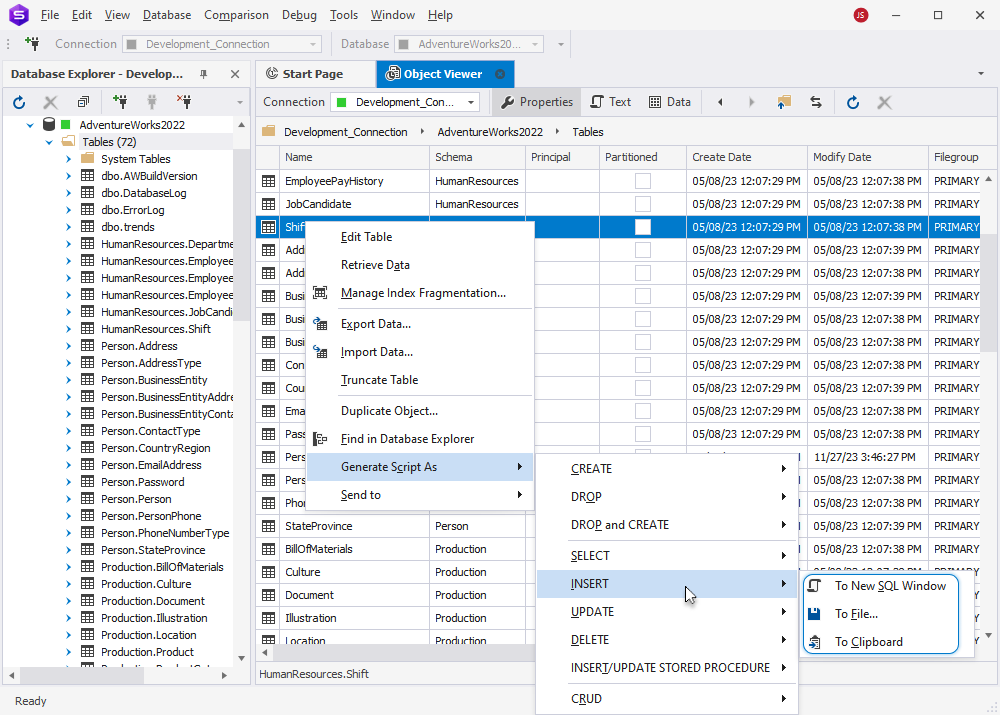
2. In the Object Viewer grid, right-click the required object, select Generate Script As, then choose the type of statement you want to generate.
Tip
- To select a range of data, click the first cell, then hold down Shift and click the last cell.
- To select all cells in the grid, press Ctrl+A.
- To add or remove individual cells from the selection, hold down Ctrl and select the cells.
3. Select one of the following options:
- To New SQL Window – Opens the script in a new SQL document.
- To File – Saves the script to a .sql file.
- To Clipboard – Copies the generated script to the clipboard.
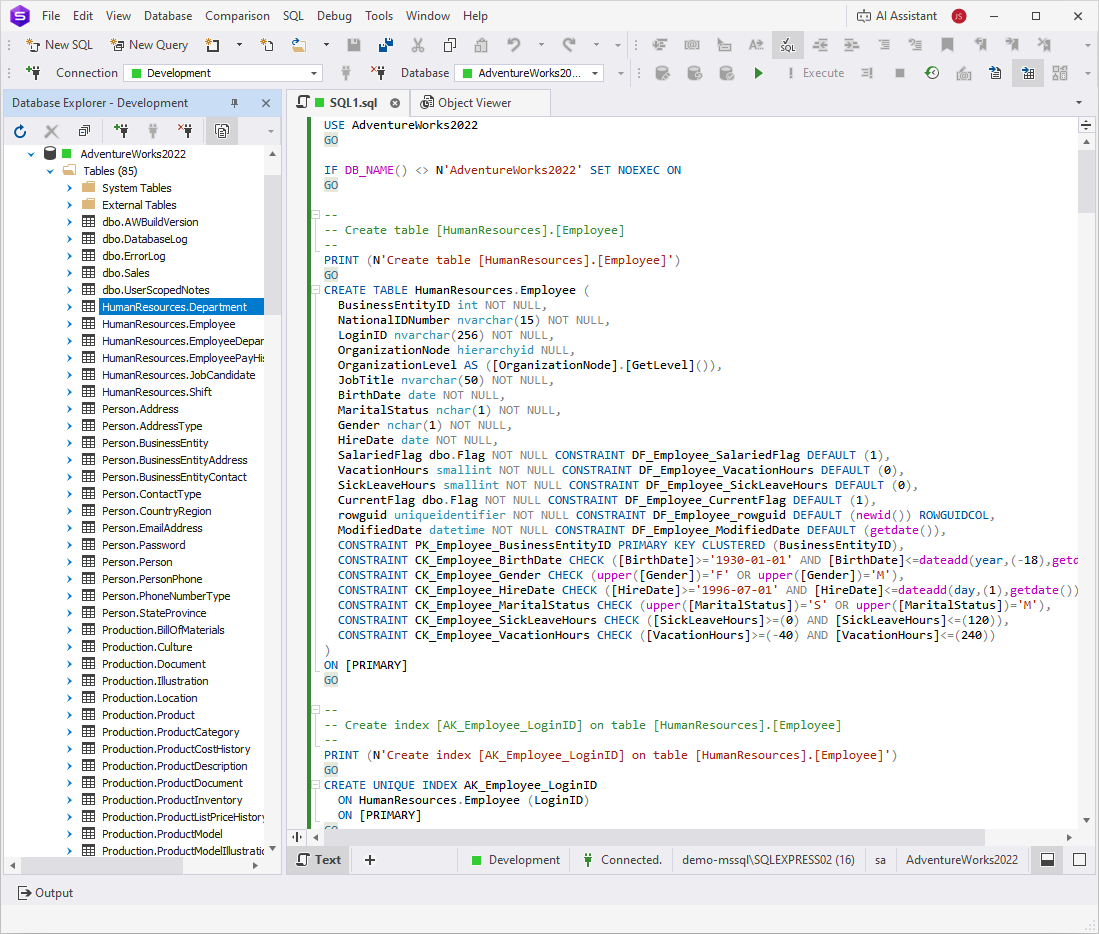
The following example shows the generated CREATE script in a new SQL document.
Generate scripts for data
1. Use the Object Viewer toolbar to navigate to the required object.
Alternatively, in Database Explorer, click a node or an object for which you want to generate the script. The selected object is highlighted in Object Viewer.
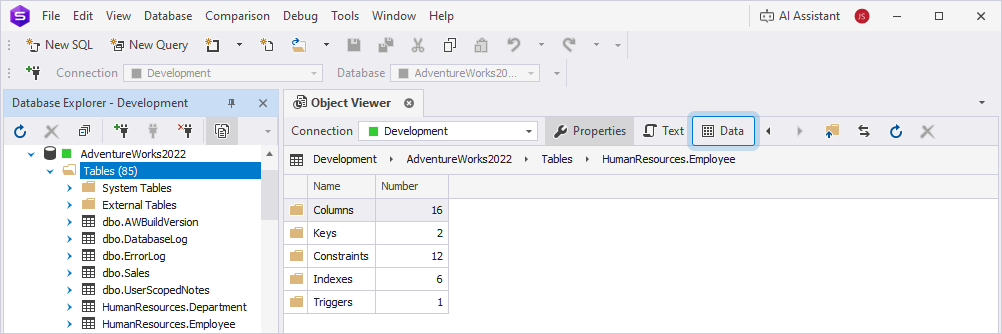
2. On the Object Viewer toolbar, click Data to open Data Viewer.
3. Select the data in one of these ways:
- To select a range of data, click the first cell, then hold down Shift and click the last cell.
- To select all cells in the grid, press Ctrl+A.
- To add or remove individual cells from the selection, hold down Ctrl and select the cells.
4. Right-click the selection, select Generate Script As, then choose the type of statement you want to generate.
5. Select one of the following options:
- To New SQL Window – Opens the script in a new SQL document.
- To File – Saves the script to a .sql file.
- To Clipboard – Copies the generated script to the clipboard.
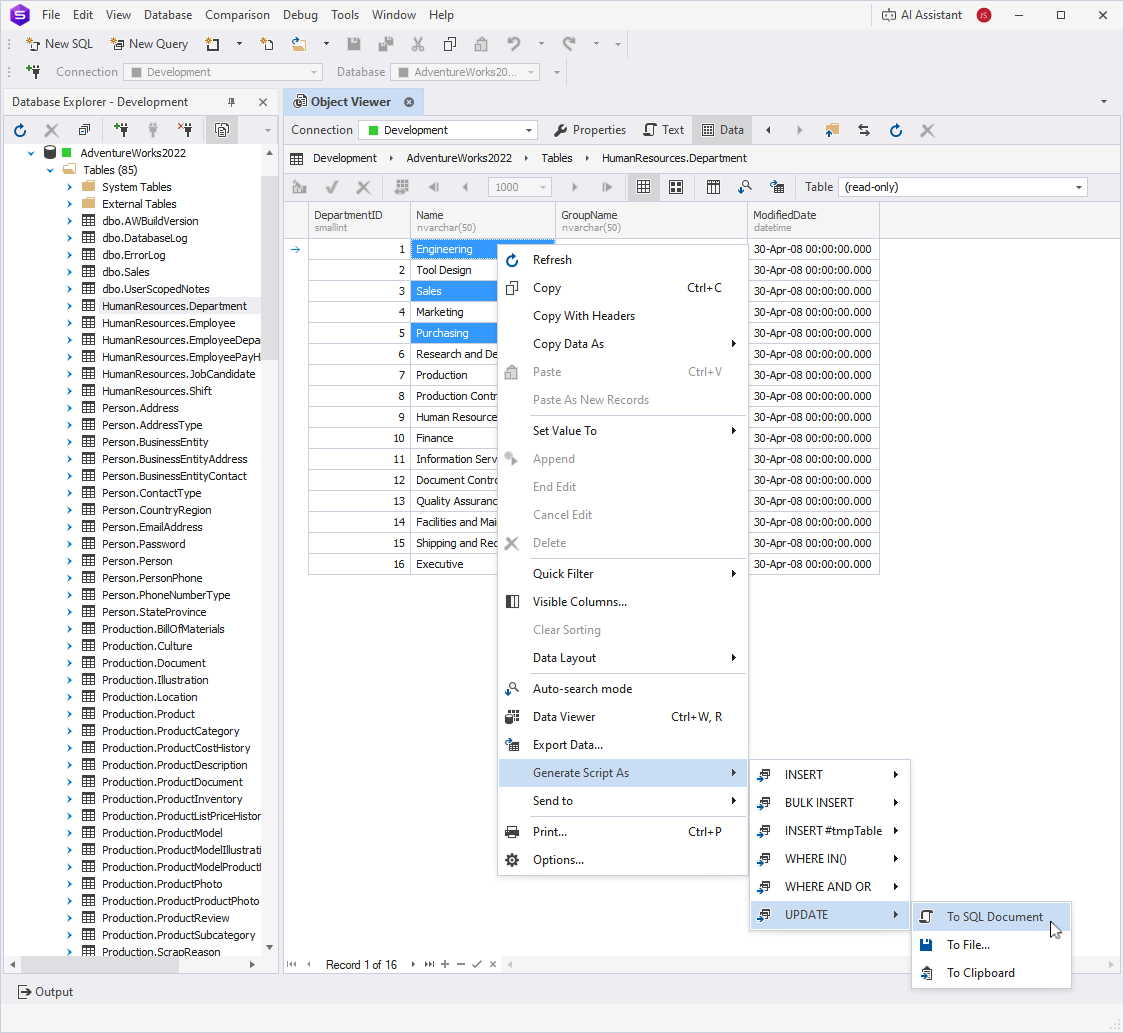
The following example shows the generated UPDATE script.
Tip
For instructions on creating a scripts folder or a database snapshot, see How to create a scripts folder or a snapshot.
For instructions on generating scripts for multiple objects or the entire database, see How to generate SQL Server database scripts.