Generate scripts from Database Explorer
You can use the Generate Script As command in Database Explorer to generate scripts and templates for database objects.
To generate scripts for an object:
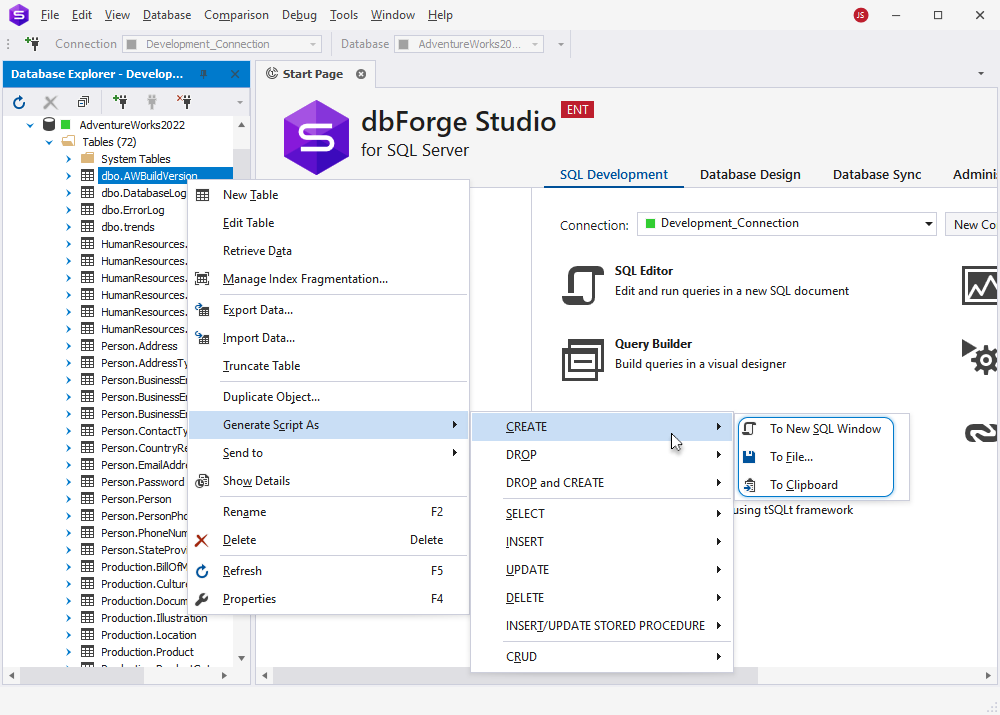
1. Right-click the required database object, select Generate Script As, then choose the type of statement you want to generate.
Tip
- To select a range of data, click the first cell, then hold down Shift and click the last cell.
- To select all cells in the grid, press Ctrl+A.
- To add or remove individual cells from the selection, hold down Ctrl and select the cells.
2. Select one of the following options:
- To New SQL Window – Opens the script in a new SQL document.
- To File – Saves the script to a .sql file.
- To Clipboard – Copies the generated script to the clipboard.
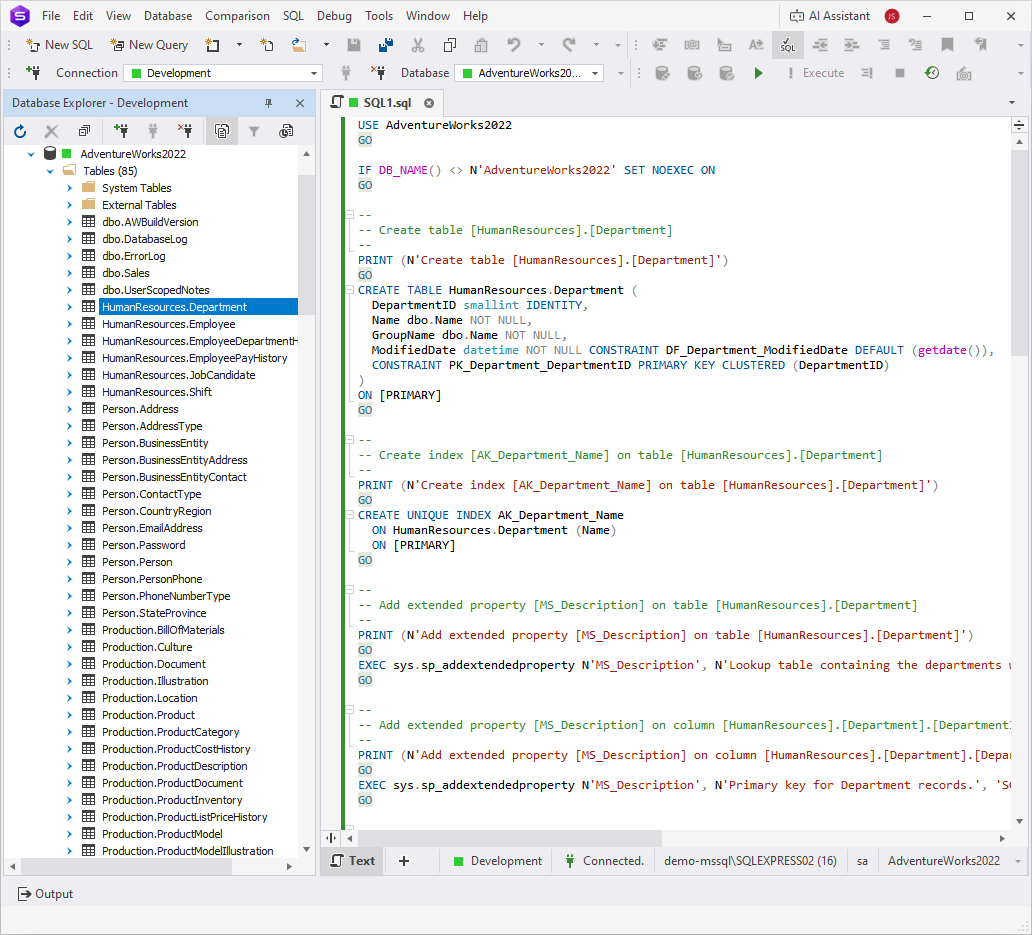
The following example displays the generated CREATE script in a new SQL document.
Tip
For instructions on creating a scripts folder or a database snapshot, see How to create a scripts folder or a snapshot.
For instructions on generating scripts for multiple objects or the entire database, see How to generate SQL Server database scripts.