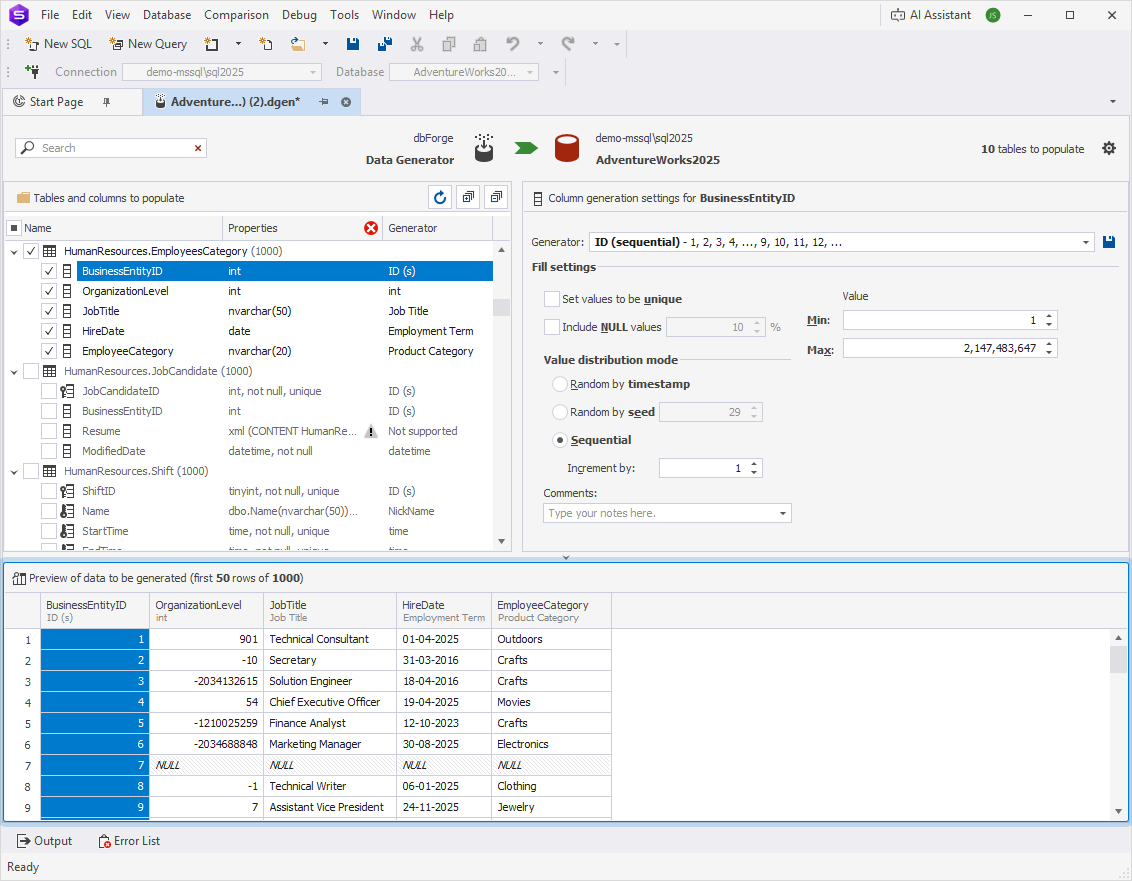
Preview the data generation project
When you configure the data generation project, you can review results before applying changes to your database.
The Preview area updates as you change settings, displaying the first 50 dataset rows. Selecting a column in the Tables and columns to populate tree highlights it in the area.
Each column displays its header at the top, followed by the assigned generator. If a column contains a primary key, unique key, or a combination of primary and foreign keys, the header displays a corresponding indicator.
The following table describes the indicators.
| Indicator | Description |
|---|---|
 |
Specifies a column with a primary key. |
 |
Specifies a column with a unique key. |
 |
Specifies a column with primary and unique keys. |
Note
When you select a column in the Preview area or in the Tables and columns to populate tree, you can view the assigned generator and review its generation settings.
To hide the Preview area, click  at the top of the pane. When hidden, the system doesn’t generate data previews. This reduces system load and improves the performance of the project configuration.