Select objects for synchronization
After you run schema comparison, the Schema Comparison document opens, enabling you to include the objects in or exclude them from synchronization.
Note
The changes during the schema synchronization operation are applied only to the target database. The source database remains unchanged.
Include or exclude objects from synchronization
By default, all objects are selected for deployment.
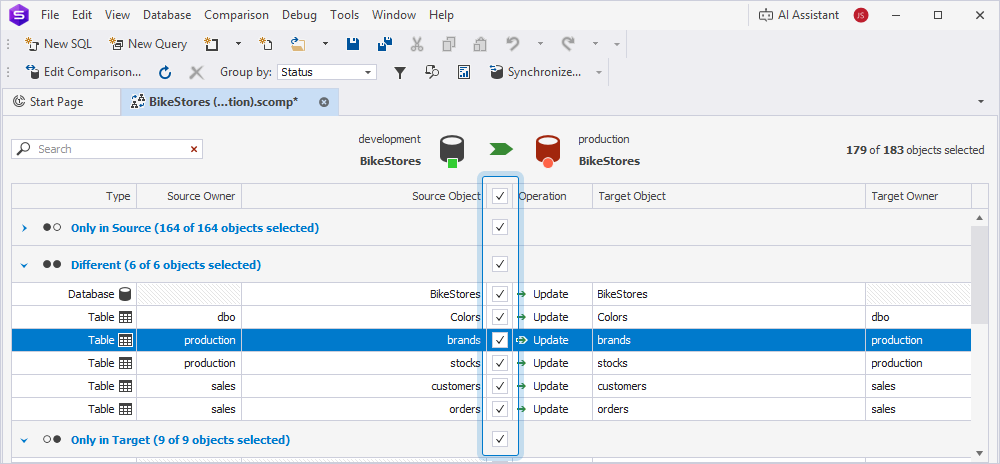
You can include or exclude all objects, specific objects, or all objects within a section.
Note
By default, objects in the Schema Comparison grid are grouped by status. To change how comparison results are displayed, see Group comparison results.
Include objects
To include a specific object, select the checkbox for this object.
To include all objects, select the checkbox at the top of the grid.

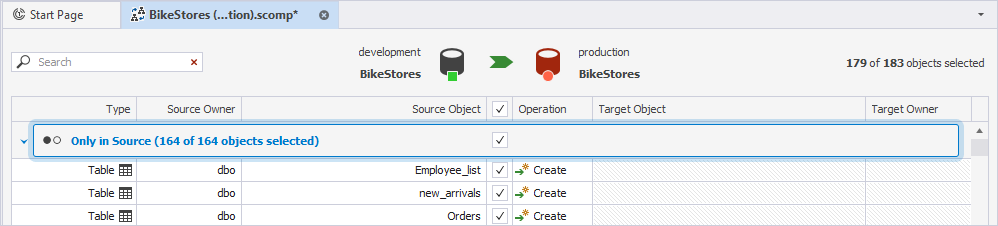
To include all objects within a specific section, select the checkbox for this section.
Exclude objects
To exclude a specific object, clear the checkbox for this object.
To exclude all objects, clear the checkbox at the top of the grid.
To exclude all objects within a specific section, clear the checkbox for this section.
Run schema synchronization
You can run schema synchronization in one of these ways:
-
At the top of the document, click
 .
. -
Right-click the grid and select Synchronize.
-
Press F8.
-
On the Comparison toolbar, click Synchronize.

Warning
You cannot roll back schema synchronization. To prevent data loss, back up the target database before deploying object changes.