View differences in records
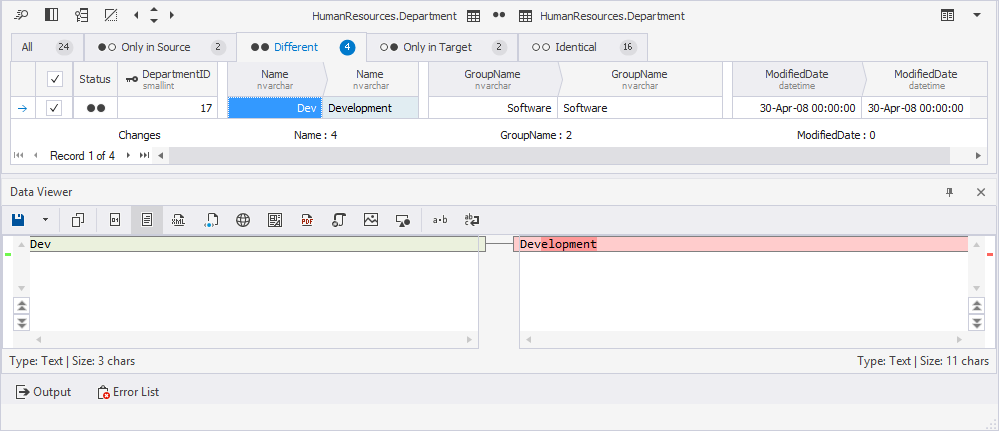
You can view the row-level differences between source and target data in the Data Viewer dialog.
Open the Data Viewer dialog
Open the Data Viewer dialog in one of these ways:
- On the Different tab, double-click the row or right-click it and select View Difference.
- In the top menu, select View > Data Viewer.
- Press Ctrl+W, R.
The differences are highlighted with the following background colors:
- Green – A row exists only in the source.
- Red – A line exists only in the target.
- No color – A row is identical in both data sources.
Note
If a value in the row exists only in one data source, the Data Viewer opens only for that row. You can view it and modify, if needed.
Display a record value in a specific format
To display record value in a specific format, on the Data Viewer toolbar, select the format to display data.
Save data to a .txt file
You can save data to a .txt file in one of these ways:
- On the Data Viewer toolbar, click Save > Save Data at the Left to save the data selected in the left pane.
- On the Data Viewer toolbar, click Save > Save Data at the Right to save the data selected in the right pane.
Copy records
To copy the records, in the Data Viewer, right-click the record and select Copy. Alternatively, select the record and press Ctrl+C.