Rename variables
dbForge Studio for SQL Server makes it easy to rename variables in a script. It automatically updates all references to the renamed variable.
Renaming is supported for local and SQLCMD variables only in a script, not a database.
To rename a variable:
1. In the SQL document, select the variable in one of these ways:
- Right-click the variable and select Refactoring > Rename.
- Click the variable and press F2.
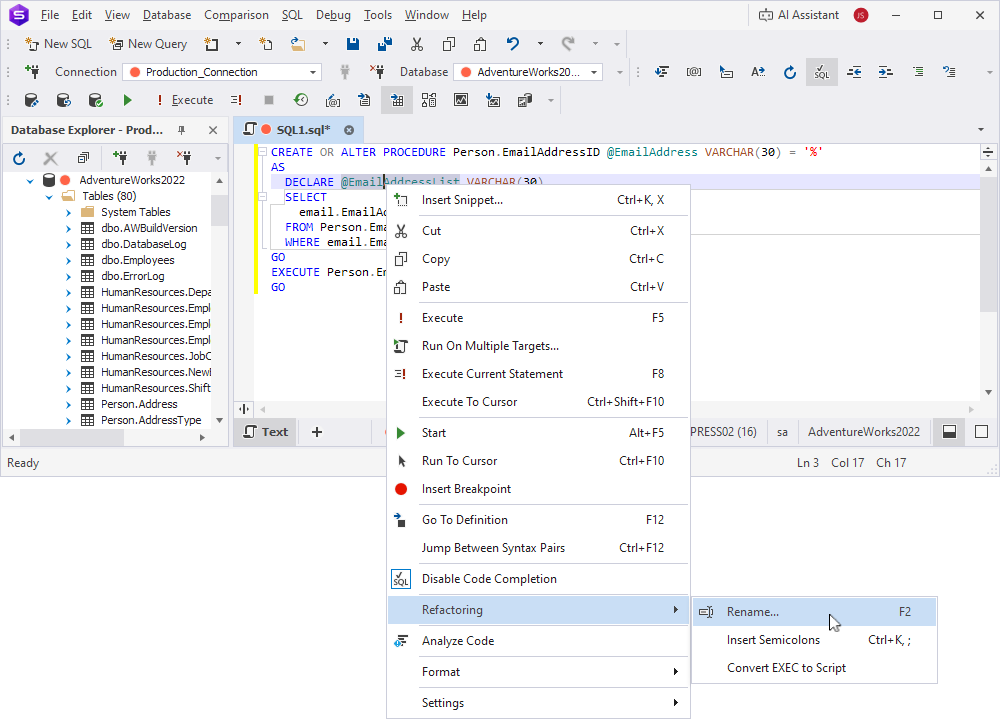
The variable becomes highlighted.
2. Enter a new name for the variable.
3. Optional: To preview the code changes:
3.1. Press F2.
3.2. In the Preview Changes - Rename dialog, view the code changes.
3.3. Click Apply to apply the changes.
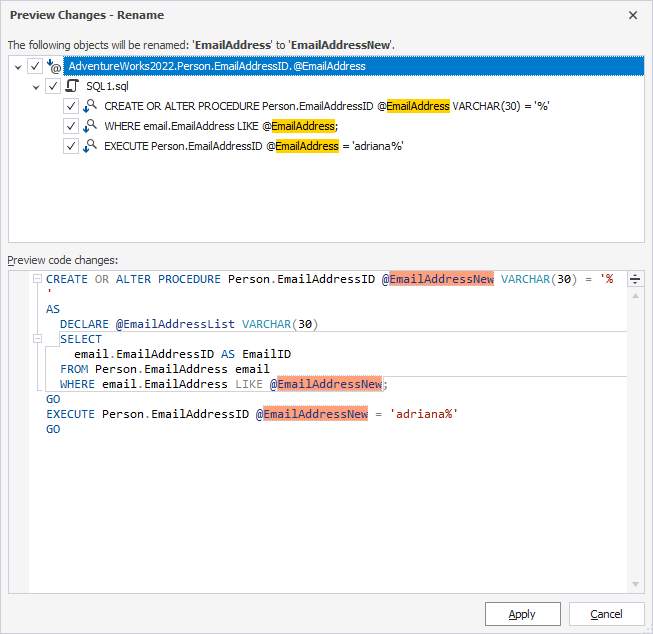
4. To apply the code changes without previewing, press Enter or Tab.
Note
If the variable name matches the column name, renaming the variable doesn’t affect the column name.
Tip
To undo the renaming, press Ctrl+Z.