Command-line wizard
The built-in command-line wizard helps you generate command-line syntax based on the options you select. You can save the generated command to a .bat file and use it to schedule or automate SQL code formatting.
Open the command-line wizard
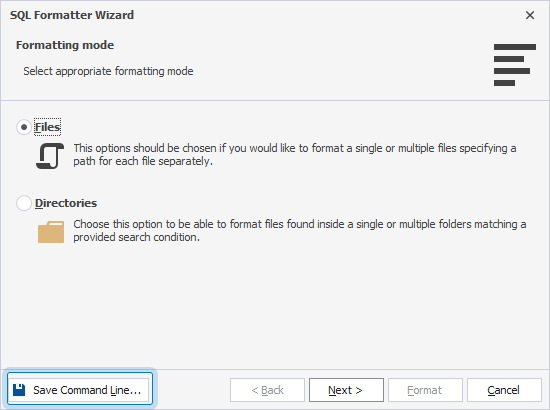
To open the command-line wizard, in the lower-left corner of any page of SQL Formatter Wizard, click Save Command Line.
Command-line wizard options
The table provides options available in the command-line wizard.
Tip
To include an option, select the checkbox for the option. To exclude an option, clear the checkbox.
| Parameter | Description |
|---|---|
| Connection | Specifies the connection string. To generate the connection string, click the ellipsis (…) and select a database connection or create a new one. Usage: /connection:<connection_string> |
| Password | Specifies the server password. This value overrides the password in the connection string. Usage: /password:<pw> |
| Profile | Specifies the path to a file that contains formatting option settings or a predefined profile name. If not specified, the default formatting options are applied. Click the ellipsis (…) to browse for the file. Usage: /profile:<path>|<profile_name> |
| Encoding | Specifies the encoding to use when opening and saving files. Select the required encoding (code page) from the list. Usage: /encoding:<codepage|encoding_name> |
| Source File | Specifies the full path to the file to format. Click the ellipsis (…) to browse for the file. Usage: /sourcefile:<path> |
| Output File | Specifies the path to the output file where formatting results are saved. If not specified, the source file is overwritten with the formatted results. Click the ellipsis (…) to browse for the file. Usage: /outputfile:<file_path> |
| Log File | Specifies the full path to the log file. Click the ellipsis (…) to browse for the file. Usage: /log:<file_path> |
| Echo OFF | Wraps all text in the .bat file within the @Echo OFF ... Echo ON block, preventing commands from being displayed in the command window. |
| Keep Opened | Adds the pause command at the end of the .bat file to keep the command window open after execution. |
| PowerShell | Adds the & symbol at the beginning of the .bat file to ensure PowerShell compatibility. |
The text box displays the generated script with the specified options.
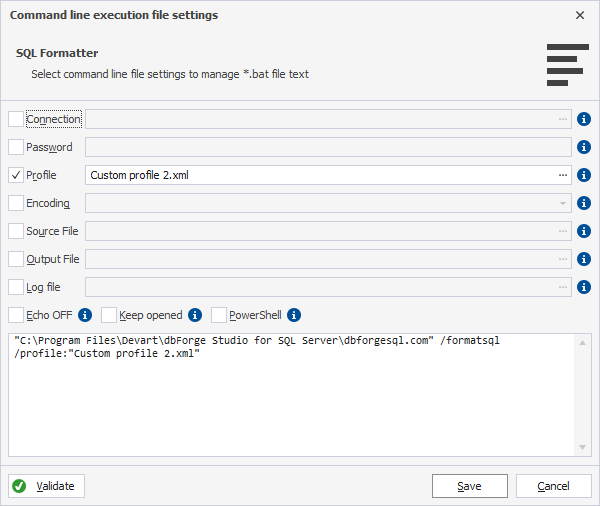
To save the changes, click Save.
To discard the changes, click Cancel.
Command-line validation
To verify the settings, click Validate.
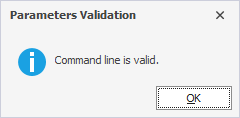
If the parameter validation succeeds, the following message appears:
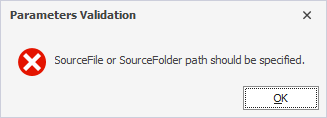
If the parameter validation fails, the corresponding error message appears: