Generate Script As command
You can create SQL scripts that define or manipulate your database objects and data using the Generate Script As command. These scripts can then be used to share, back up, migrate, or reuse objects and data across environments.
This section explains how to generate SQL scripts from the Database Explorer, Object Viewer, and the results grid. It also describes how to customize script templates for standard CRUD operations.
Access the command
Depending on what you want to script, you can access the Generate Script As command from the following locations:
-
Database Explorer
Right-click an object in Database Explorer, point to Generate Script As, and select the desired option.
Use this method to generate DDL (Data Definition Language) scripts for objects such as tables, views, and procedures. You can also generate DML (Data Manipulation Language) templates—such asINSERT,UPDATE, orDELETE—with placeholder values based on the object’s structure.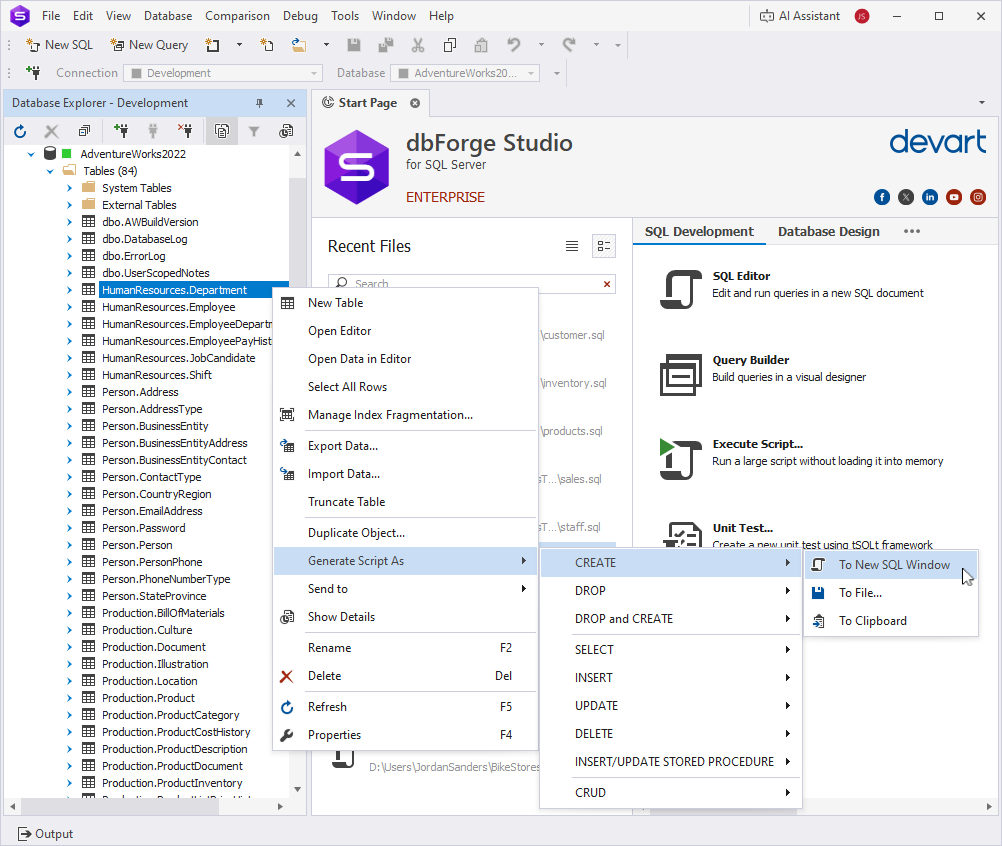
-
Object Viewer
Right-click anywhere in the Object Viewer grid, point to Generate Script As, and select the desired option.
Use this method to generate DDL scripts and DML templates for the currently selected object.
-
Results grid
Right-click anywhere in the results grid, point to Generate Script As, and select the desired option.
Use this method to generate DML scripts—such asINSERT,UPDATE, orWHERE IN—based on the selected rows.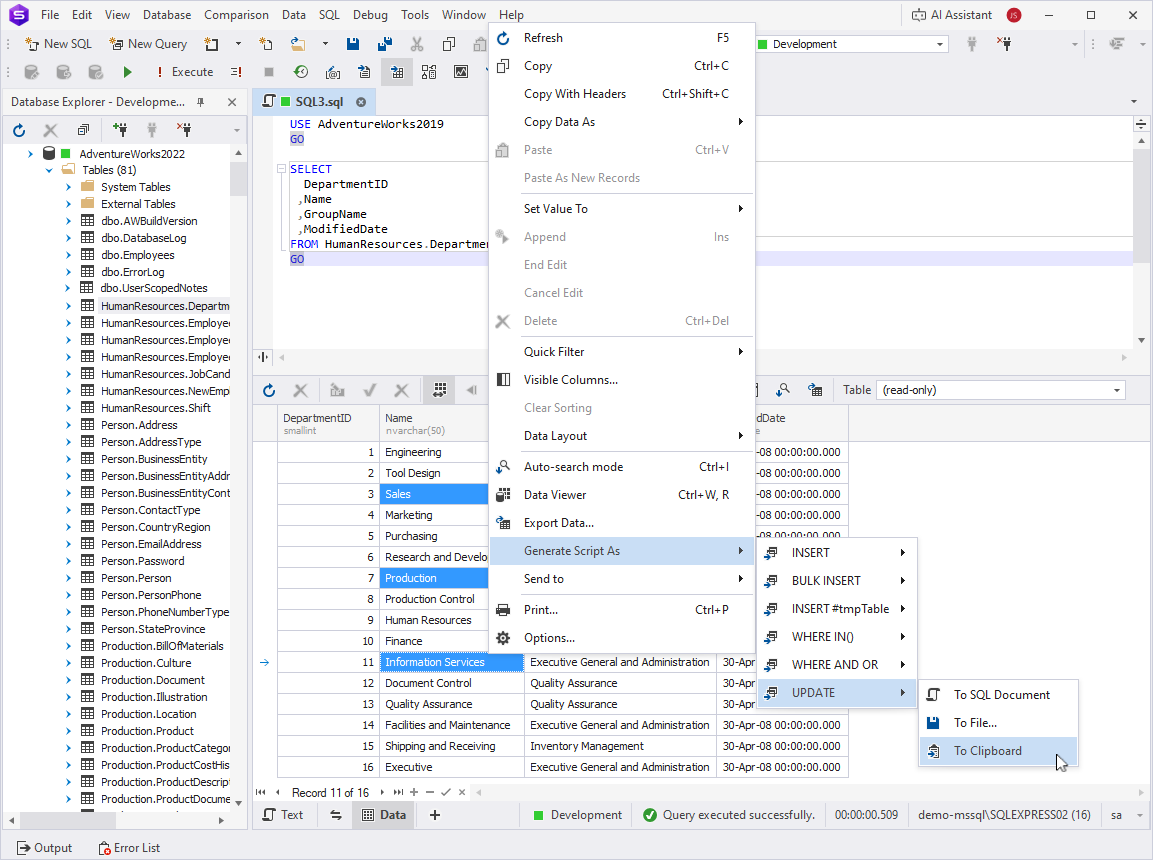
Generate Script As options
The following tables describe script generation options for database objects and data values in the results grid.
Database objects
| Option | Description | Applies to |
|---|---|---|
CREATE |
Generates a script to create the selected object. | Tables, views, scalar-valued functions, table-valued functions, procedures, triggers, databases, users, roles, schemas, catalogs, synonyms, routes, assemblies, data types, XML schema collections. |
DROP |
Generates a script to drop the selected object from the database. | Tables, views, scalar-valued functions, table-valued functions, procedures, triggers, databases, users, roles, schemas, catalogs, synonyms, routes, assemblies, data types, XML schema collections. |
DROP and CREATE |
Generates a script that first drops the selected object, then creates it again. | Tables, views, scalar-valued functions, table-valued functions, procedures, triggers, databases, users, roles, schemas, catalogs, synonyms, routes, assemblies, data types, XML schema collections. |
CREATE and ALTER |
Generates a CREATE OR ALTER statement for programmable objects such as functions and procedures. |
Scalar-valued functions, table-valued functions, procedures, DDL triggers. |
ALTER |
Generates an ALTER statement to modify the object. |
Scalar-valued functions, table-valued functions, procedures, DDL triggers, routes. |
SELECT |
Generates a basic SELECT statement. For tables and views, the statement includes all columns. For functions, it constructs a SELECT that calls the function. |
Tables, views, scalar-valued functions, table-valued functions. |
INSERT |
Generates a sample INSERT statement with all writable columns and placeholder values. |
Tables, views. |
UPDATE |
Generates a sample UPDATE statement with placeholder values and a WHERE clause based on key columns. |
Tables, views. |
DELETE |
Generates a sample DELETE statement with a WHERE clause. |
Tables, views. |
CRUD |
Generates the full set of SELECT, INSERT, UPDATE, and DELETE statements for the selected table. |
Tables. |
INSERT/UPDATE STORED PROCEDURE |
Generates a stored procedure template that inserts or updates records in the selected table or view. | Tables, views. |
EXECUTE |
Generates an EXEC statement with parameter placeholders for executing a scalar function or stored procedure. |
Scalar-valued functions, procedures. |
EXEC sp_refreshview |
Generates an EXEC sp_refreshview statement to update the metadata of the selected view based on its referenced objects. |
Views. |
Data in the results grid
| Option | Description |
|---|---|
INSERT |
Generates one or more INSERT statements for the selected values. |
BULK INSERT |
Generates a BULK INSERT statement to insert large datasets. |
INSERT #tmpTable |
Generates INSERT statements for a temporary table named #tmpTable. |
WHERE IN |
Generates a WHERE ... IN (...) clause from the selected values. |
WHERE AND OR |
Generates a WHERE clause with logical AND/OR conditions from the selected values. |
UPDATE |
Generates an UPDATE statement that uses the selected values and includes a sample WHERE clause. |