Generate a SQL script from the results grid
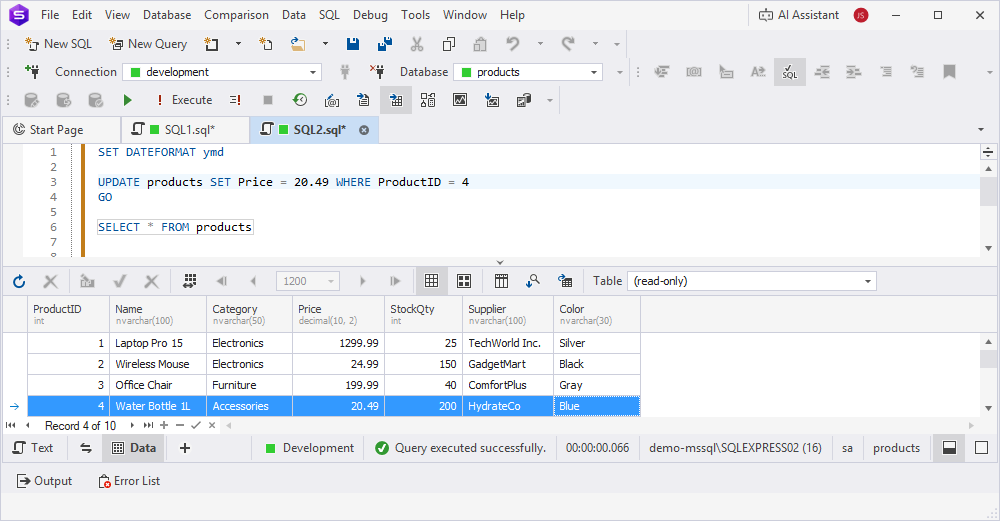
You can generate scripts directly from the results grid using selected table data. The following statement types are supported: INSERT, WHERE IN(), WHERE AND/OR, UPDATE, BULK INSERT, and INSERT #tmpTable.
To generate a script from the results grid:
1. Select the data in one of these ways:
- To select a range of data, click the first cell, then hold down Shift and click the last cell.
- To select all cells in the grid, press Ctrl+A.
- To add or remove individual cells from the selection, hold down Ctrl and select the cells.
2. Right-click the selected range and select Generate Script As, then choose the statement type you want to generate.
3. Select one of the following options:
- To New SQL Window – Opens the script in a new SQL document.
- To File – Saves the script to a .sql file.
- To Clipboard – Copies the generated script to the clipboard.
Use cases for the Generate Script As options
INSERT
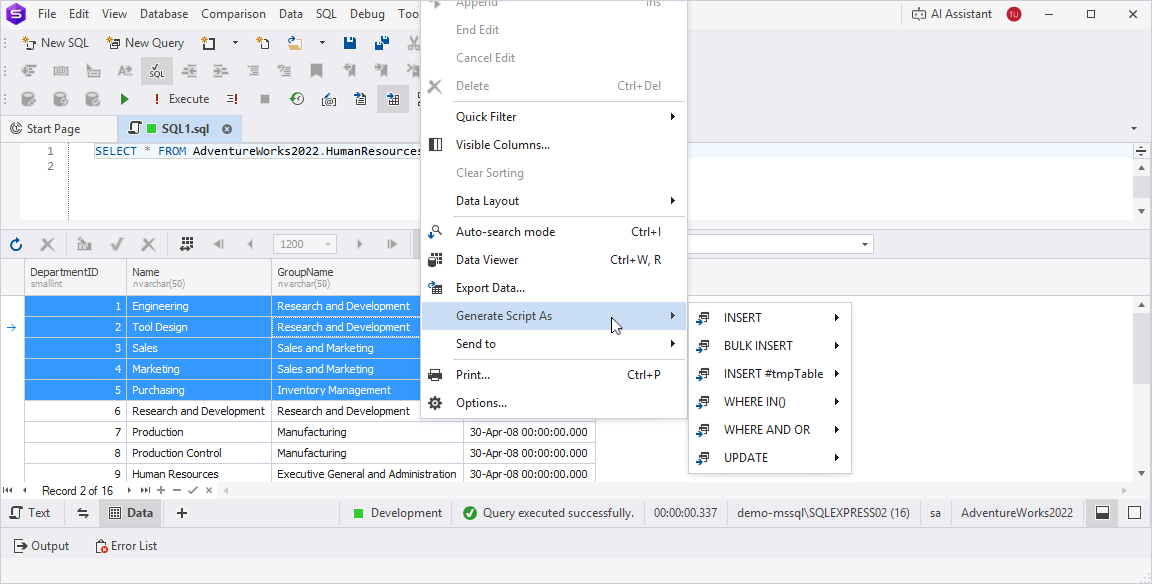
Scenario: You query a table, for example, SELECT * FROM Products WHERE Category = 'Electronics', and want to generate individual INSERT statements for specific rows to replicate them in another table or database.
Action: Select the required rows in the grid, right-click them, then select Generate Script As > INSERT > To Clipboard. Paste the generated single-row INSERT statements, for example, one INSERT per row, into your script to insert the data.
Benefit: Generates individual INSERT statements for precise control over inserting specific rows. You can use them for small datasets or when you need separate statements for each row.
BULK INSERT
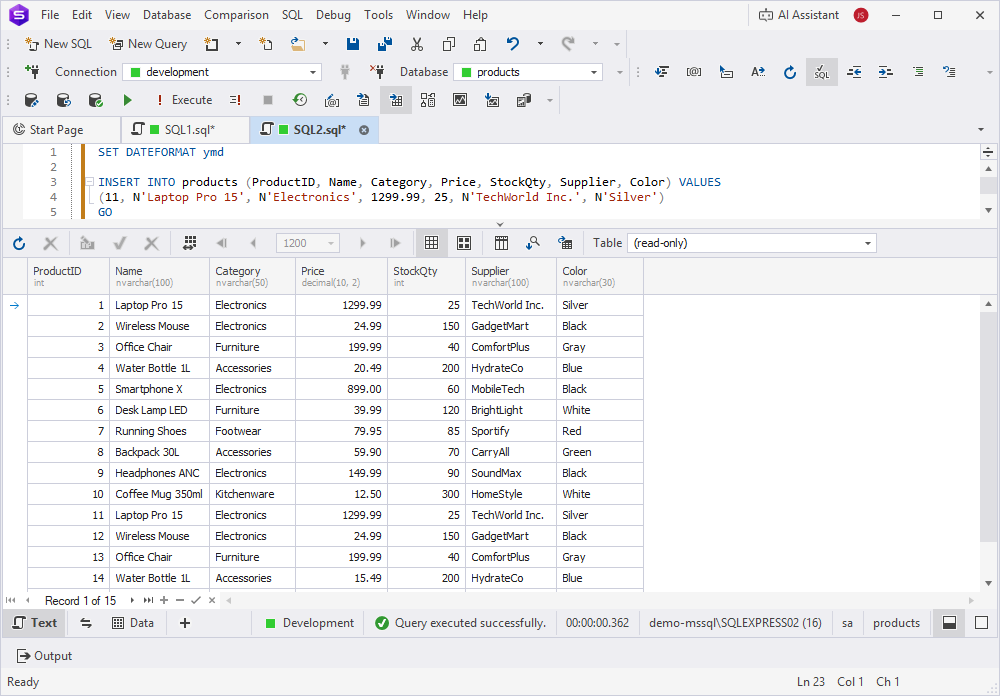
Scenario: You query a table, for example, SELECT * FROM Products WHERE Category = 'Electronics', and want to copy a large number of rows to another database or table.
Action: Select the required rows in the grid, right-click them, then select Generate Script As > INSERT BULK > To Clipboard. Paste the generated multi-row INSERT statement, for example, a single INSERT with multiple VALUES, into your script to populate another table or database.
Benefit: Generates a single, optimized INSERT statement with multiple rows in the VALUES clause, improving performance for bulk data insertion.
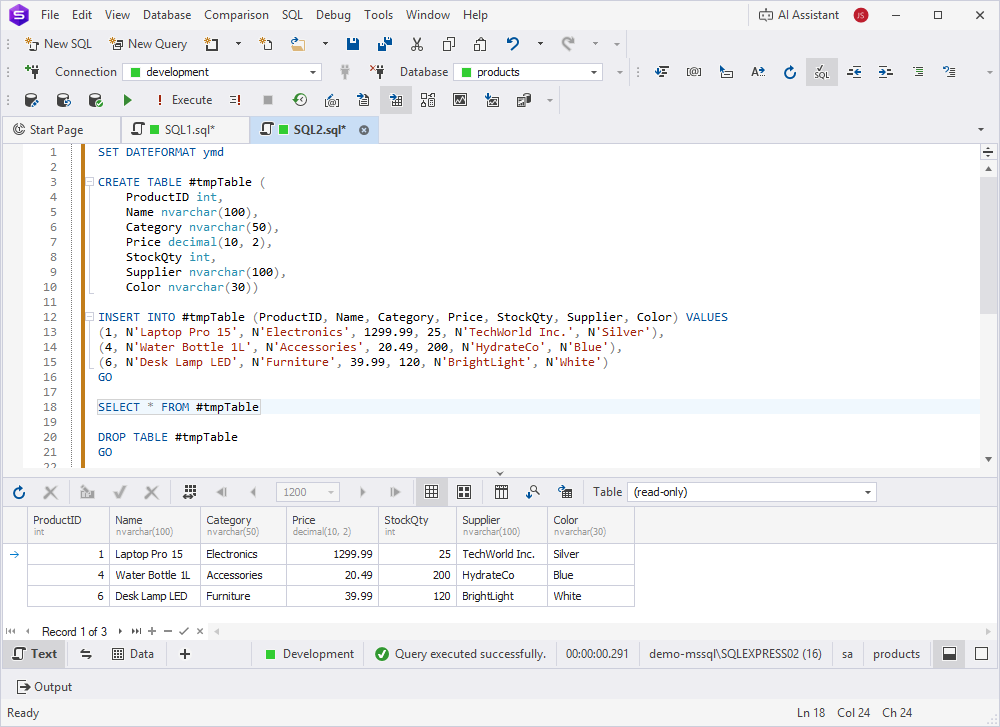
INSERT #tmpTable
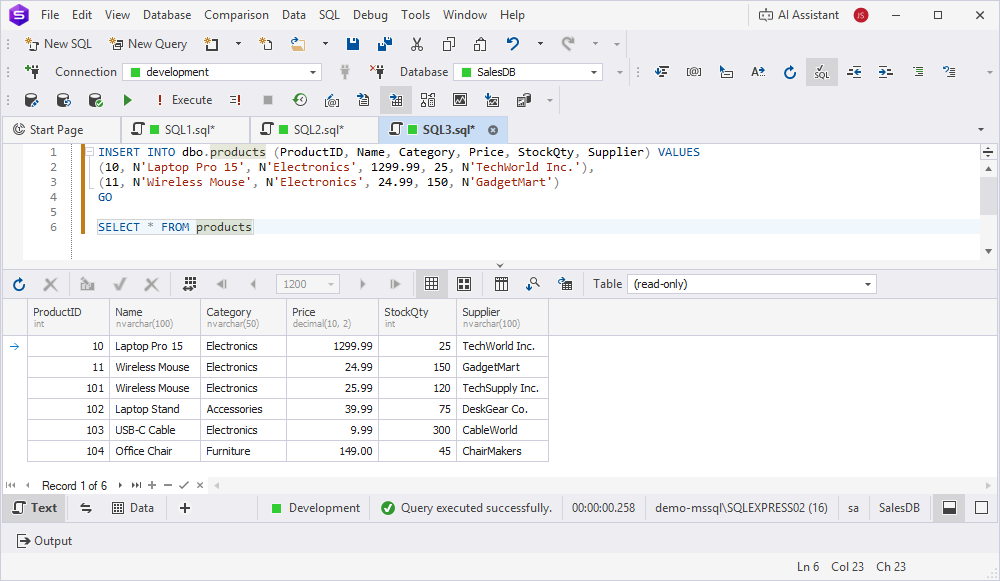
Scenario: You query a table, for example, SELECT * FROM Products, and want to insert the selected rows into a temporary table for further processing or analysis within the same session.
Action: Select the required rows in the grid, right-click them, then select Generate Script As > INSERT #tmpTable > To Clipboard. Paste the generated script, which includes CREATE TABLE #tmpTable with appropriate columns, INSERT INTO #tmpTable statements, and optional SELECT and DROP TABLE statements, into your script, then execute the script.
Benefit: Automatically creates a temporary table with the correct schema and populates it with selected data, streamlining temporary data manipulation.
WHERE IN()
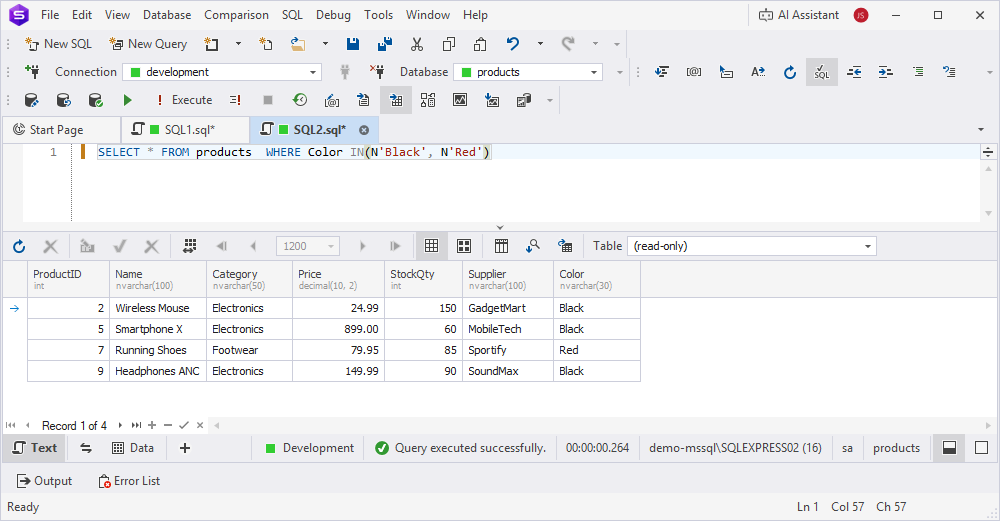
Scenario: You query a table, for example, SELECT * FROM Products, and want to filter it further based on specific values in a column, for example, the values ‘Red’ and ‘Black’ in the Color column in the grid.
Action: Select the values ‘Red’ and ‘Black’ in the Color column in the grid, right-click them, then select Generate Script As > WHERE IN() > To Clipboard. Paste the generated WHERE Color IN('Black', 'Red') into your query, then execute the script.
Benefit: Simplifies filtering large datasets by generating precise WHERE IN clauses without manually typing values.
WHERE AND OR
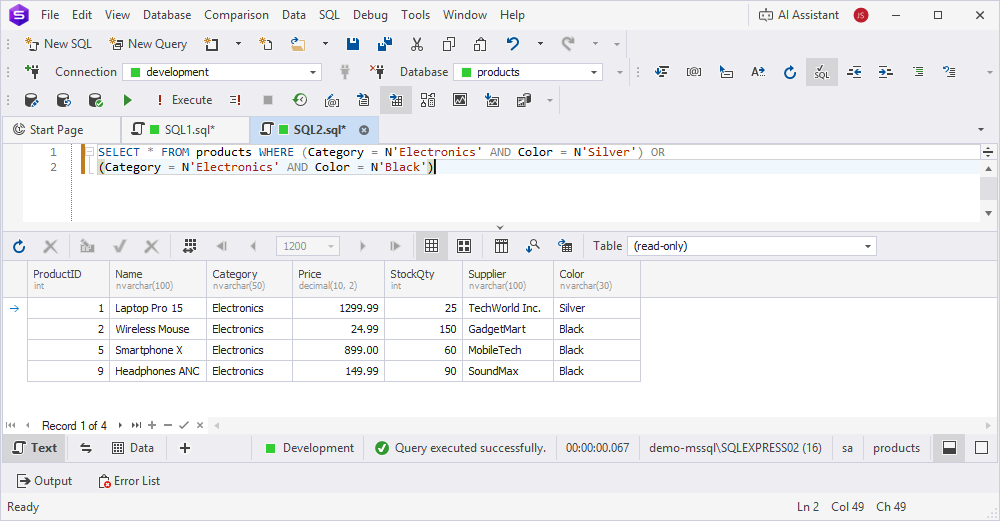
Scenario: You need a complex filter combining multiple conditions across columns, for example, SELECT * FROM Products WHERE Category = 'Electronics' AND Color = 'Black' OR Color = 'Silver'.
Action: Select the required cells across columns in the grid, right-click them, then select Generate Script As > WHERE AND OR > To Clipboard. Paste the generated WHERE clause with combined AND/OR conditions into your query, then execute the script.
Benefit: Automatically creates complex WHERE clauses with logical operators, saving time on manual condition crafting.
UPDATE
Scenario: You want to update specific rows in a table based on the selected data in the grid, for example, SELECT * FROM Products, and need to update Price for certain products.
Action: Select the required rows or cells in the grid, right-click them, then select Generate Script As > UPDATE > To Clipboard. Paste the generated UPDATE statements into your script, adjust values if needed, then execute the script.
Benefit: Generates accurate UPDATE statements for selected rows, reducing errors and manual SQL writing.