Go to Line window
The Go to Line window lets you move directly to a specific line in the active SQL document. You can enter a line number, and the editor scrolls to that line and places the cursor there. This can be useful when working with large SQL scripts, stored procedures, or log files where manual scrolling can be time-consuming.
Open the Go to Line window
To open the Go to Line window, do one of the following:
- On the top menu, select Edit > Go To.
- Press Ctrl+G.
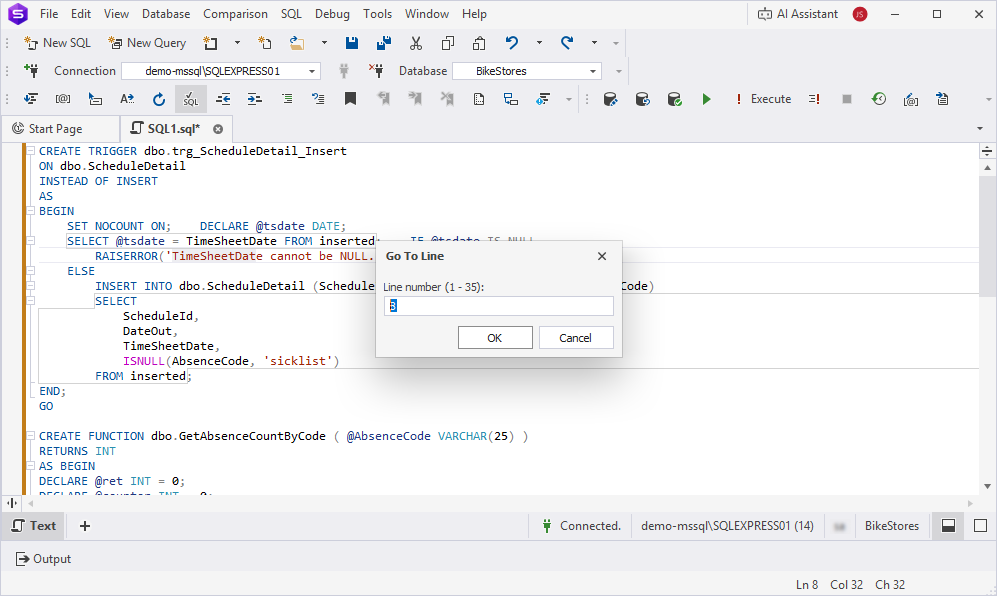
Move to a specific line
Use the following steps to jump to a particular line in your SQL document:
1. In the Line number field, enter the line number you want to go to.
Note
You can enter any number from 1 up to the total line count in the document.
2. To jump to the line, click OK.
Tip
To cancel moving to the line, click Cancel.