dbForge Studio for SQL Server v2025.2 release notes
What’s new
The 2025.2 update introduces new AI-driven features, extended support for modern cloud platforms, security enhancements, and multiple usability improvements across the IDE. These changes are aimed at improving development workflows, strengthening security, and extending compatibility with modern SQL Server and cloud features.
Enhanced AI Assistant
We continue to refine the AI Assistant to make it a more reliable part of everyday development.
Error analysis in real time
Errors from the Error List window can now be sent directly to AI Chat to receive immediate explanations and suggested fixes.
Web search integration
An online search option has been added to extend responses beyond pre-trained data. The AI Assistant scans the web, including the Devart website, documentation portal, and blog, to provide more complete answers.
Streaming responses
AI Assistant responses are now displayed as they are generated, allowing you to review them without waiting for the full output.
Support for new servers and cloud platforms
As the expansion of cloud platforms continues to grow, we update the Studio to keep pace.
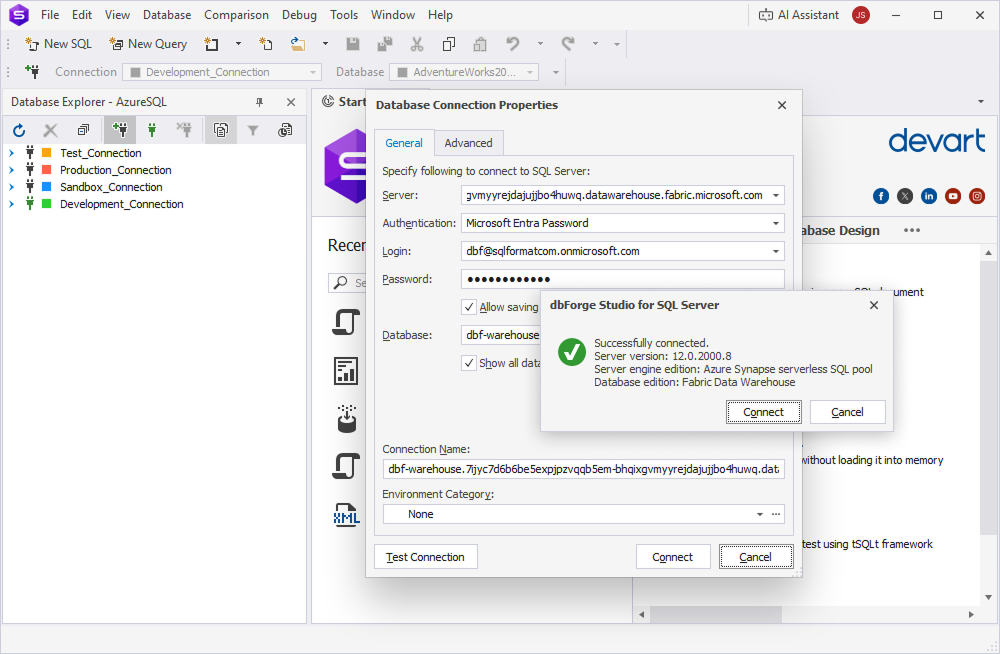
Support for Microsoft Fabric
dbForge Studio for SQL Server now supports Microsoft Fabric, Microsoft’s cloud analytics platform that unifies data storage, processing, visualization, and analysis in a single environment.
Extended Azure SQL support
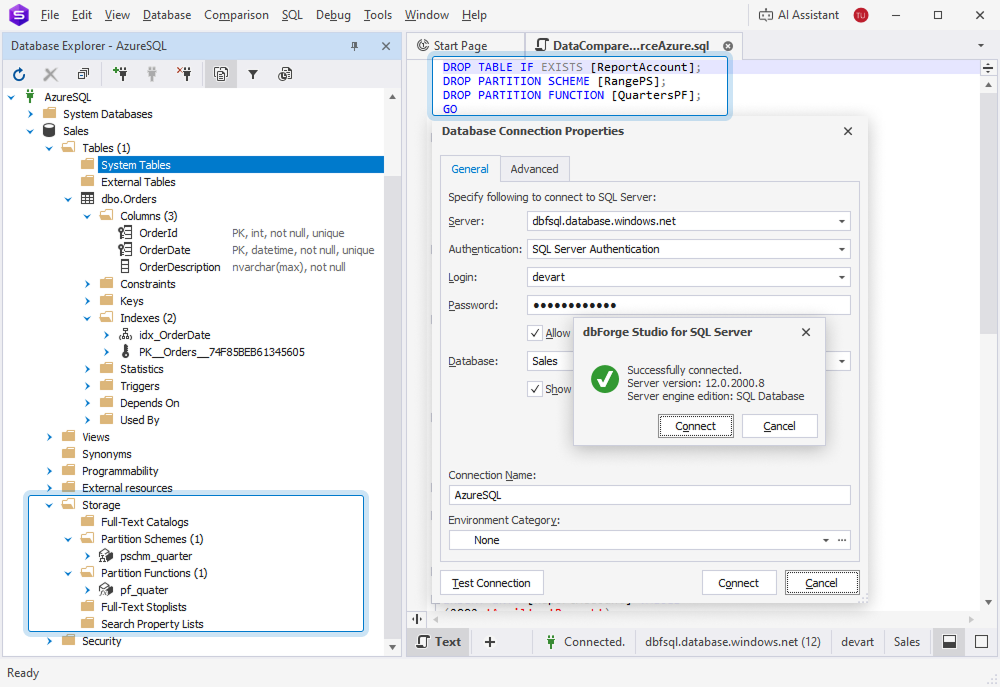
We have added support for additional partitioning syntax in Azure SQL, including partition functions, partition schemes, partition tables, partition columns, and partition indexes.
UI/UX improvements
Automatic data type selection for columns
The column data type is now assigned automatically based on the column name. By default, new columns are created with VARCHAR. However, if the name contains specific keywords, the system applies heuristics to set a more appropriate type. For example, a column containing the word DATE (such as str_date, date-str, MIME_Date, or srt date str) is automatically assigned the DATE type.
Tooltips for SQL document tabs
To improve user experience, we have added tooltips to the SQL document tab that display the connection and database names, document owner, full file path, and server version.
Control over new tab positioning
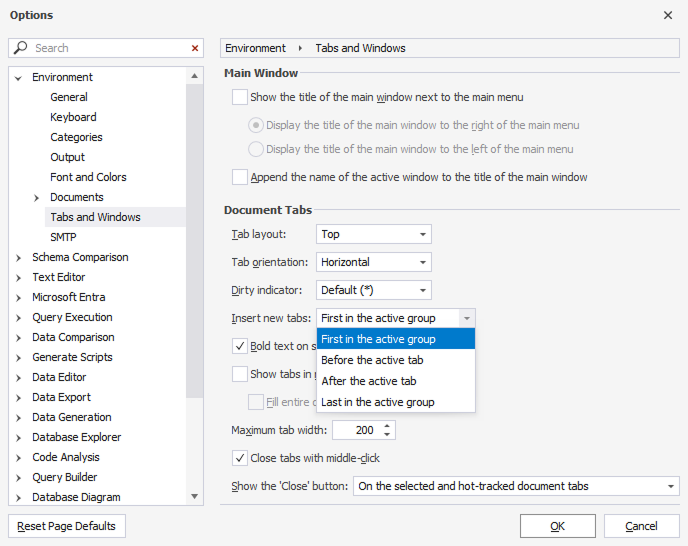
New options in Tools > Options > Environments > Tabs and Windows let you configure where new tabs are inserted: before or after the active tab, at the beginning, or at the end of the tab group.
New shortcuts
We have added keyboard shortcuts to simplify code editing and reduce manual operations.
Alt+Up / Alt+Down — Moves selected lines (or the current line if none are selected).
Ctrl+Shift+A — Selects the entire statement, including all related keywords, operators, and values.
Security and authentication enhancements
Improved security
Authentication with SQL Server through Entra ID has been enhanced to support more secure and flexible connection scenarios.
Strengthened encryption
Encryption capabilities have been improved to align with modern standards, ensuring stronger protection of sensitive data in transit and at rest.
Productivity improvements
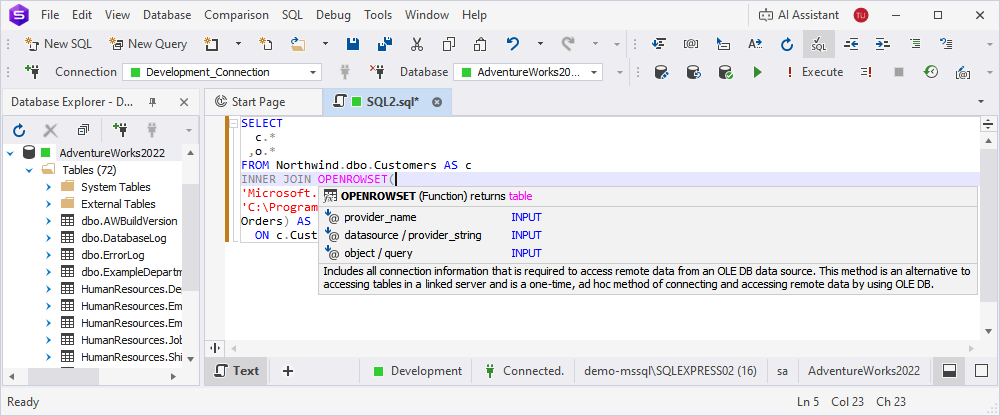
Full support for OPENROWSET
dbForge Studio for SQL Server now supports the OPENROWSET function, allowing queries against external data sources directly in SQL code. Suggestions are provided to guide parameter input.
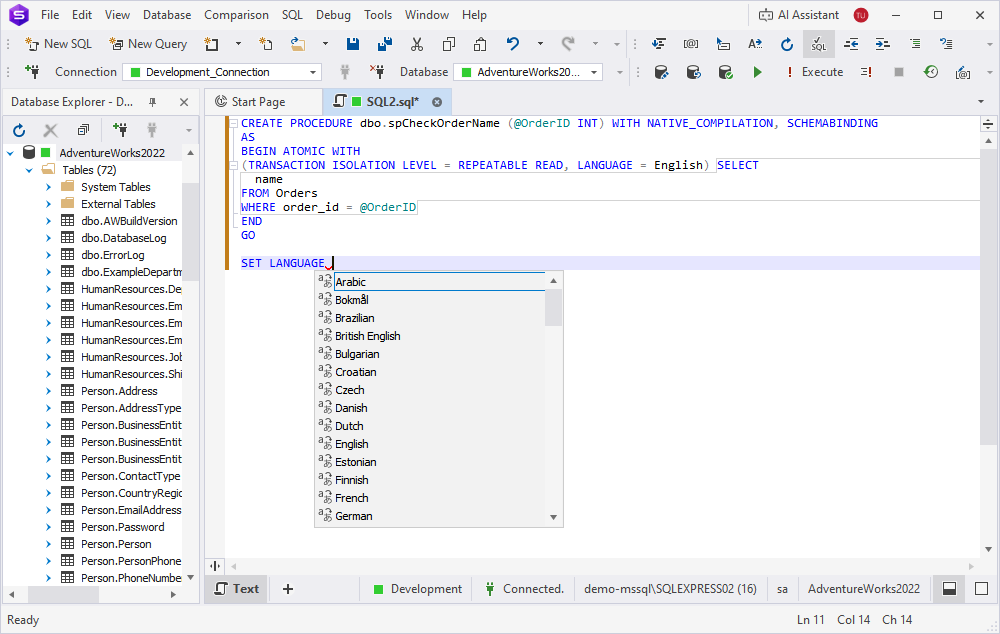
Suggestions for BEGIN ATOMIC WITH
When typing the BEGIN ATOMIC WITH statement, IntelliSense now displays available languages after the LANGUAGE keyword.
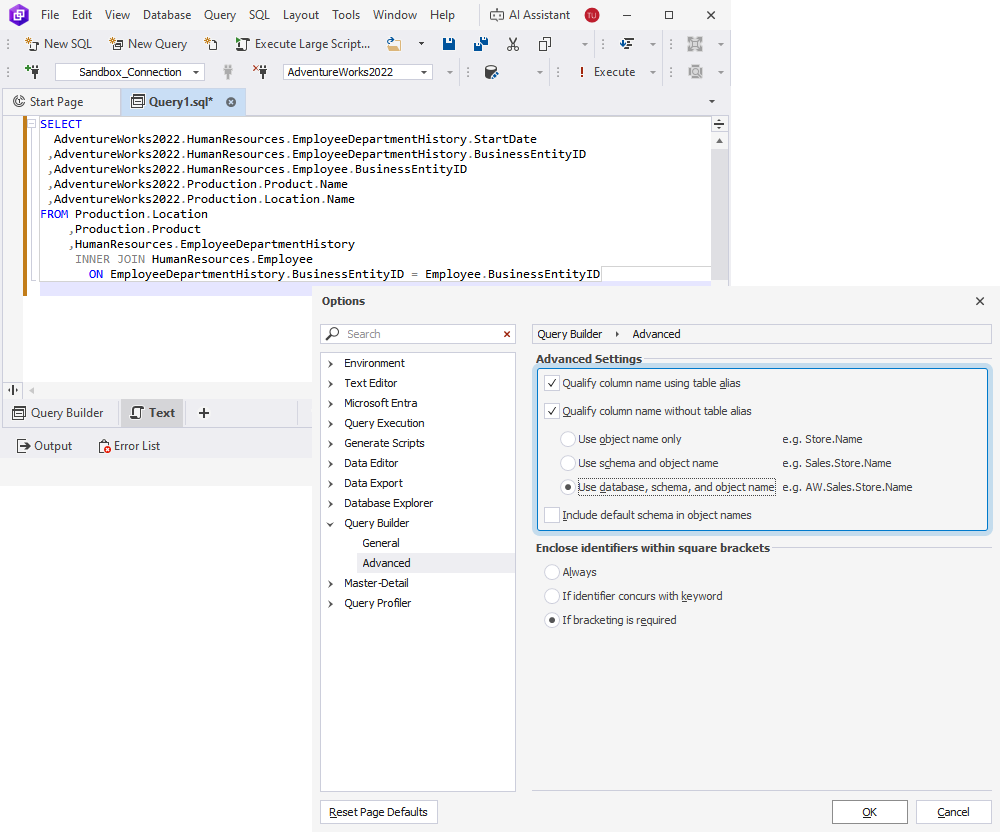
Updated qualification options in Query Builder
The Query Builder functionality now includes advanced settings to control how column names are qualified in generated SQL code. The new options are:
-
Qualify column name using table alias — Prefixes each column name with its alias, making queries more compact and easier to read.
-
Qualify column name without table alias — Prefixes each column name with its full table name, ensuring clarity when working with multiple tables that contain similar column names.