Common sections shared between objects
The following sections are generated for every documented object:
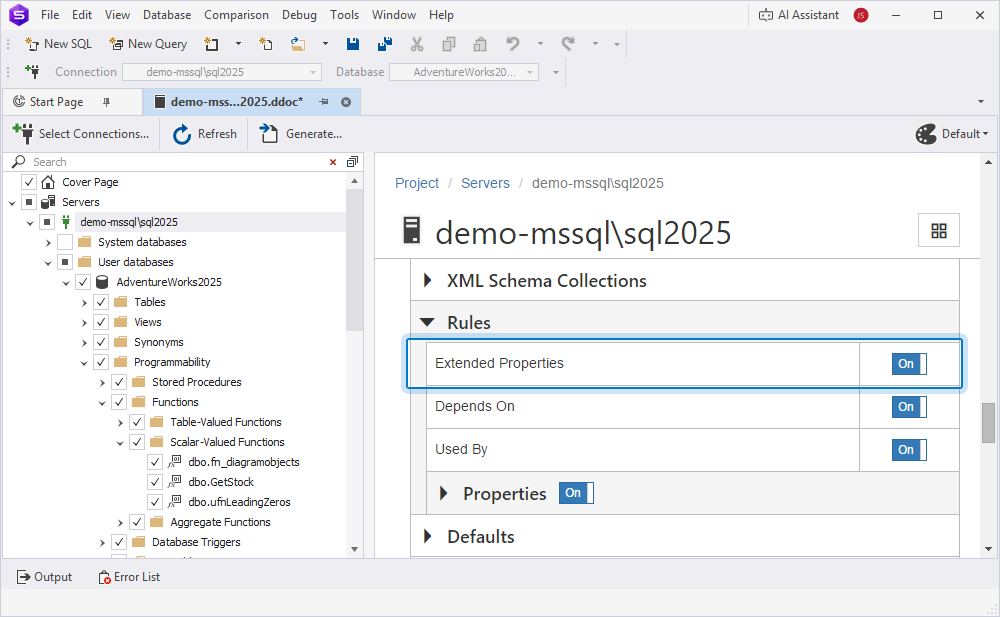
By default, all sections are included. To exclude the section, turn off the toggle. To include the section, turn on the toggle.
The information in each section is displayed in a table-like format.
Description section
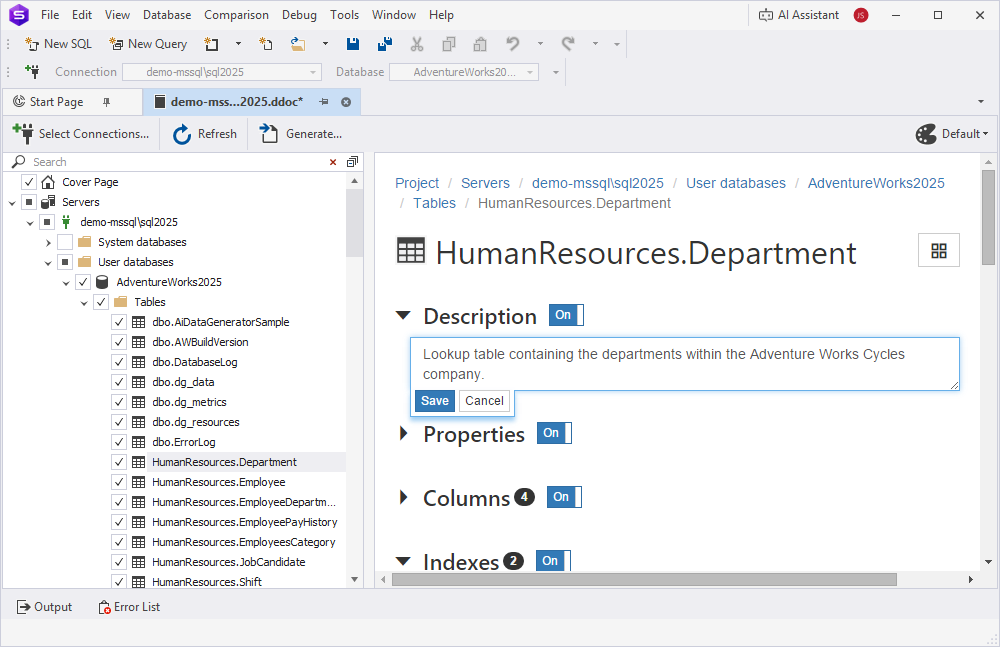
The Description section displays the text added to the database using the MS_Description extended property. You can add a new description or update the existing one.
Warning
Any changes are written directly to the database and are not stored in the database documentation project file (.ddoc).
To exclude the description from documentation, turn off the toggle next to Description. For example, in edit mode, the Description section for the HumanResources.Department table in the AdventureWorks2025 database appears as follows:
Properties section
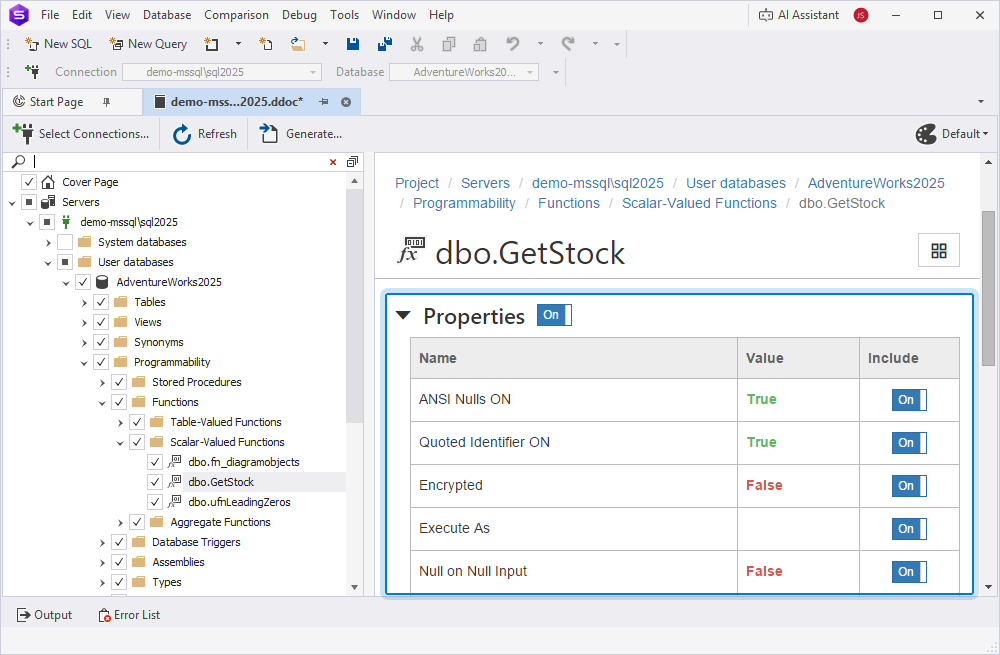
The Properties section displays the properties of the selected object. Each object type has its own set of properties.
To exclude all properties, turn off the toggle next to Properties. To exclude a property, expand the section and turn off the corresponding toggle. For example, the Properties section for the dbo.GetStock function in the AdventureWorks2025 database appears as follows:
Permissions section
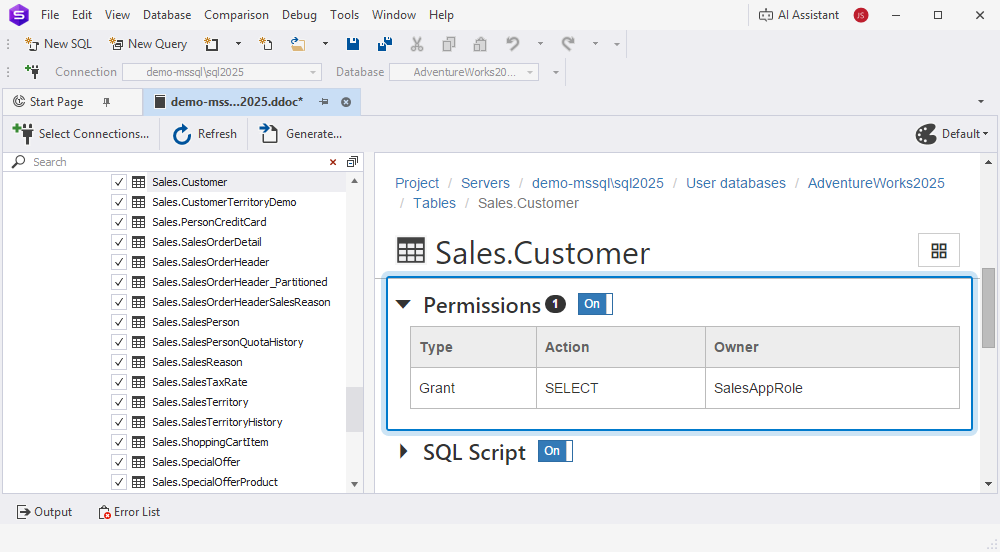
The Permissions section displays information about granted or denied privileges on database objects. The number next to the section name refers to the number of permission entries in the database table.
SQL Script section
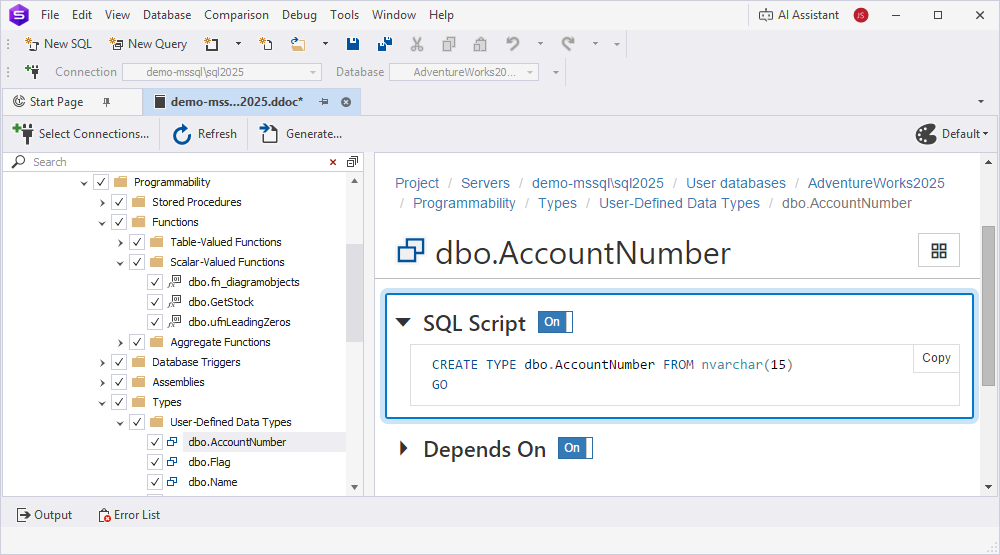
The SQL Script section displays the DDL script for the selected object.
To copy the DDL to the clipboard, click Copy in the upper-right corner of the section. For example, the SQL Script section for the dbo.AccountNumber user-defined data type in the AdventureWorks2025 database appears as follows:
Extended Properties section
The Extended Properties section displays all extended properties defined on the object, except the MS_Description extended property.
Depends On section
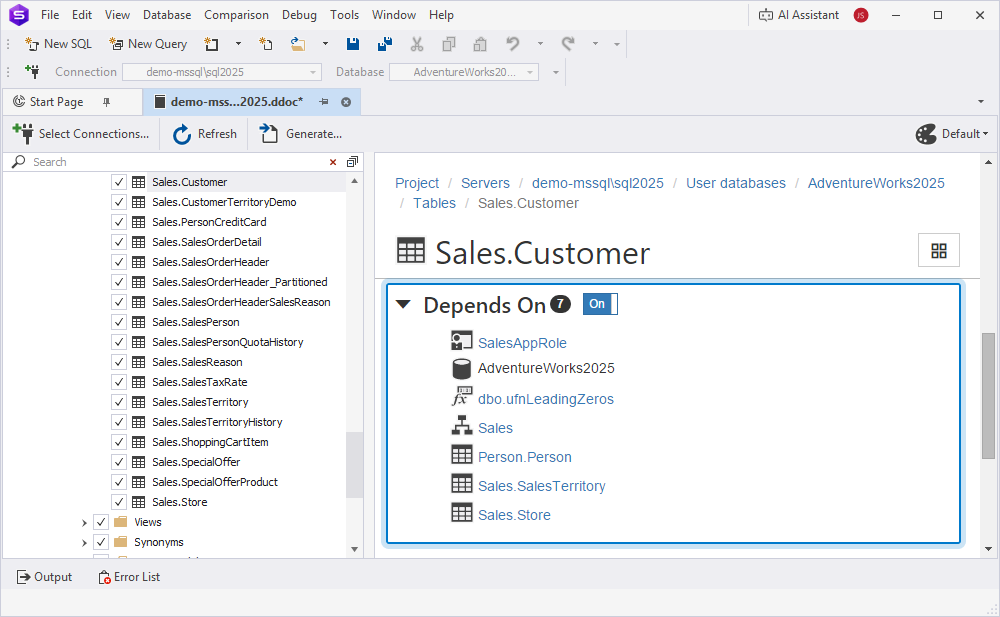
The Depends On section lists the objects that the documented object depends on. Each object is shown as a link that opens the corresponding object in the documentation project. The number next to the section name shows how many objects the documented object depends on.
For example, the Depends On section for the Sales.Customer table in the AdventureWorks2025 database appears as follows:
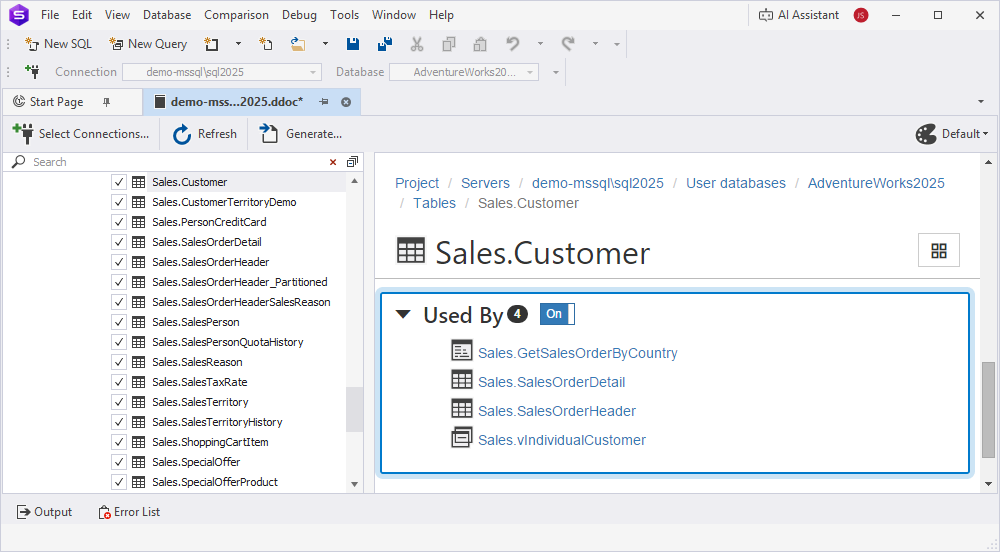
Used By section
The Used By section lists the objects that depend on the documented object. Each object is shown as a link that opens the corresponding object in the documentation project. The number next to the section name shows how many objects depend on the documented object.
For example, the Used By section for the Sales.Customer table in the AdventureWorks2025 database appears as follows: