Export a diagram
You can export a database diagram to an image file. The supported export formats are BMP, JPG, GIF, PNG, TIF, and EMF.
Export a diagram
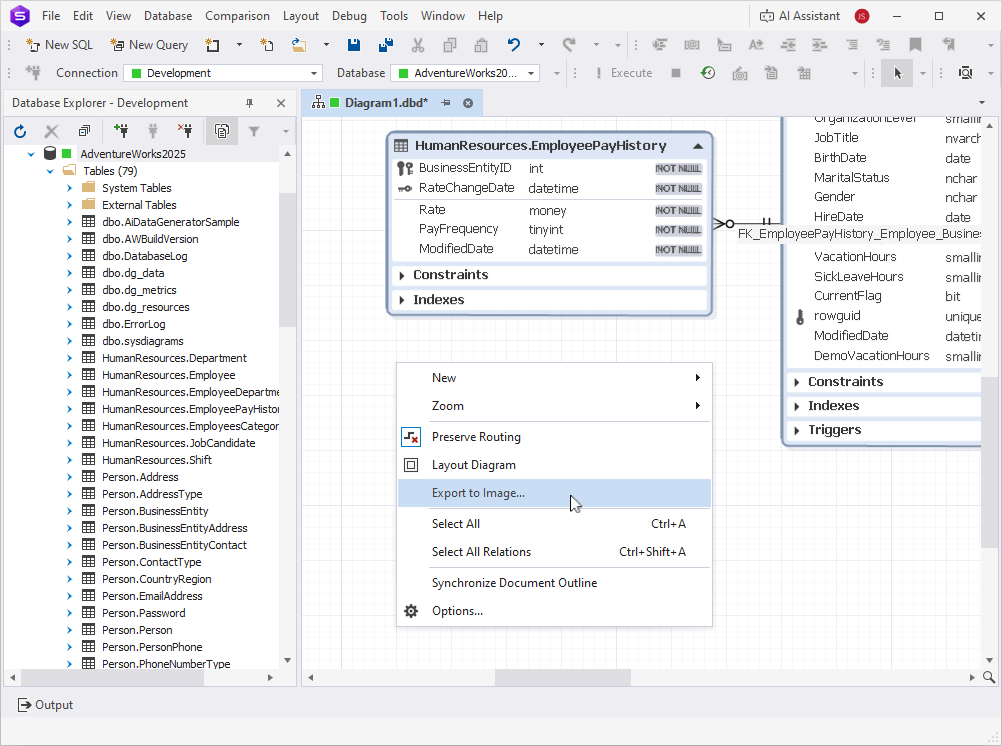
1. Right-click the diagram and select Export to Image.
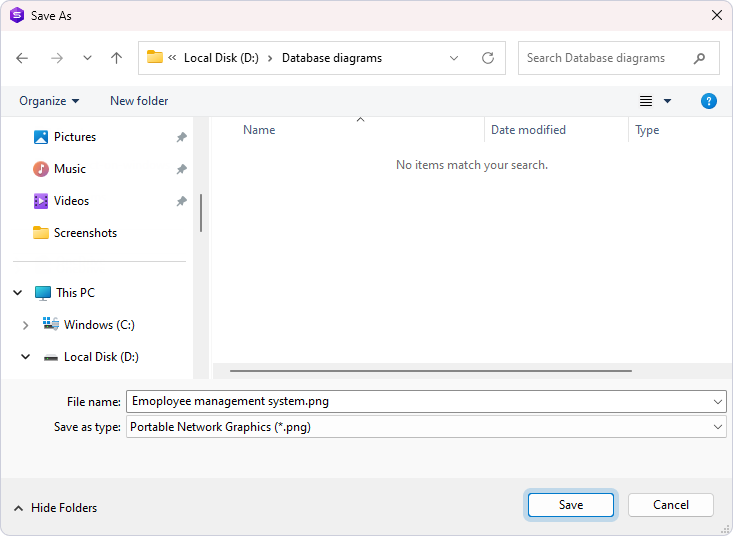
2. In the Save As dialog, perform the following actions:
-
Browse to the destination folder.
-
Enter the file name.
-
Select the image format.
3. Click Save.
Export large diagrams
When you export large diagrams, the export operation may fail because of memory limitations. This issue most commonly occurs with diagrams larger than 10,000 × 10,000 pixels, although smaller diagrams may also be affected.
In this case, the following error appears: The error occurred while diagram exporting. Probably, the image is oversized. Try to export to another format.
To resolve the issue, try one of the following options:
- Save the diagram in a vector format (.emf) to avoid bitmap limitations.
- Close other applications to free system memory and try exporting the diagram again.