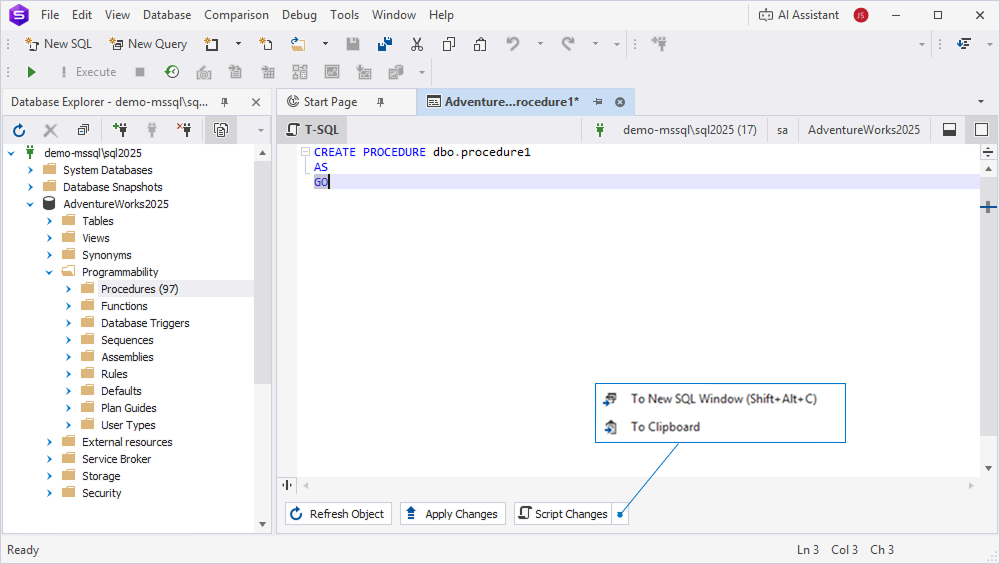
Procedure Designer
Procedure Designer in dbForge Studio for SQL Server provides a convenient and intuitive interface for managing stored procedures in databases. Stored procedures allow you to group SQL statements into reusable units, accept parameters, and control execution logic directly on the database side.
Open Procedure Designer
To open the Designer, in Database Explorer, expand Programmability, right-click the Procedures node or a procedure, and select New Procedure.
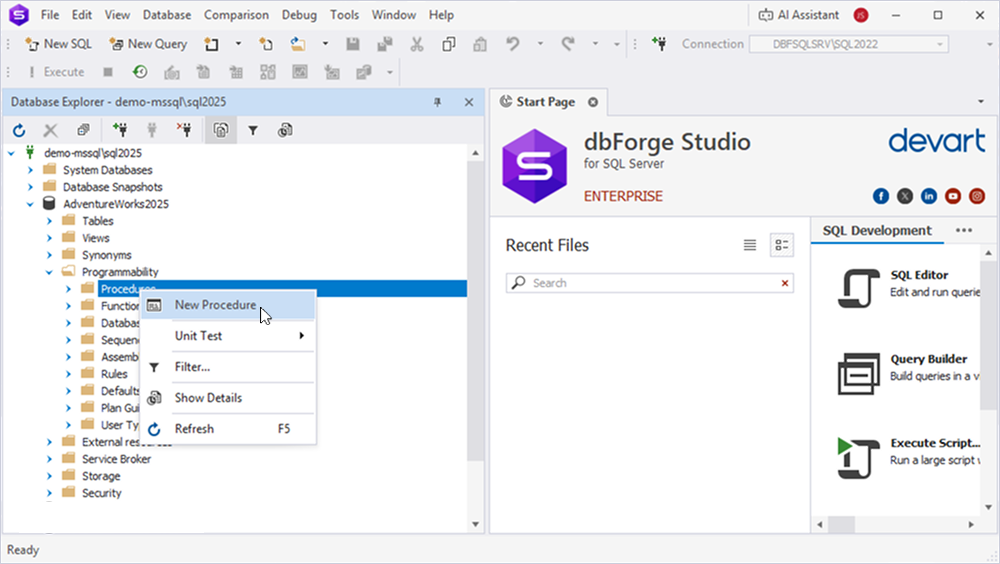
You can also open the Designer in one of these ways:
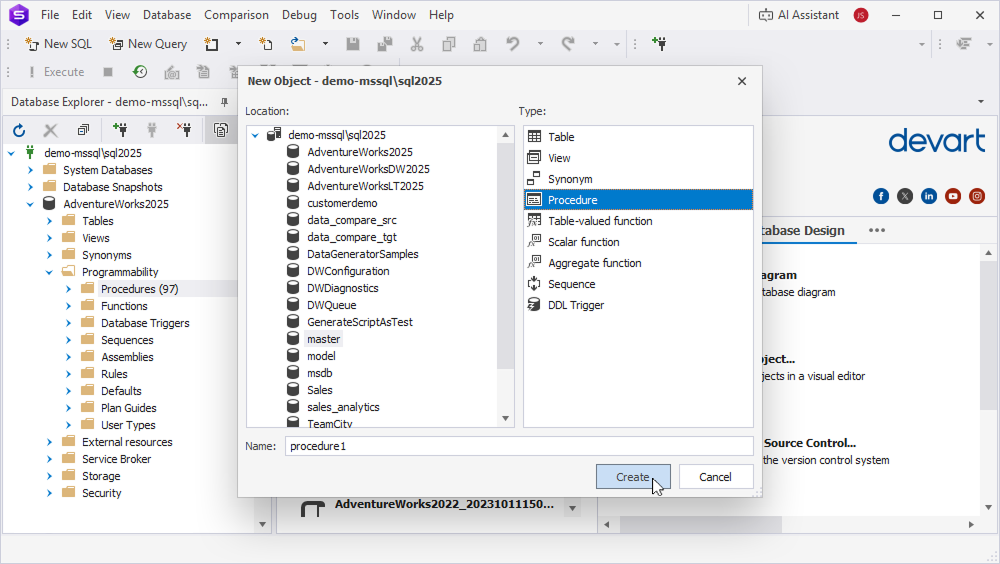
- On the menu bar, select Database > New Database Object. Then select Procedure, enter the procedure name, and click Create.
- On the Start Page, select Database Design > New Database Object. Then select Procedure, enter the procedure name, and click Create.
The Designer opens, displaying:
- SQL Editor that contains the
CREATE PROCEDUREtemplate. - Bottom panel, where you can refresh the object, apply changes, or generate a script for review before execution.
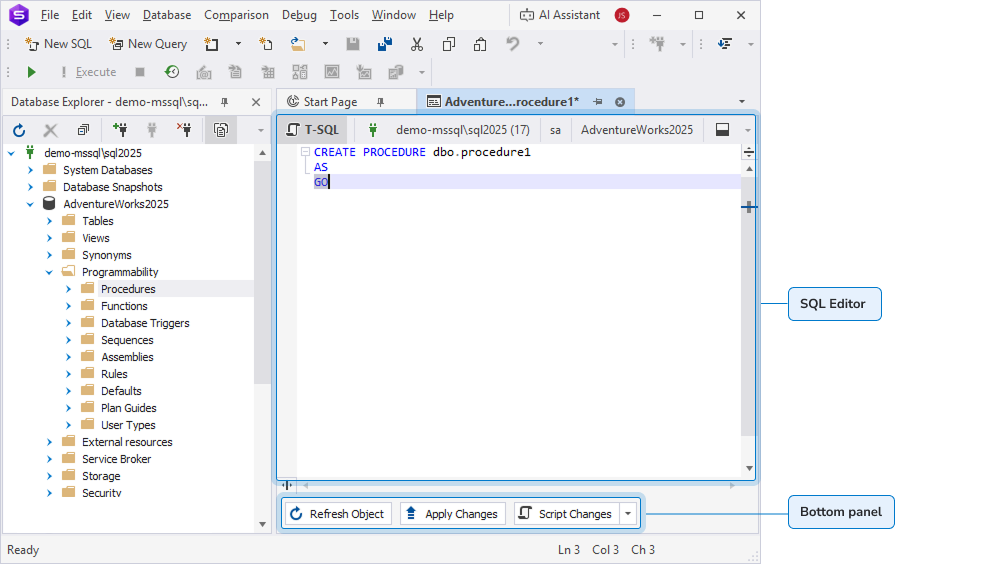
SQL Editor
When SQL Editor opens, you can see the generated template, which you need to customize.
CREATE PROCEDURE dbo.procedure1
AS
GO
The Editor supports IntelliSense, which provides:
- Auto-completion for SQL keywords.
- Suggestions for database objects, such as tables, columns, and schemas.
- Syntax assistance to help ensure code accuracy.
IntelliSense suggestions are also available for editing existing procedures.
Bottom panel
You can use the bottom panel to:
- Refresh Object (Shift+Alt+R) – Reloads an object state from a database.
- Apply Changes (Shift+Alt+A) – Runs a SQL script and saves changes to a database.
-
Script Changes – Generates the script in a new SQL document that includes all your changes without applying them to the database.
Click the arrow next to Script Changes and select:
- To New SQL Window (Shift+Alt+C) – Opens the script in a new SQL document.
- To Clipboard – Copies the script to the clipboard.