Database Trigger Designer
Database Trigger Designer in dbForge Studio for SQL Server is a visual tool for creating, editing, and managing database triggers.
Database triggers are special stored procedures that automatically execute in response to specific events on a table or view, such as INSERT, UPDATE, or DELETE operations.
Open Database Trigger Designer
To open the Designer, in Database Explorer, expand Programmability, right-click the Database Triggers node or a trigger, and select New DDL Trigger.
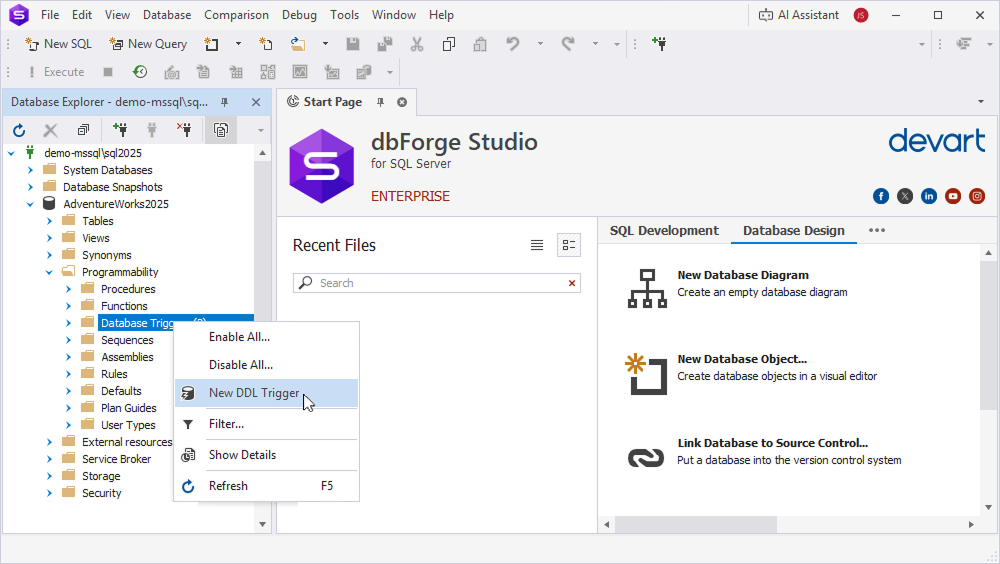
You can also open the Designer in one of these ways:
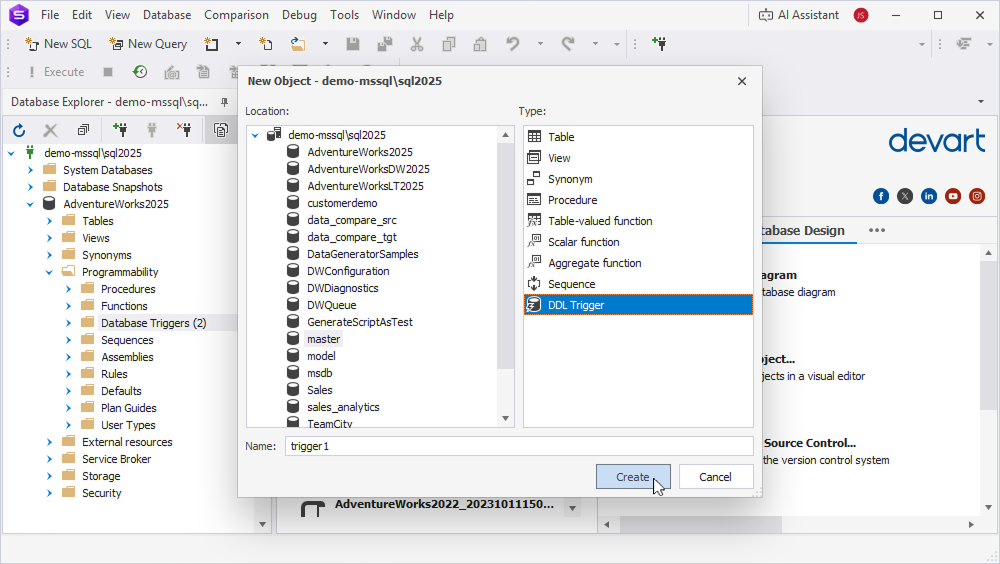
- On the menu bar, select Database > New Database Object. Then select DDL Trigger, enter the trigger name, and click Create.
- On the Start Page, select Database Design > New Database Object. Then select DDL Trigger, enter the trigger name, and click Create.
The Designer opens, displaying:
- SQL Editor that contains the
CREATE TRIGGERtemplate. - Bottom panel, where you can refresh the object, apply changes, or generate a script for review before execution.
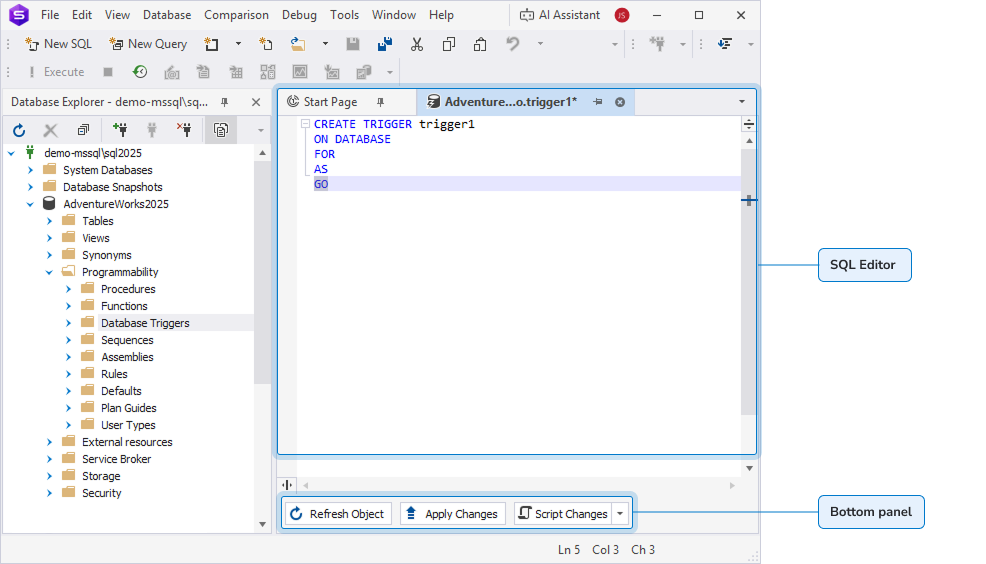
SQL Editor
When SQL Editor opens, you can see the generated template, which you need to customize.
CREATE TRIGGER trigger1
ON DATABASE
FOR
AS
GO
The Editor supports IntelliSense, which provides:
- Auto-completion for SQL keywords.
- Suggestions for database objects, such as tables, columns, and schemas.
- Syntax assistance to help ensure code accuracy.
IntelliSense suggestions are also available for editing existing triggers.
Bottom panel
You can use the bottom panel to:
- Refresh Object (Shift+Alt+R) – Reloads an object state from a database.
- Apply Changes (Shift+Alt+A) – Runs a SQL script and saves changes to a database.
-
Script Changes – Generates the script in a new SQL document that includes all your changes without applying them to the database.
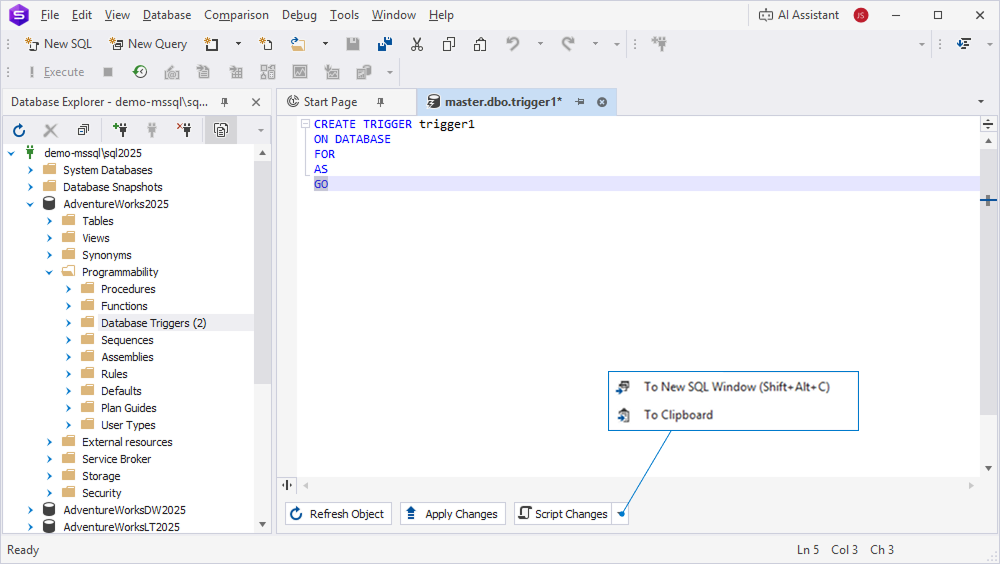
Click the arrow next to Script Changes and select:
- To New SQL Window (Shift+Alt+C) – Opens the script in a new SQL document.
- To Clipboard – Copies the script to the clipboard.