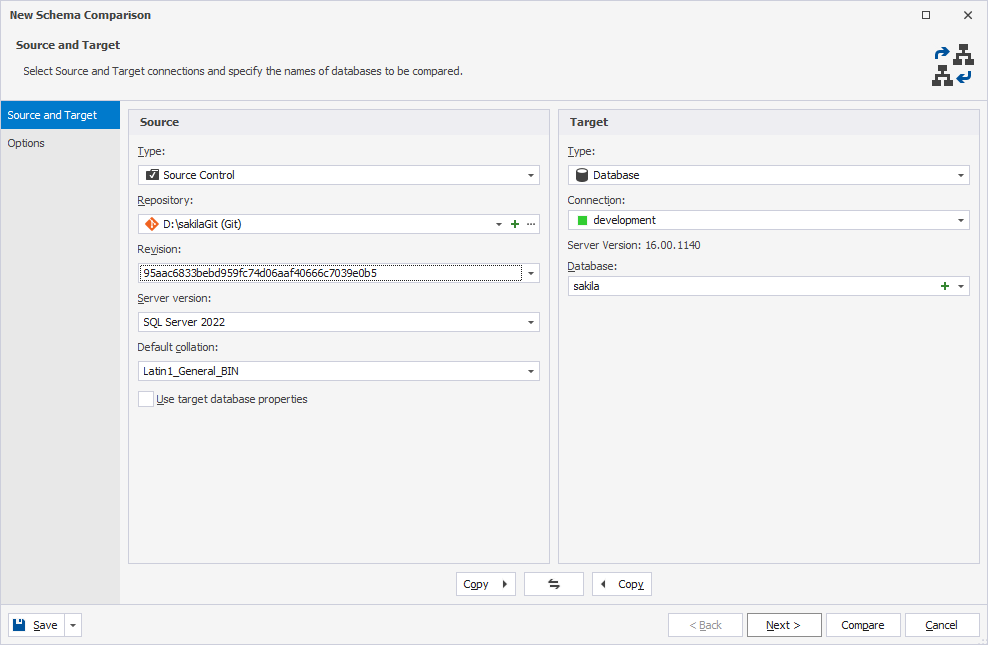
Select a version control revision
After you add the repository, you can select a specific commit to access the repository revisions as it existed at that point of time.
To select a source control revision:
1. Open the New Schema Comparison wizard in one of these ways:
- In the top menu, select Comparison > New Schema Comparison.
- On the Start Page, select Database Sync > New Schema Comparison.
2. On the Source and Target page, select Source Control as the source or target type.
3. In Repository, select a repository from the list or create a new repository.
4. To use a specific revision from the source control history, in Revision, click Select a specified revision.
Note
The Latest (Head) option is selected by default.
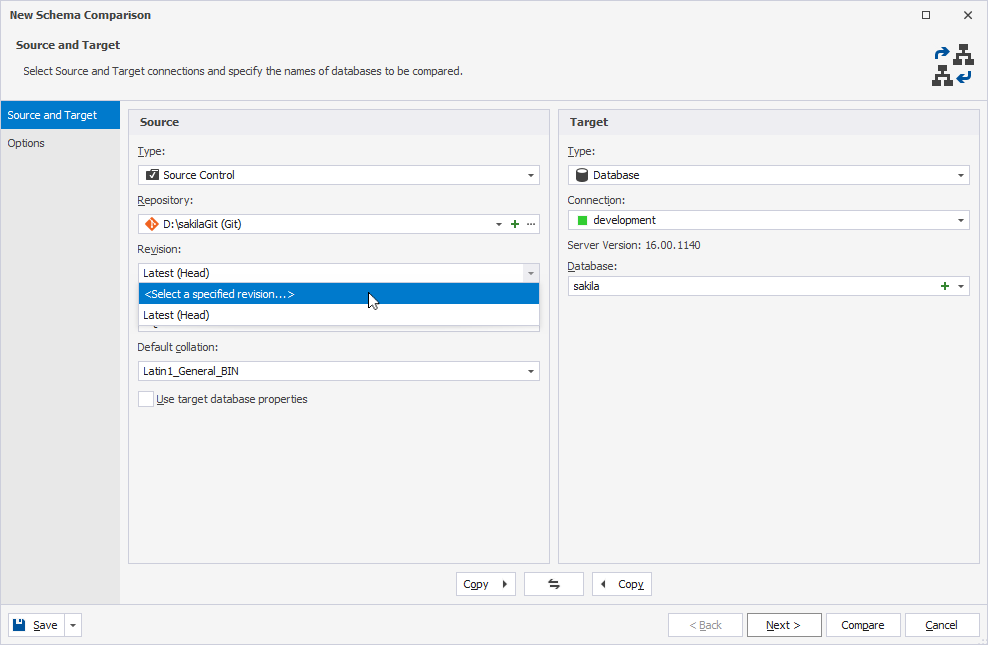
The Revision history window opens, displaying a list of the database source-control revisions.
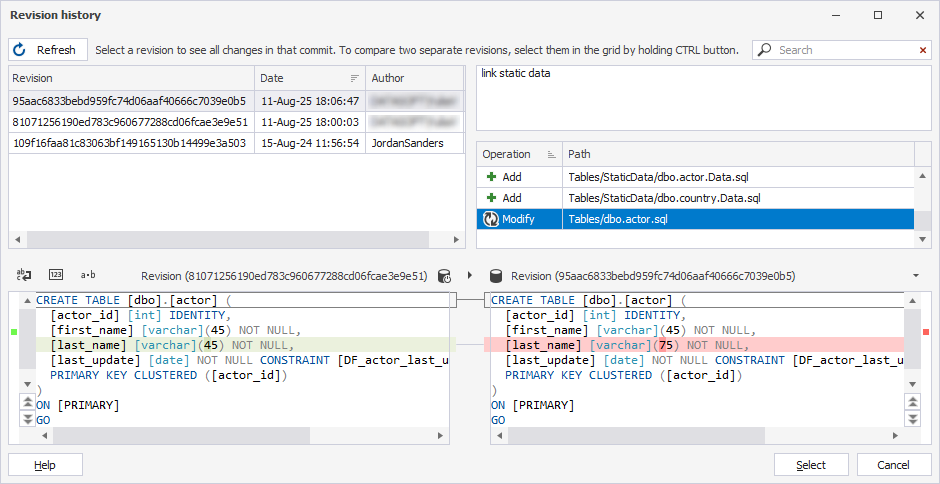
5. In the grid, select the revision you want to compare.
Tip
In the Revision history window, you can view:
- The code changes included in each commit.
- The commit message that explains the purpose of the change.
- The operation type, such as Add, Modify, or Remove.
6. Click Select.
The selected revision appears in Revision.