Add a Subversion repository
You can link a database to a Subversion repository and compare its revision with other data sources.
To add a Subversion repository to schema compare:
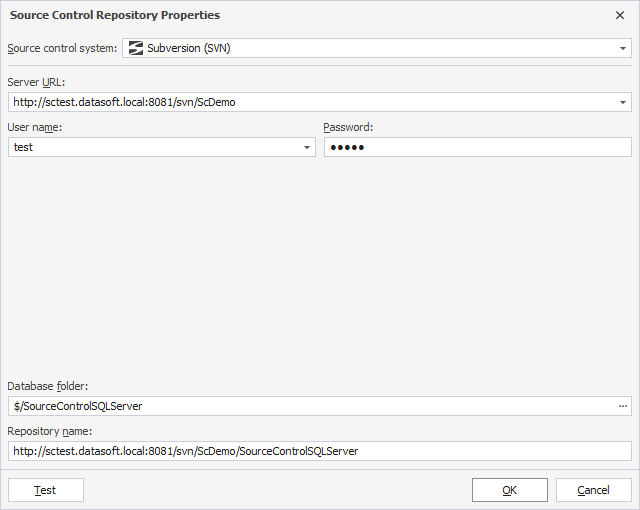
1. In the New Schema Comparison wizard, select Source Control as the source or target type.
2. In Repository, click  .
.
3. In the Source Control Repository Properties dialog, configure the repository settings:
3.1. In Source control system, select Subversion (SVN).
3.2. In Server URL, enter the server URL.
3.3. In User name, enter the username.
3.4. In Password, enter the password.
3.5. In Database folder, click the ellipsis (…) and select the folder to store the SQL scripts.
By default, the selected folder name is used as the repository name. To specify a different name, enter it manually.
4. Optional: Click Test to verify the connection settings.
5. Click OK to save the settings and close the dialog.