Include dependent objects
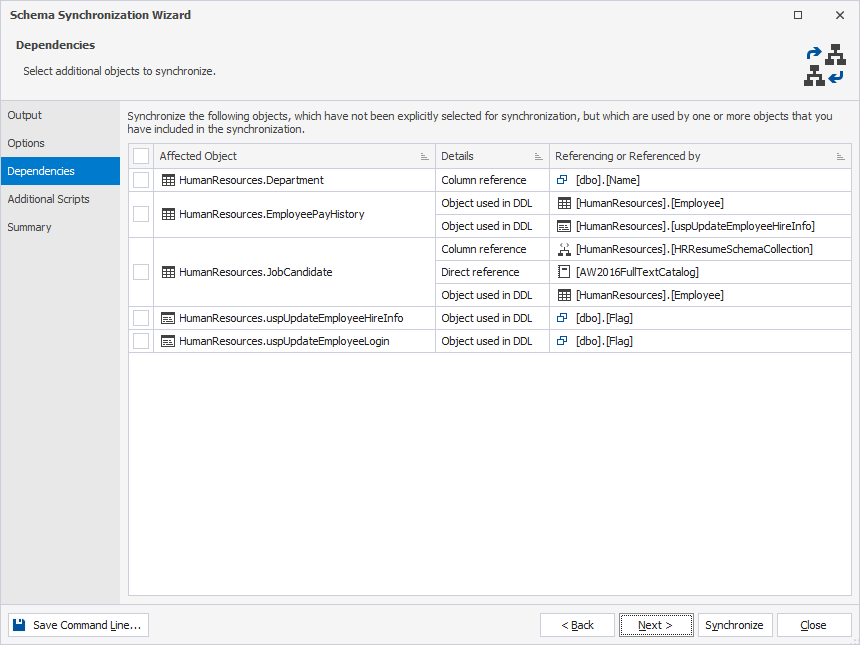
dbForge Studio for SQL Server allows you to view object dependencies and automatically include any dependent objects in the synchronization if they were not initially selected.
If any objects have dependencies on other database objects that were not selected for synchronization, the Schema Synchronization Wizard displays an additional Dependencies page. This page alerts you to objects that reference or are referenced by unselected objects, helping you understand how these dependencies may affect the deployment of changes.
Select a checkbox to include a dependent object, or clear it to exclude the object.
Warning
If a dependent object is selected but the parent object doesn’t exist on the target and isn’t included in synchronization, that is it was excluded on the Dependencies page of the Schema Synchronization Wizard, the generation of the deployment script may fail.