Create custom pre- and post-execution scripts
You can create custom scripts that will run before or after data synchronization on the Additional Scripts page of the Data Synchronization Wizard.
Open the Data Synchronization Wizard
You can open the Data Synchronization Wizard in one of these ways:
-
At the top of the document, click
 .
. -
Right-click the grid and select Synchronize.
-
Press F8.
-
On the Comparison toolbar, click
 .
.
Set additional scripts
1. Go to the Additional Scripts page.
2. To add the script to run before schema synchronization:
2.1. Select Scripts to execute before.
2.2. Use one of the following options:
- Use embedded script – Enter a script you want to run in the text box.
- Use external script – Specify the path to the file in the field below, or click the ellipsis (…) to browse for an existing script.
3. Optional: To add the USE database_name clause, select Include USE < database_name >.
Tip
You can run a script that processes transactions before synchronization.
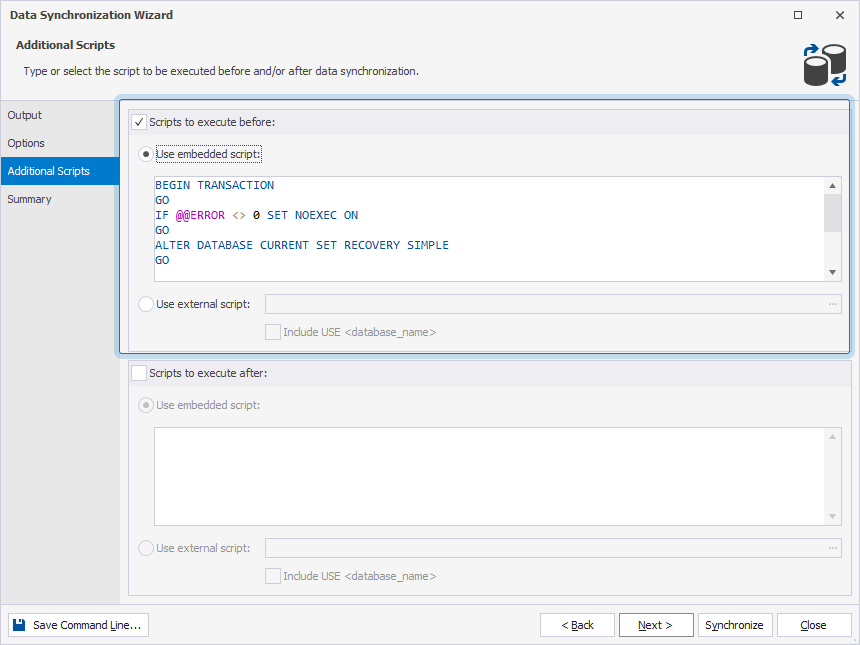
3. To add the script to run after schema synchronization:
3.1. Select Scripts to execute after.
3.2. Select one of the following options:
- Use embedded script – Enter a script you want to execute in the text box.
- Use external script – Specify the path to the file that stores the script, or click the ellipsis (…) to browse for an existing script.
To add the USE database_name clause, select Include USE < database_name >.
4. Optional: Go to the Summary page and verify the synchronization options.
5. Click Synchronize.