Unit Test overview
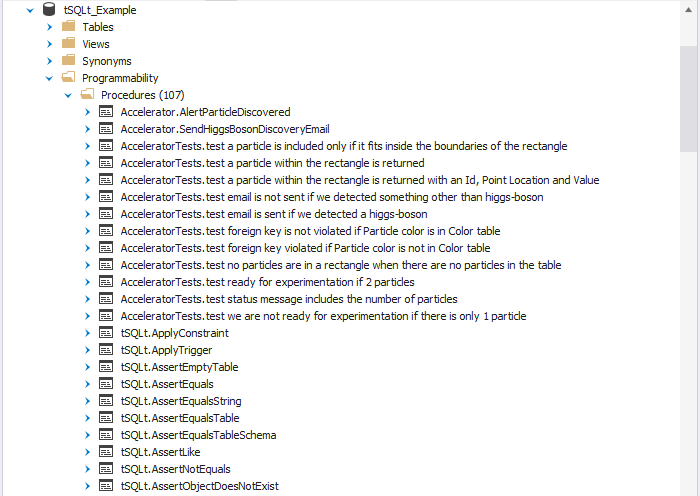
Unit Test in dbForge Studio provides an intuitive graphical user interface for creating, managing, and executing unit tests written in T-SQL. It is built on the open-source tSQLt framework and helps you verify that your T-SQL code behaves as expected during database updates. Unit Test doesn’t modify production data or require manual cleanup, making it a safe and isolated testing solution.
Install the tSQLt framework
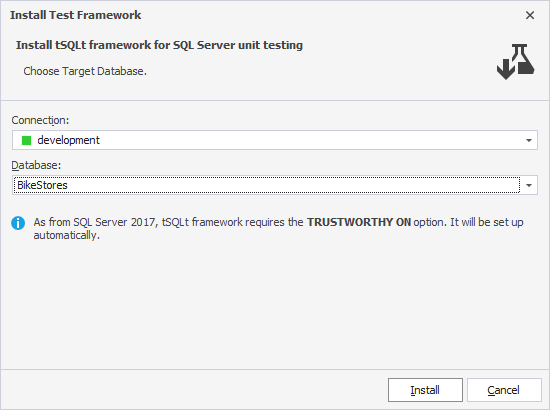
To create and run unit tests, first install the tSQLt framework in the target database using the Install Test Framework dialog.
Create unit tests
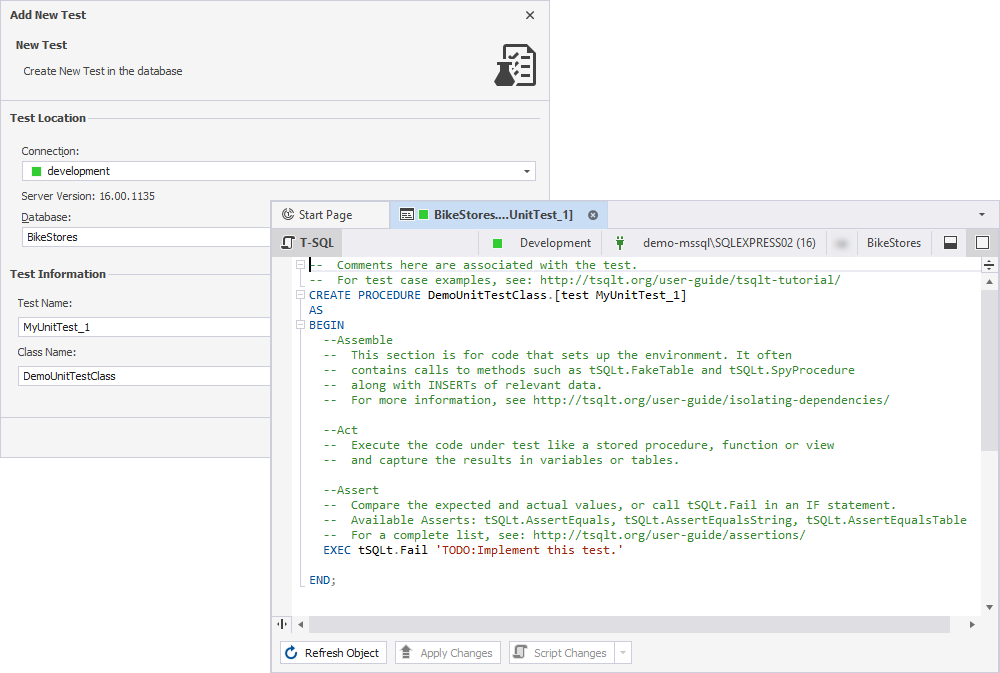
After you install the tSQLt framework, select Add New Test and enter a test name and class name. dbForge Studio opens a SQL document with a script template that includes three sections: Assemble, Act, and Assert. Add your T-SQL code to each section to define the test logic.
Manage unit tests
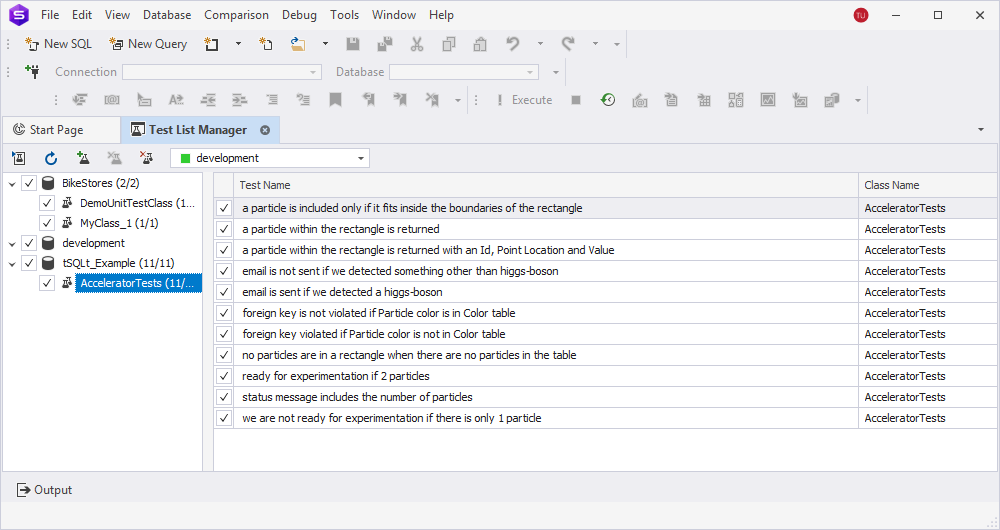
Unit Test provides a built-in Test List Manager to organize and manage unit tests visually. You can create custom test lists to group related tests and run them together.
Run unit tests
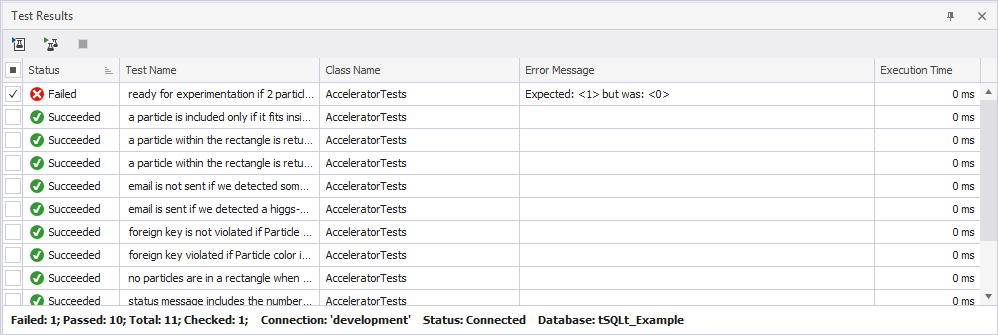
You can run tests from Database Explorer or Test List Manager. The Test Results grid shows the status of each test, such as Succeeded or Failed, along with the test name, class name, and execution time. If the test fails, you can review the error message and compare expected versus actual results. You can re-run the test or open it in SQL Editor to view or make changes.
Use sample tests
dbForge Unit Test includes a collection of predefined test samples that demonstrate how to work with the tSQLt framework. You can install these samples into your database to explore test cases for stored procedures, functions, and triggers. You can view the source code, run the tests, and modify or remove them as needed – without writing tests from scratch.