Handle connection failures during comparison and sync
This topic provides a step-by-step procedure describing how to ensure uninterrupted schema comparison and synchronization from the command line if the server connection fails.
Step 1: Save the script
1. Open any text editor.
2. Enter the following PowerShell script and adjust the values of $rootFolder and $databasesTxtPath to match your setup.
Note
If you installed dbForge Studio for SQL Server as part of the dbForge Edge bundle, specify
"C:\Program Files\Devart\dbForge Edge\dbForge Studio for SQL Server"in$diffToolLocation.
#region Variables

$rootFolder = "<scripts_folder>"
$databasesTxtPath = "<path_to_txt_file_with_databases>"
#Declare $diffToolLocation variable for dbForge Studio for SQL Server
$diffToolLocation = "C:\Program Files\Devart\dbForge Studio for SQL Server\dbforgesql.com"

#endregion


foreach ($line in [System.IO.File]::ReadAllLines($databasesTxtPath)) {
   # Read the connection parameters for the current database from the configuration file
   $server = ($line -split ",")[0]
   $database = ($line -split ",")[1]
   $isWindowsAuthentication = ($line -split ",")[2]
   $userName = ($line -split ",")[3]
   $password = ($line -split ",")[4]
   $today = (Get-Date -Format "dd-MM-yyyy_HH_MM_ss")
   $ReportsLocation = New-Item -ItemType Directory -Force -Path ($rootFolder + "\" + "DiffReports")
   $logsLocation = New-Item -ItemType Directory -Force -Path ($rootFolder + "\" + "Logs")
   $srvCleanName = ($server -replace "\\", "")
   $currentReportFile = Join-Path $ReportsLocation "$srvCleanName.$database.$today"
   $logName = Join-Path $logsLocation "$srvCleanName.$database.$today.txt"
   $maxTries = 3
   $tryCount = 0


   Write-Host "Server: $server; Database: $database; isWindowsAuthentication: $isWindowsAuthentication"


# Create connection string
   if ($isWindowsAuthentication -eq 'True') {
      $SourceConnectionString = "Data Source=$server;Initial Catalog=AW2022Dev;Integrated Security=True;"
      $TargetConnectionString = "Data Source=$server;Initial Catalog=$database;Integrated Security=True;"

                                            }
   else {
      $SourceConnectionString = "Data Source=$server;Initial Catalog=AW2022Dev;Integrated Security=False;User ID=$userName;Password=$password;"
      $TargetConnectionString = "Data Source=$server;Initial Catalog=$database;Integrated Security=False;User ID=$userName;Password=$password;"


      do {
    $tryCount++


    # Log information about checking the database
   New-Item -ItemType File -Force -Path $logName
   # Initiate the comparison of the Source Database with the multiple Target Databases and generate a report
   $process = Start-Process -FilePath $diffToolLocation -ArgumentList "/schemacompare /source connection:`"$SourceConnectionString`" /target connection:`"$TargetConnectionString`" /report:`"$currentReportFile`" /reportformat:html /includeobjects:All /log:`"$logName`"" -PassThru -Wait -windowstyle hidden

    if ($process.ExitCode -eq 40) {
        Write-Host "Connection failed, retrying in 1 minute (attempt $tryCount of $maxTries)..."
        Start-Sleep -Seconds 60
    } elseif ($process.ExitCode -eq 101) {
        Write-Host "Connection successful!The source and the target are not identical.More details in DiffReports and in Log."
        break
    }
} while ($tryCount -lt $maxTries)

if ($tryCount -ge $maxTries) {
    Write-Host "Connection failed after $tryCount attempts."
}

}
}
3. Save the file with the .ps1 extension.
Step 2: Create a configuration file
1. Open any text editor.
2. Save the following .txt file to the folder where the .ps file is stored. Replace the parameters with your actual data.
Server1,False,Username1,Password1
Server2,False,Username2,Password2
This .txt file contains the comparison configurations, such as server names, database names, login information, and passwords.
Note
If the Windows authentication mode is enabled, don’t specify your logins and passwords in the file.
Step 3: Edit the script
1. Run Windows PowerShell ISE as an administrator.
2. Open the previously saved .ps file.

Step 4: Run the script
Press F5 to execute the script.
If the connection fails, the following output is displayed:
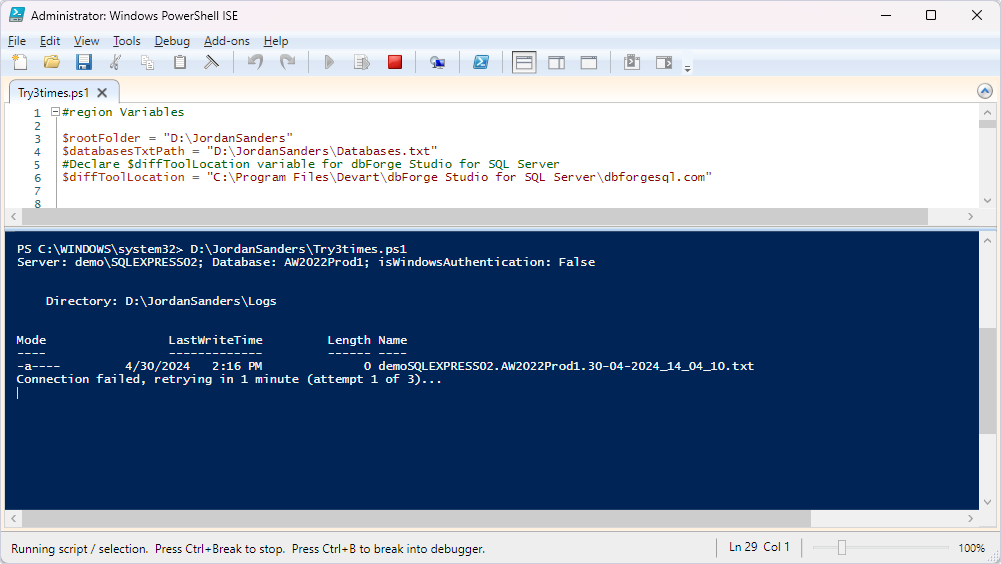
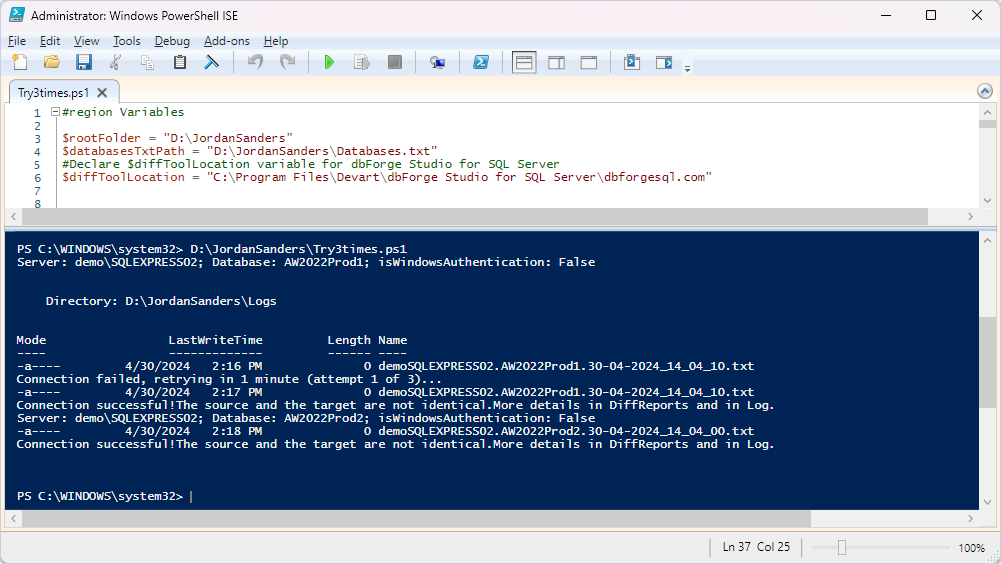
As soon as the connection is restored, the script is executed.
Note
Executing the script creates two folders:
- Logs – Stores log files.
- DiffReport – Keeps generated HTML diff reports.
Step 5: Verify the process
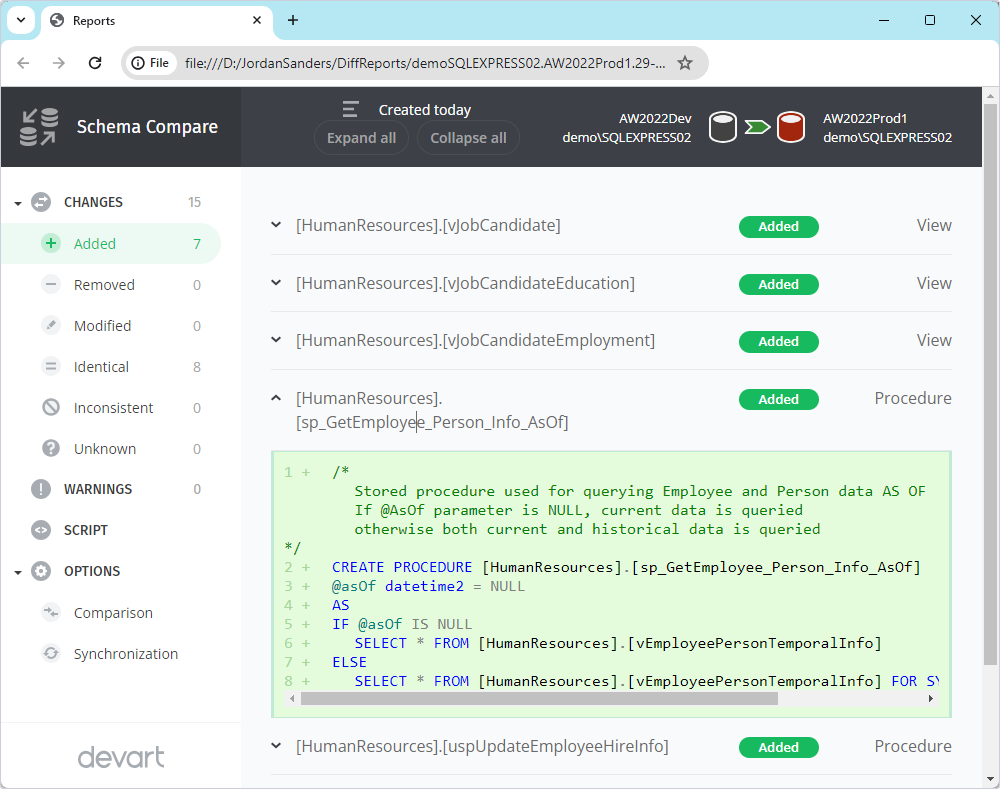
To verify the schema comparison, go to the DiffReport folder and open the generated file.
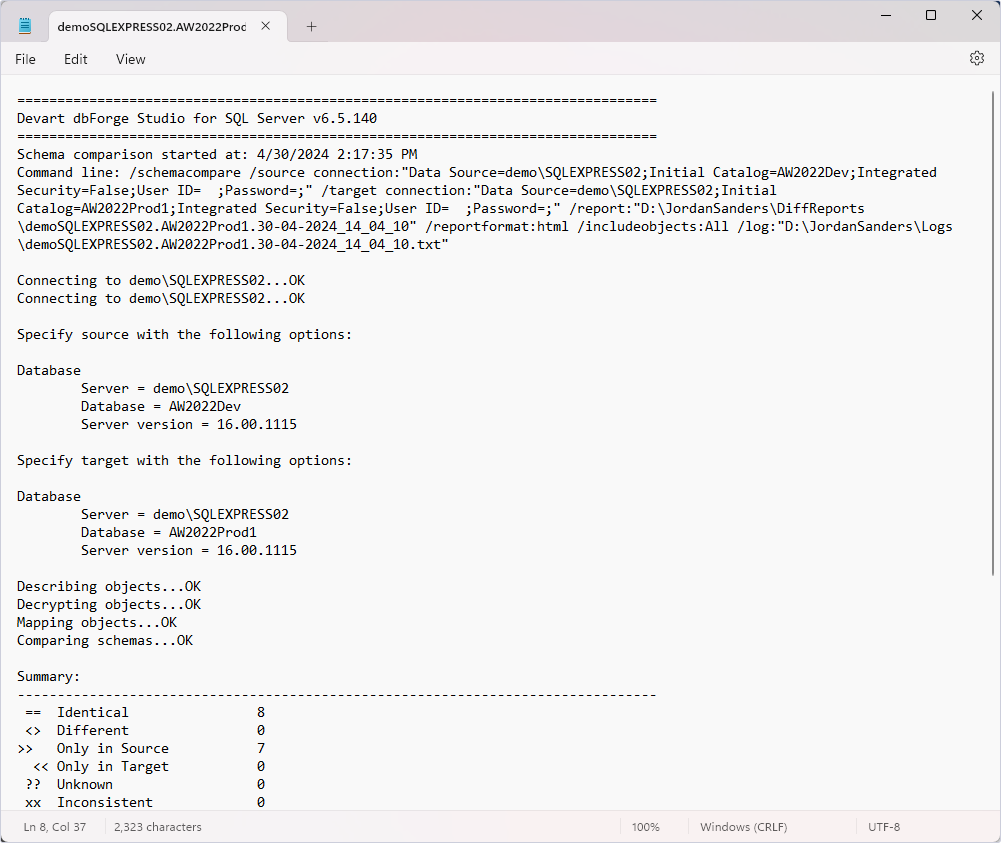
You can also check logs to ensure that the process has completed successfully.