The Build step
Synopsis
Builds a database on a server.
Description
The Build step involves building a database package and deploying it on a specific server. This package is typically created from a script folder containing SQL or other database-related files.
Create the Build step
1. In the left navigation menu, select Projects, then under your project, click Build.
2. In the top right corner, use the Settings toggle to switch to editing mode.
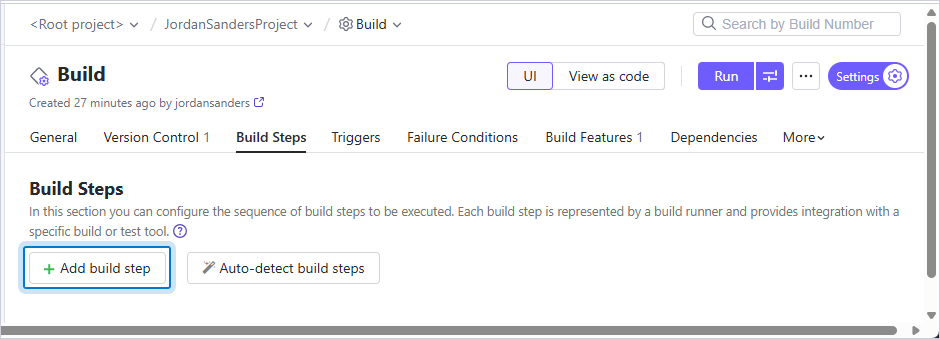
3. Navigate to the Build Steps tab and click Add build step.
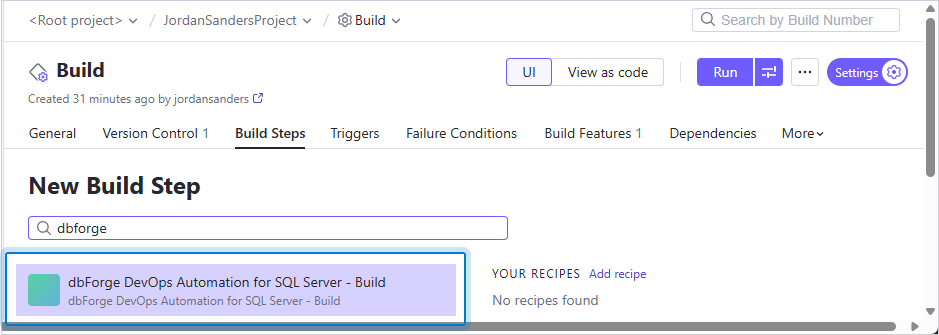
4. In the search box, enter dbforge, then select dbForge DevOps Automation for SQL Server – Build.
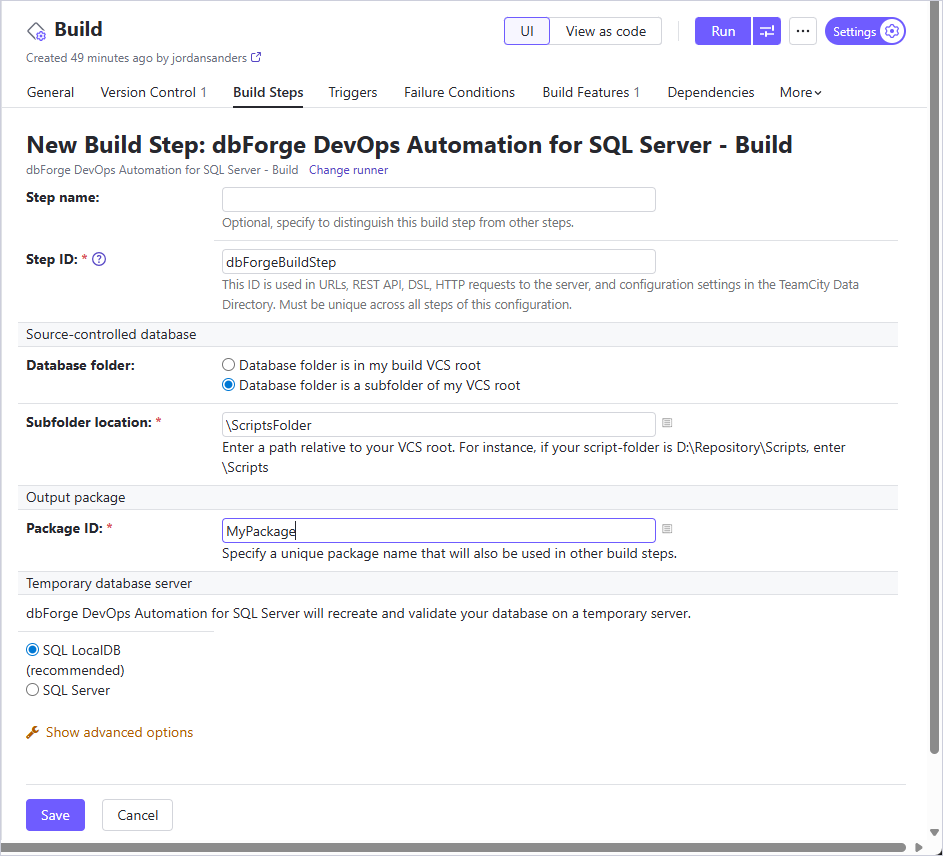
5. Configure the step settings.
The table provides a list of options you can customize for the Build step.
| Name | Description |
|---|---|
| Step name | Optional: Specify the step name to distinguish it from other steps. |
| Step ID | Specifies the ID that will be used in URLs, API, or HTTP requests to the server. This ID must be unique across all steps in this configuration. |
| Database folder | Select whether the database source project is located in the repository root directory or within the subfolder path. |
| Subfolder location | Specifies the path to your VCS root. |
| Package ID | Specify a unique package name that will also be used in other build steps. |
| Temporary database server | Specify the temporary server for dbForge DevOps Automation for SQL Server to recreate and validate your database on. The available options are:
|
| Schema Compare options | Specify additional Schema Compare options. |
| Schema Compare filter | Specify a path to an alternative filter file which will be used for validating the schema to override .scflt filter file that is present in the input. Note: You can filter data by using a filter file (.scflt) that defines the filtering rules. After generating the file, add it to your version control system (VCS) so it can be used in the CI process. |
Note
It is recommended to use
LocalDBas the temporary database server. In this setup, theLocalDBinstance is created, and a temporary database is deployed to it. The SQL scripts are then executed against this database. After the process completes, the temporary database is deleted, and theLocalDBinstance is closed.To deploy scripts to a specific server, select a SQL Server mode and configure the required settings in the corresponding user controls.
6. Click Save.