The Publish step
Synopsis
Publishes the package at the specified location.
Description
The Publish step entails packing the scripts folder into the package and then publishing it at the specified location.
Create the Publish step
1. On the Configure page, select Build Steps.
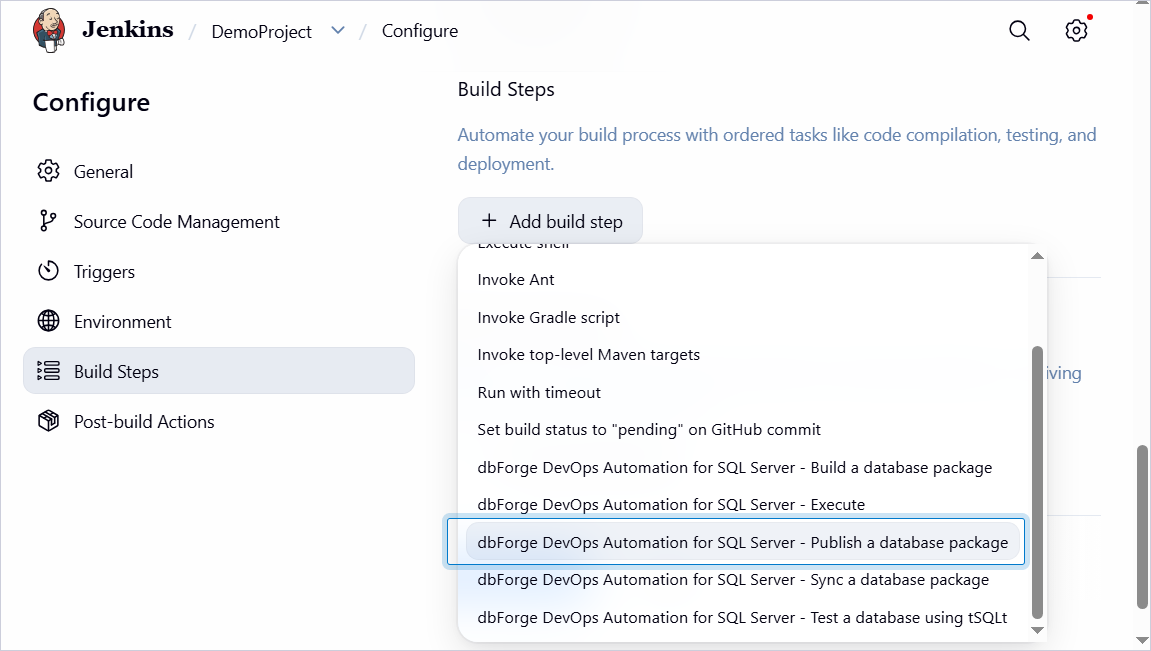
2. Click Add build step, then select dbForge DevOps Automation for SQL Server – Publish a database package.
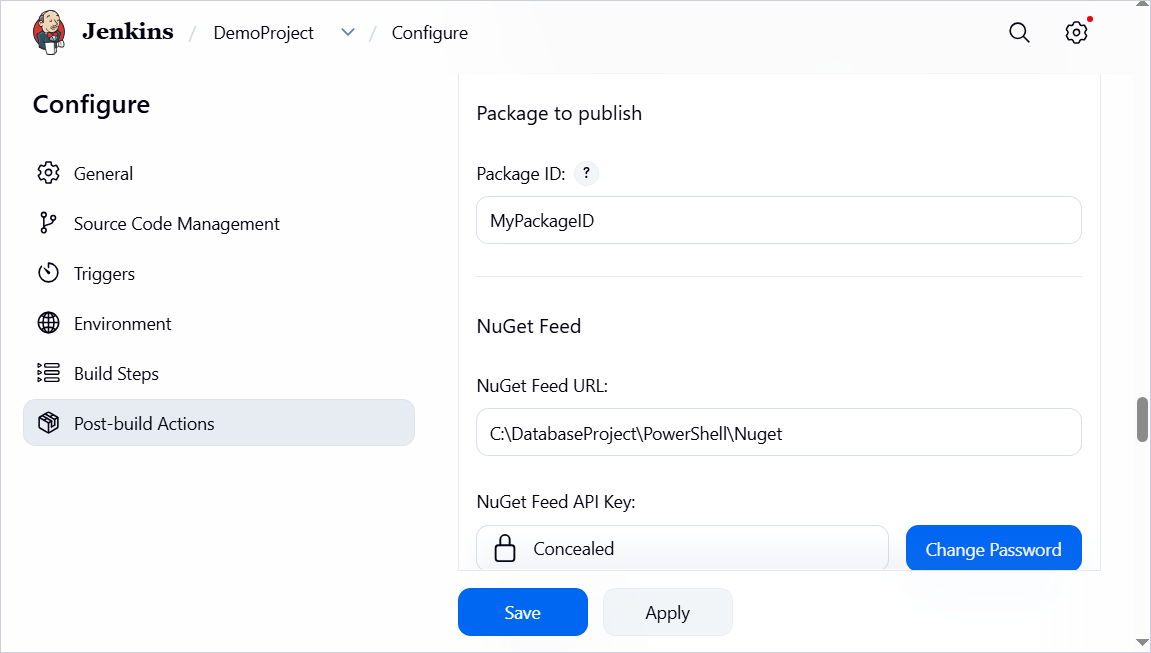
3. Under Package to publish, specify the package ID.
4. Under NuGet feed, specify the path for your NuGet package and key for the NuGet feed.
5. Click Save.
Customization options
The table provides a list of options you can customize for the Publish step.
| Name | Description |
|---|---|
| Package to publish | Specify the package ID. |
| NuGet Feed URL | Specify the NuGet repository URL. |
| Feed API Key | Specify the NuGet Feed API Key. |
| Package version (optional) | Specify a custom package version if needed. If you leave this field blank, the version will automatically increment from the latest version available in the NuGet repository. |