The Execute step
Synopsis
Runs specified SQL scripts in the pipeline.
Description
The Execute step executes SQL scripts, which can be used for a variety of purposes, such as creating a database from custom scripts, executing migration scripts to update an existing database, or adding unit tests for the deployed database.
Create the Execute step
1. On the Configure page, select Build Steps.
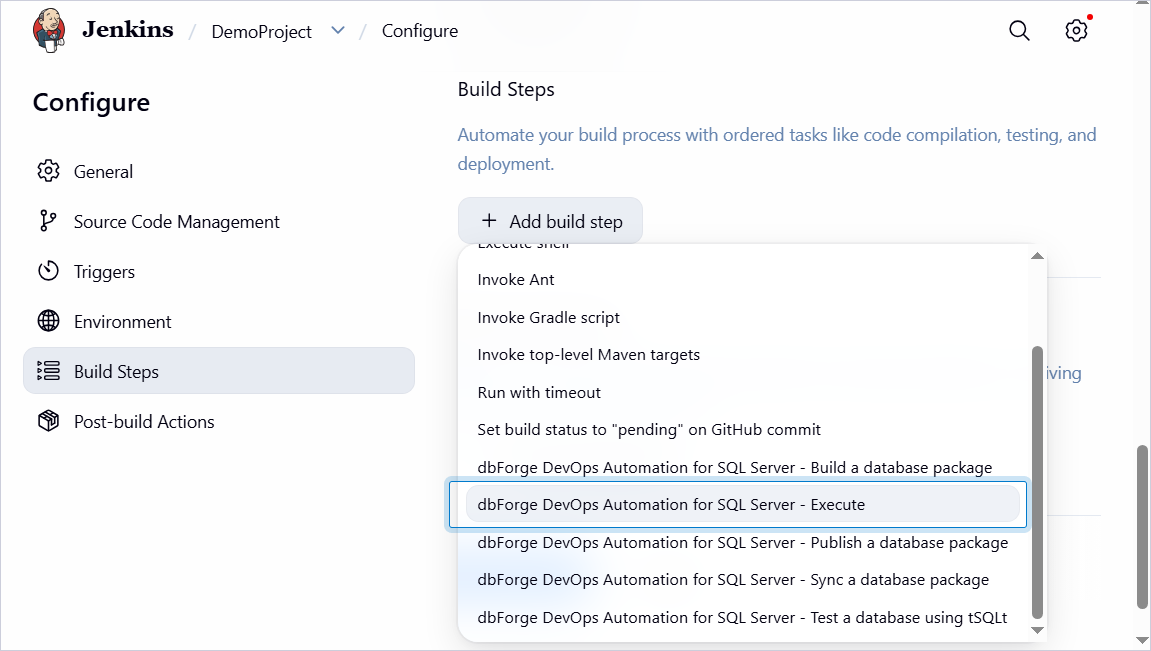
2. Click Add build step, then select dbForge DevOps Automation for SQL Server – Execute.
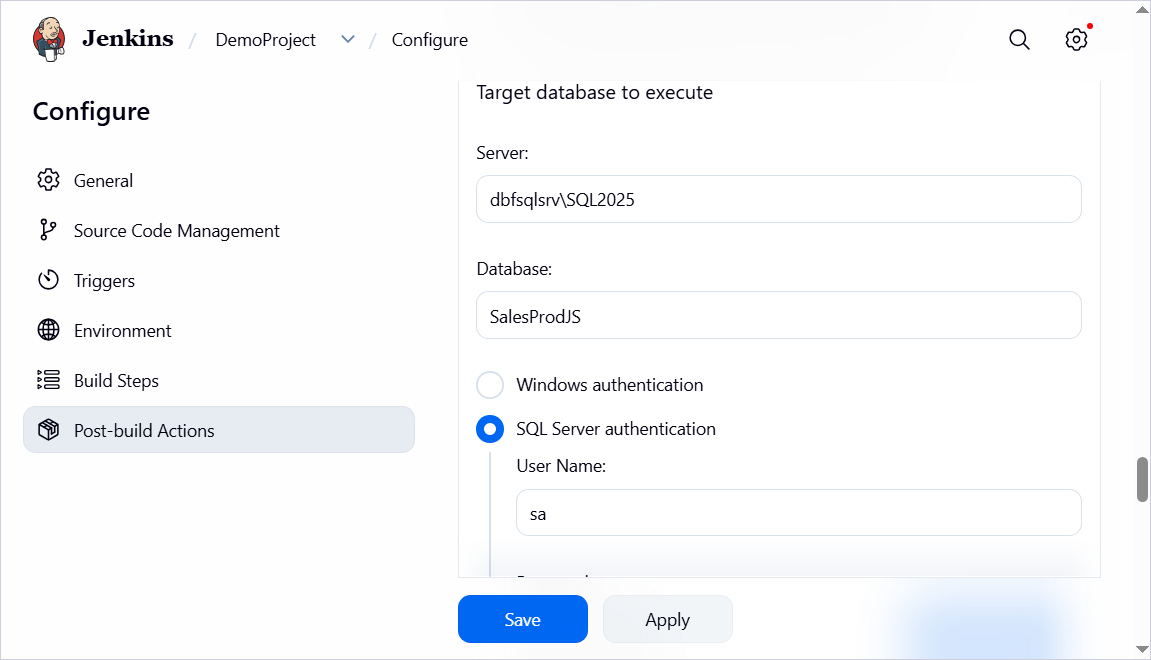
3. Under Target database to execute, specify the target server name and database name, encoding, and password.
4. Under Files to execute, specify the path to a SQL or ZIP file containing the script to execute or a folder with SQL or ZIP files.
If the path refers to a folder, the scripts are executed in alphabetical order (subfolders are ignored).
5. Click Save.
Customization options
The table provides a list of options you can customize for the Execute step.
| Name | Description |
|---|---|
| Target database to execute | Specify the server and database name, along with the authentication method. If you select SQL Server Authentication, specify the username and password. |
| Files to execute | Specify the full path to the SQL or ZIP file containing the script to execute or the folder with SQL or ZIP files. The scripts in the folder are executed in alphabetical order (subfolders are ignored). |
| Encoding | Select the encoding format. |