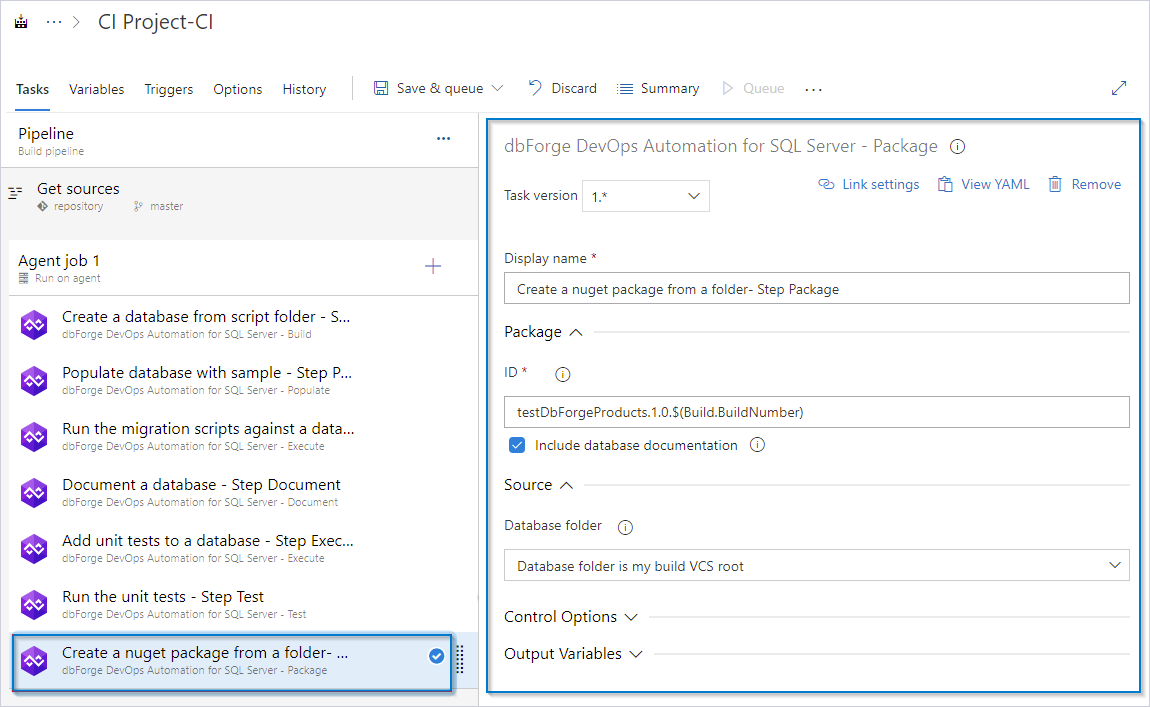
The Package task
Synopsis
Packages the scripts folder for publishing it on the local or NuGet Server.
Description
The Package task creates a deployable package from your database code. This task is a critical part of continuous integration and continuous deployment (CI/CD) because it prepares your database changes for deployment to different environments.
Create the Package task
1. Click Add a task to Agent job.
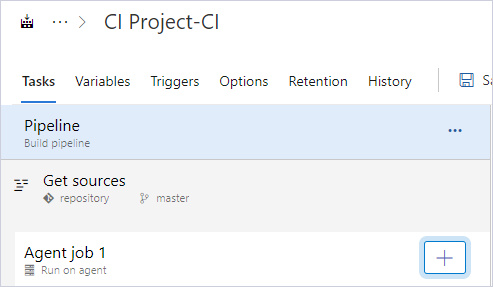
2. In the search box, enter the extension name, for example, dbforge.
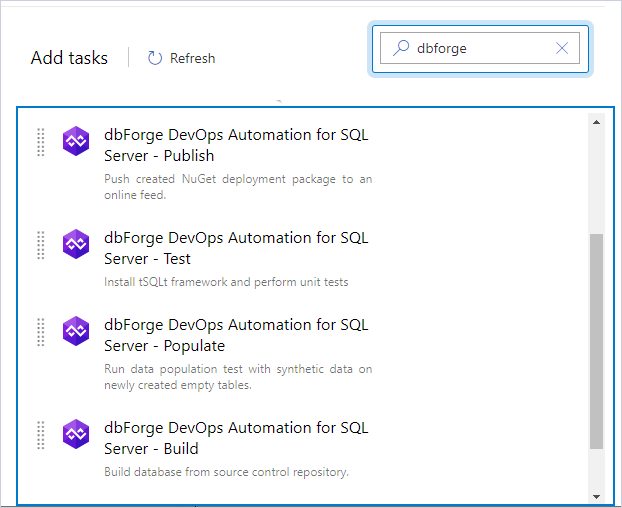
3. Select dbForge DevOps Automation for SQL Server – Package and click Add.
4. Configure the task settings.
Customization options
The table provides a list of customization options available for the Package task.
| Name | Description |
|---|---|
| ID | Enter the output package file name. The format is as follows: {name}.{major}.{minor}.{build}. You can use the $(Build.BuildNumber) variable to customize it for a build pipeline or the $(Release.ReleaseId) variable to customize it for a release pipeline. |
| Include database documentation | Select to add the documentation generated in the dbForge DevOps Automation for SQL Server - Document task to the package. |
| Database folder | Select whether the database source project is located in the repository root directory or within the subfolder path. |
Control options
The table provides a list of control options available for the Package task.
| Name | Description |
|---|---|
| Enabled | Select to turn on the task in your pipeline. If the task is turned off, it will be skipped during the pipeline execution. |
| Continue on error | Select to continue the pipeline running even if this task fails. |
| Number of retries if task failed | Specify the number of retries for this task that will happen in case of task failure. Note: This requires agent version 2.194.0 or later. Not supported for agentless tasks. |
| Timeout | Specify the maximum time, in minutes, that a task is allowed to execute before being canceled by server. A zero value indicates an infinite timeout. |
| Run this task | Specify when this task should run. Select Custom conditions to specify more complex conditions. The available options are:
|
Output variables
The table provides output variables available for the Package task.
| Name | Description |
|---|---|
| Reference name | Any changes to the reference name will require updates to downstream tasks that use this reference name, a valid reference name can only contain a-z, A-Z, 0-9 and _. |
Note
The file name is based on the build number and is generated dynamically according to the specified template. The output file is saved to the working folder of the agent.
The generated NuGet package is an intermediate artifact and should be published to a repository or another destination location.
5. To verify the settings, click Save & queue.
6. Open the pipeline execution log to verify the configuration.