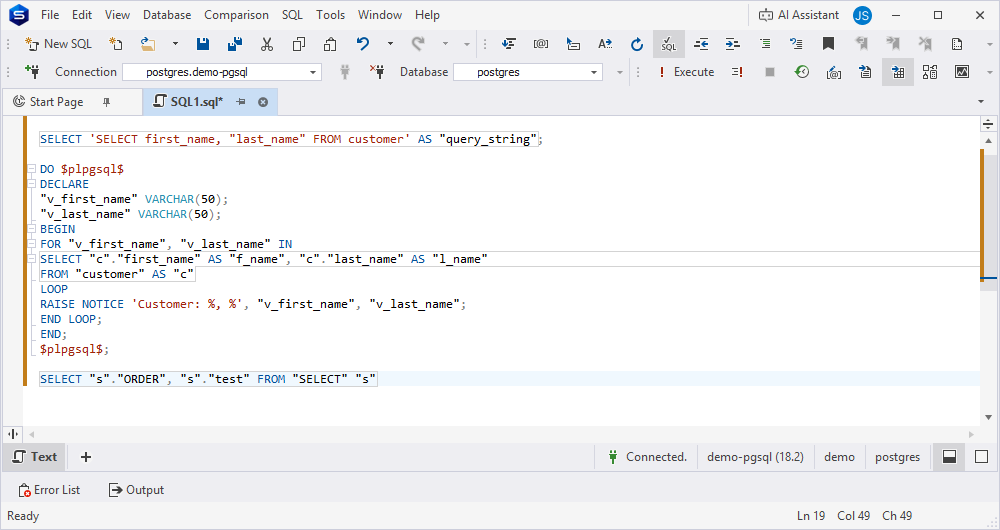
Add or remove quotes for identifiers
The Add or remove quotes for identifiers feature enables you to add or remove quotes for identifiers within the current SQL document or a selected code block, without changing their case. This feature doesn’t affect text in strings (' '), quotes (" "), or comments (--, /* */). It also doesn’t change the original identifier case.
Add quotes to identifiers
You can add quotes to all identifiers in one of these ways:
- In the top menu, select Edit > Advanced > Add Quotes to All Identifiers.
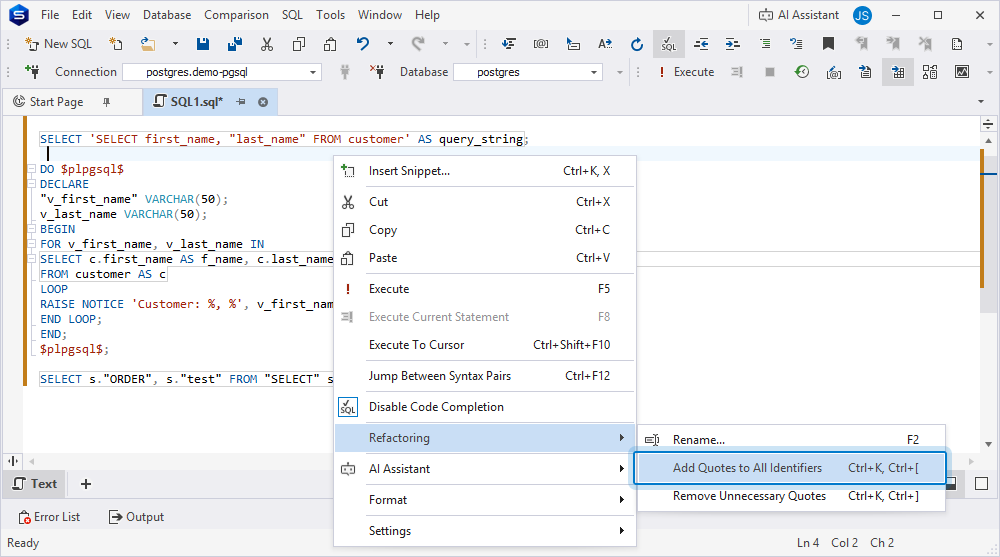
- Right-click anywhere in a SQL document and select Refactoring > Add Quotes to All Identifiers.
- Press Ctrl+K, Ctrl+[.
Tip
To undo the change, press Ctrl+Z. The script returns to its previous state, and the cursor position remains unchanged.
Remove quotes from identifiers
You can remove unnecessary quotes from all identifiers in one of these ways:
- In the top menu, select Edit > Advanced > Remove Unnecessary Quotes.
- Right-click anywhere in a SQL document and select Refactoring > Remove Unnecessary Quotes.
- Press Ctrl+K, Ctrl+].
Note
Remove Unnecessary Quotes doesn’t affect identifiers that:
- Contain spaces.
- Contain special symbols, for example,
@,$, or%.- Match the keywords, for example,
SELECTorFROM.- Contain uppercase characters.
Example
The following script shows identifiers before quotes are added:
SELECT first_name, "last_name" FROM customer;

SELECT 'SELECT first_name, "last_name" FROM customer' AS query_string;

DO $plpgsql$
DECLARE
"v_first_name" VARCHAR(50);
v_last_name VARCHAR(50);
BEGIN
FOR v_first_name, v_last_name IN
SELECT c.first_name AS f_name, c.last_name AS l_name
FROM customer AS c
LOOP
RAISE NOTICE 'Customer: %, %', v_first_name, v_last_name;
END LOOP;
END;
$plpgsql$;

SELECT s."ORDER", s."test" FROM "SELECT" s
After you use Add Quotes to All Identifiers, all applicable identifiers are enclosed in quotes automatically.
SELECT "first_name", "last_name" FROM "customer";

SELECT 'SELECT first_name, "last_name" FROM customer' AS "query_string";

DO $plpgsql$
DECLARE
"v_first_name" VARCHAR(50);
"v_last_name" VARCHAR(50);
BEGIN
FOR "v_first_name", "v_last_name" IN
SELECT "c"."first_name" AS "f_name", "c"."last_name" AS "l_name"
FROM "customer" AS "c"
LOOP
RAISE NOTICE 'Customer: %, %', "v_first_name", "v_last_name";
END LOOP;
END;
$plpgsql$;

SELECT "s"."ORDER", "s"."test" FROM "SELECT" "s"