dbForge Studio for Oracle v2026.1 release notes
What’s new
dbForge Studio for Oracle v2026.1 brings improvements to AI Assistant, Text Editor, Code Completion, Document Tabs, and Schema Compare. The updates in quick info for indexed columns can enhance your query editing and optimize query performance.
AI Assistant
Database indexes for LLM
AI Assistant now uses database index metadata, including unique, composite, and function-based indexes, to generate more accurate answers.
Text Editor
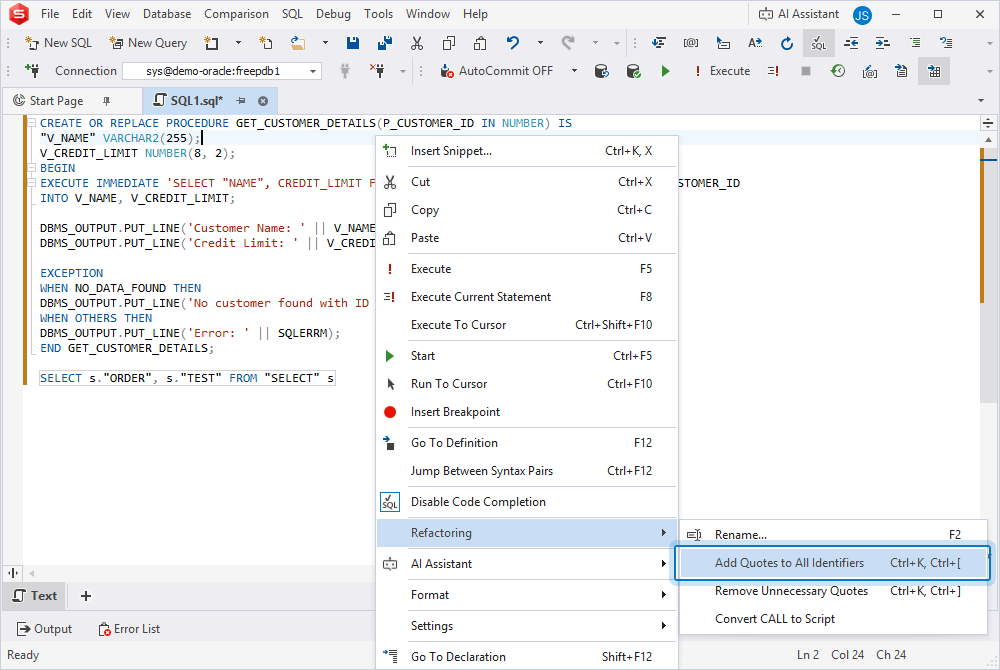
Add or remove quotes for identifiers
You can now automatically add or remove quotes for identifiers in the SQL Editor. This helps save time and keep identifier formatting consistent. Use the main menu (Edit > Advanced > Add Quotes to All Identifiers or Remove Unnecessary Quotes) or the SQL Editor shortcut menu (Refactoring > Add Quotes to All Identifiers or Remove Unnecessary Quotes).
Code Completion
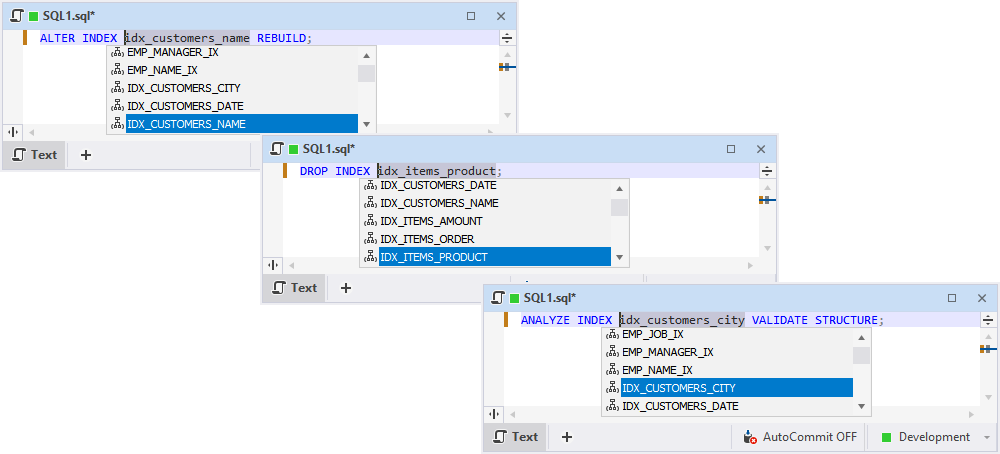
Oracle index name suggestions
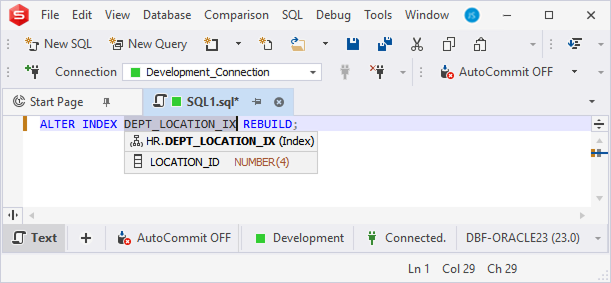
dbForge Studio for Oracle now suggests index names in ALTER INDEX, DROP INDEX, and ANALYZE INDEX VALIDATE STRUCTURE commands.
Document Tab
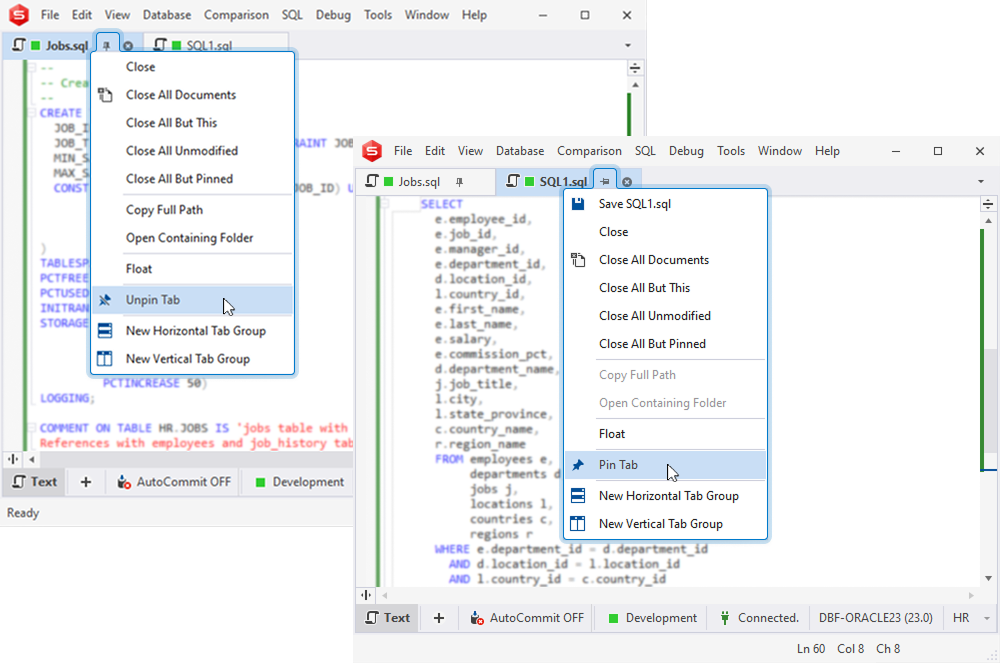
Pin document tabs
dbForge Studio for Oracle now lets you pin document tabs. Pinned tabs stay visible, so you can keep frequently used tabs at hand and separate important tabs from temporary ones.
Restore tab order
When you reopen dbForge Studio after accidentally closing it, your document tabs are restored in the same order and layout as when you last closed the application. You can configure tab restore settings in Tools > Options > Environment > Documents > Restore.
Quick Info
Indexed column icons
The Quick Info tooltip now displays an icon next to indexed columns, so you can identify them at a glance without opening table properties.
Schema Compare
Discard Changes in Objects Filter
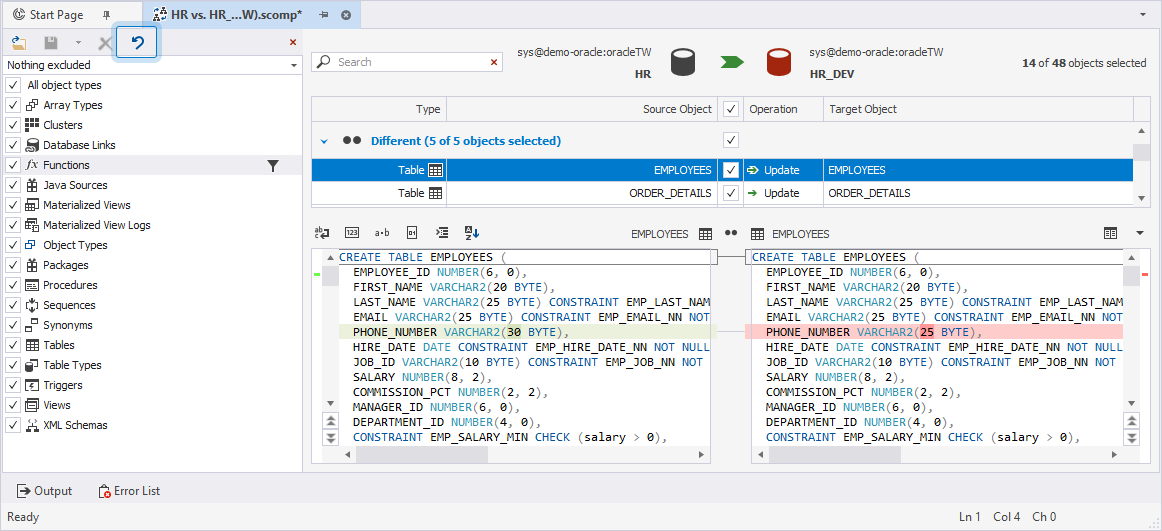
The Discard Changes option is now available on the Objects Filter toolbar. It lets you revert changes to the last saved, loaded, or default state.
Data Generator
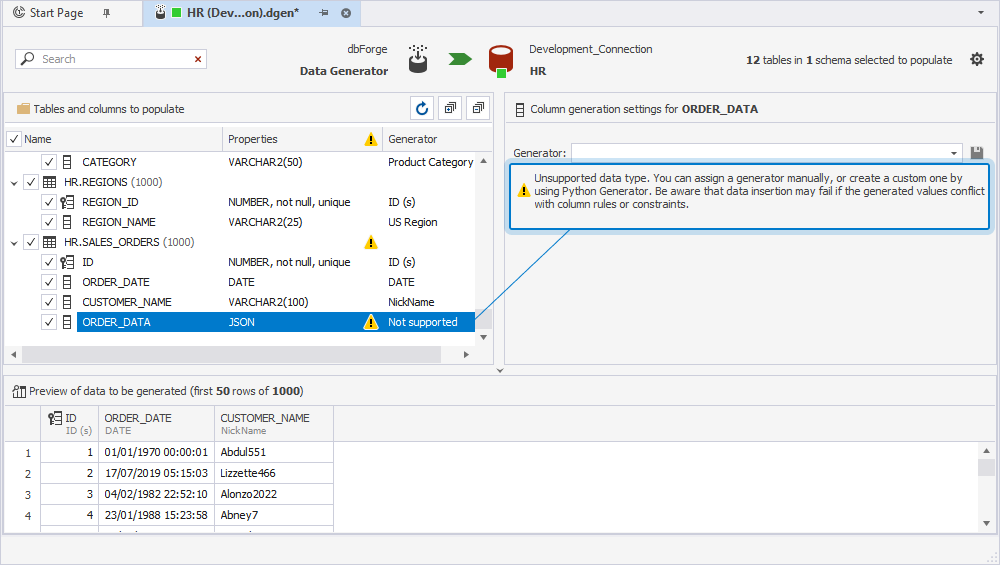
Generation for unsupported data types
Data Generator now supports generating data for columns with unsupported data types. These columns are not selected by default, but you can include them manually when needed.