Add or remove backticks for identifiers
The Add or remove backticks for identifiers feature enables you to add or remove backticks for identifiers within the current SQL document or a selected code block, without changing their case. This feature doesn’t affect text in strings (' '), quotes (" "), or comments (--, /* */). It also doesn’t change the original identifier case.
Add backticks to identifiers
You can add backticks to all identifiers in one of these ways:
- In the top menu, select Edit > Advanced > Add Backticks to All Identifiers.
- Right-click anywhere in a SQL document and select Refactoring > Add Backticks to All Identifiers.
- Press Ctrl+K, Ctrl+[.
Tip
To undo the change, press Ctrl+Z. The script returns to its previous state, and the cursor position remains unchanged.
Remove backticks from identifiers
You can remove unnecessary backticks from all identifiers in one of these ways:
- In the top menu, select Edit > Advanced > Remove Unnecessary Backticks.
- Right-click anywhere in a SQL document and select Refactoring > Remove Unnecessary Backticks.
- Press Ctrl+K, Ctrl+].
Note
Remove Unnecessary Backticks doesn’t affect identifiers that:
- Contain spaces.
- Contain special symbols, for example,
@,$, or%.- Match the keywords, for example,
SELECTorFROM.
Example
The following script shows identifiers before backticks are added:
SELECT a.actor_id,
a.first_name,
a.last_name,
a.last_update
FROM `actor` a;

SET @SQL_QUERY = 'SELECT first_name, `last_name`
FROM customer WHERE customer.customer_id = 1;';

SELECT @SQL_QUERY;

CREATE TABLE `SELECT` (`ORDER` INT PRIMARY KEY, test VARCHAR(50));
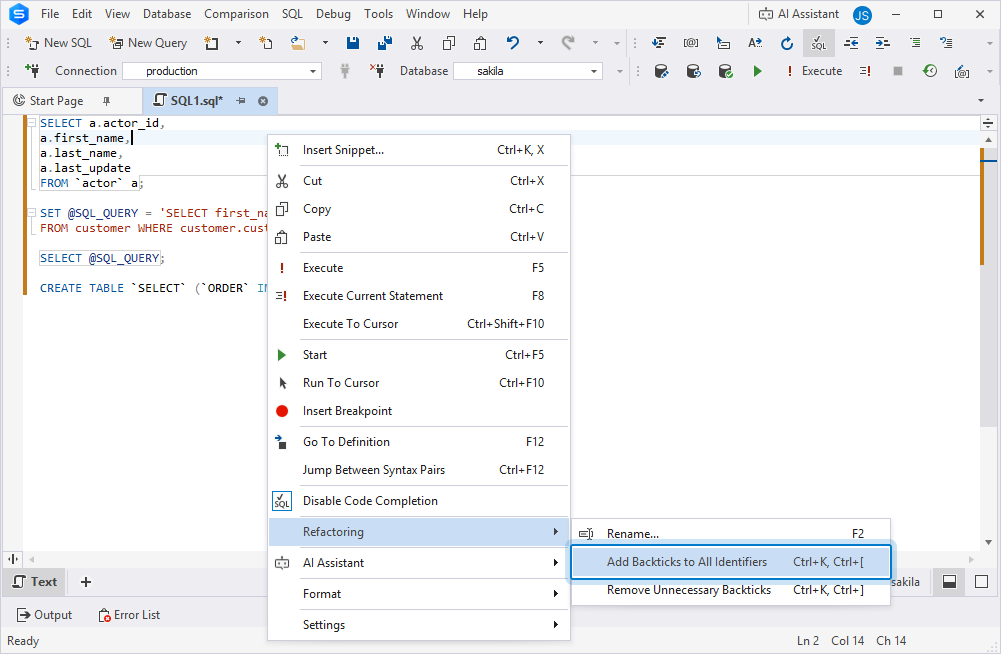
After you use Add Backticks to All Identifiers, all applicable identifiers are enclosed in backticks automatically.
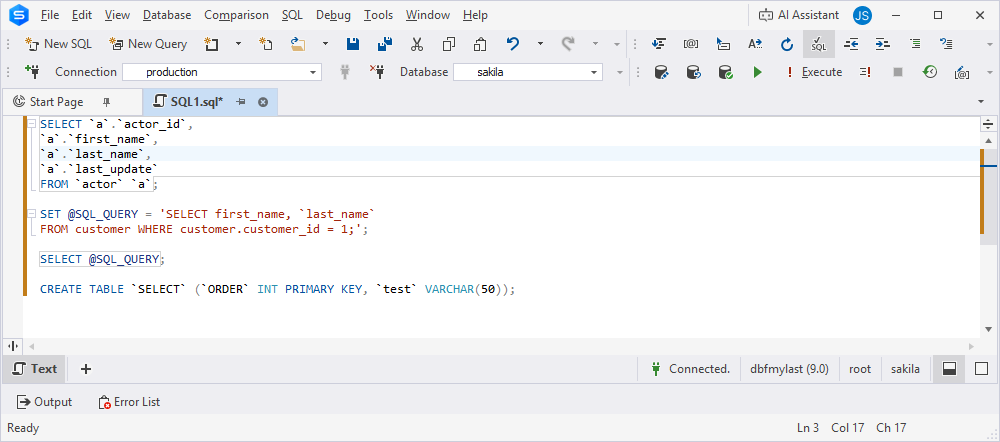
SELECT `a`.`actor_id`,
`a`.`first_name`,
`a`.`last_name`,
`a`.`last_update`
FROM `actor` `a`;

SET @SQL_QUERY = 'SELECT first_name, `last_name`
FROM customer WHERE customer.customer_id = 1;';

SELECT @SQL_QUERY;

CREATE TABLE `SELECT` (`ORDER` INT PRIMARY KEY, `test` VARCHAR(50));