dbForge Studio for MySQL v2026.1 release notes
What’s new
This release brings enhancements to dbForge AI Assistant, Document Tabs, Text Editor, Code Completion, and Schema Compare. Index name suggestions help you write code faster and reduce errors in scripts.
AI Assistant
Database indexes for LLM
AI Assistant now uses database index metadata, including index types, such as primary, unique, composite, and prefix, to generate more accurate answers.
Text Editor
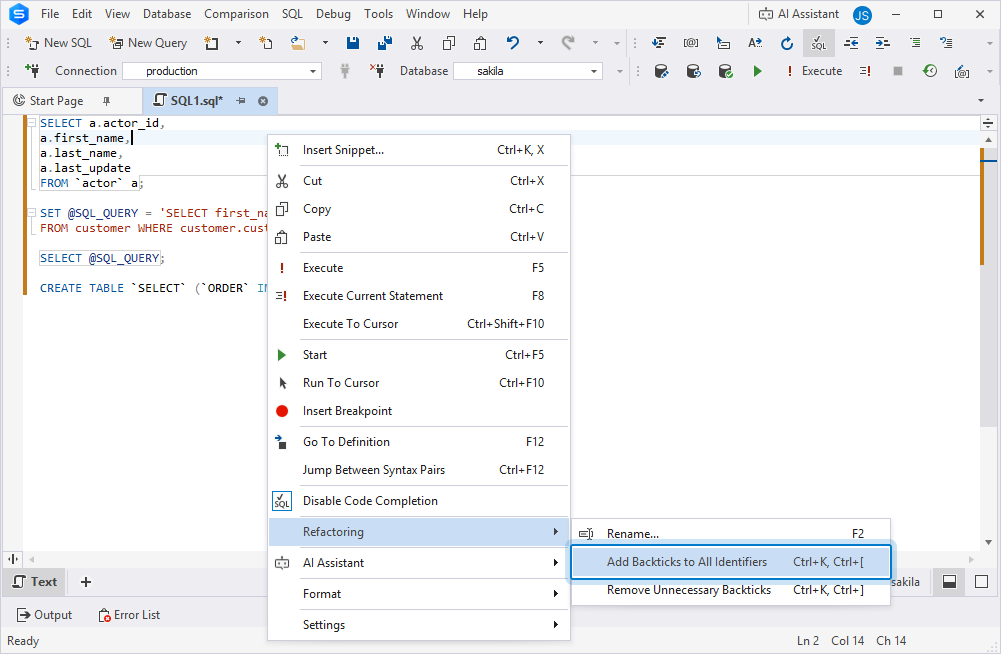
Add or remove backticks for identifiers
You can now automatically add or remove backticks for identifiers in the SQL Editor. This helps save time and keep identifier formatting consistent. Use the main menu (Edit > Advanced > Add Backticks to All Identifiers or Remove Unnecessary Backticks) or the SQL Editor shortcut menu (Refactoring > Add Backticks to All Identifiers or Remove Unnecessary Backticks).
Code Completion
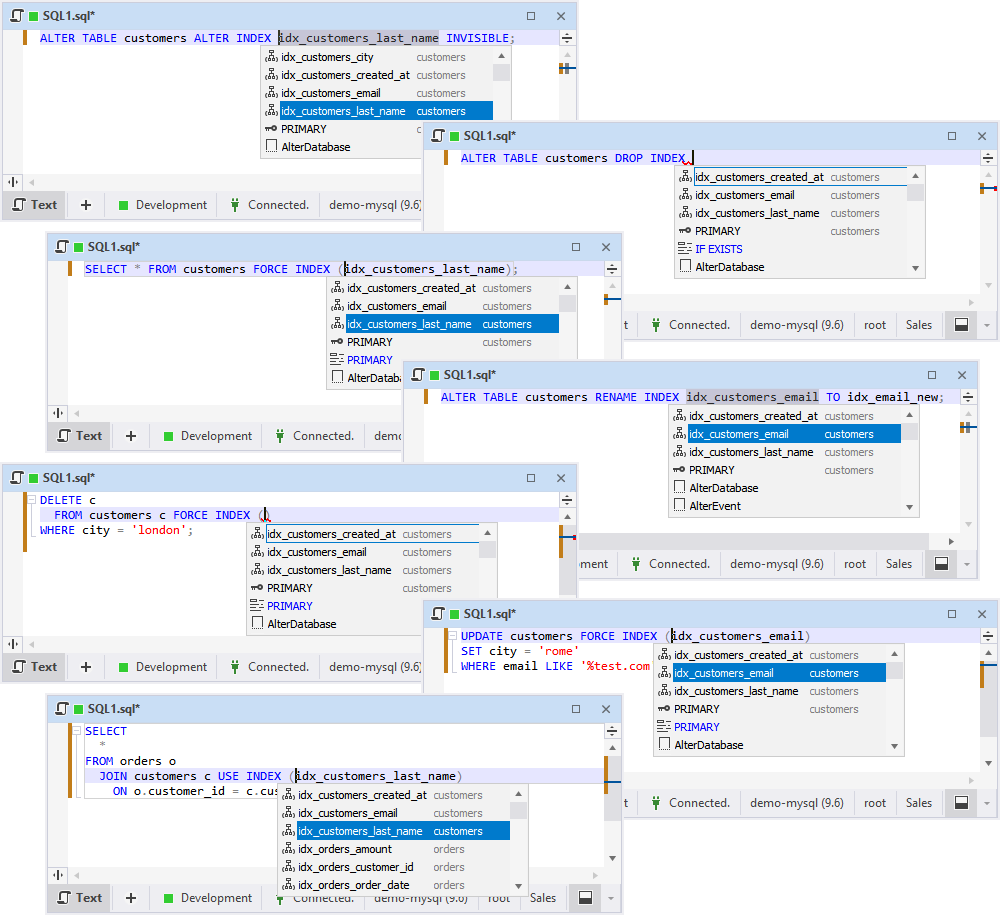
MySQL/MariaDB index name suggestions
dbForge Studio for MySQL now suggests index names in ALTER INDEX, DROP INDEX, RENAME INDEX, FORCE INDEX, USE INDEX, and IGNORE INDEX commands.
Deprecated MySQL syntax update
DISABLE ON SLAVE is now deprecated in MySQL v8.4 and higher.
DISABLE ON REPLICA is supported in Code Completion, Object Editors, Schema Compare, and Script Generator.
Document Tab
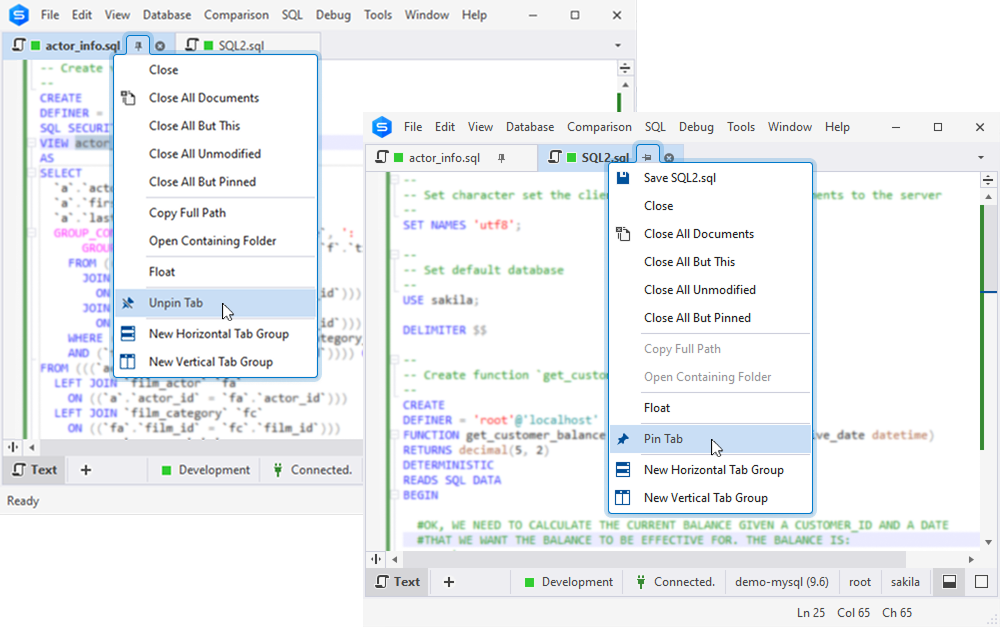
Pin document tabs
dbForge Studio for SQL Server now lets you pin document tabs. Pinned tabs stay visible, so you can keep frequently used tabs at hand and separate important tabs from temporary ones.
Restore tab order
When you reopen dbForge Studio after accidentally closing it, your document tabs are restored in the same order and layout as when you last closed the application. You can configure tab restore settings in Tools > Options > Environment > Documents > Restore.
Quick Info
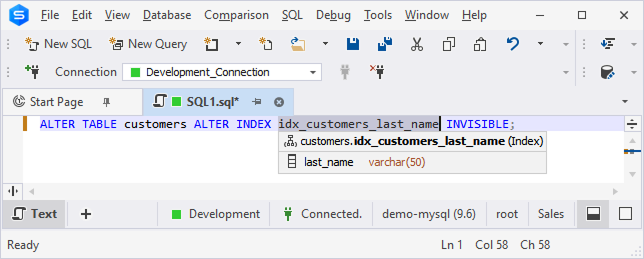
Indexed column icons
The Quick Info tooltip now displays an icon next to indexed columns, so you can identify them at a glance without opening table properties.
Schema Compare
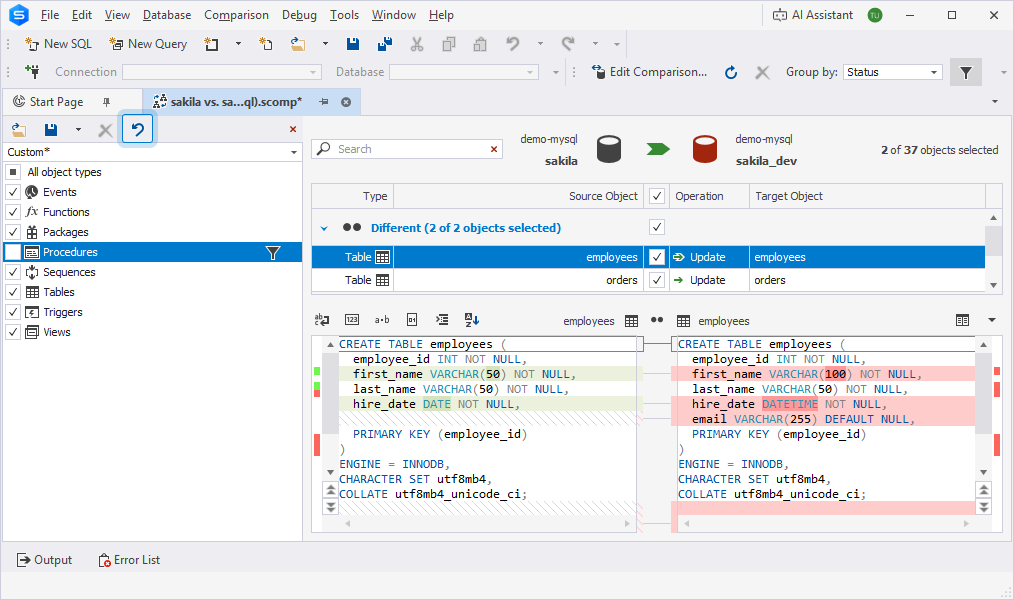
Discard Changes in Objects Filter
The Discard Changes option is now available on the Objects Filter toolbar. It lets you revert changes to the last saved, loaded, or default state.
Data Generator
Generation for unsupported data types
Data Generator now supports generating data for columns with unsupported data types. These columns are not selected by default, but you can include them manually when needed.