dbForge Studio for MySQL v2025.3 release notes
What’s new
dbForge Studio for MySQL v2025.3 improves query analysis, connectivity, and day-to-day editing. MySQL Query Profiler now shows execution plans as a diagram for faster troubleshooting, and the Studio supports AWS RDS Proxy with caching_sha2_password authentication. You also get editor navigation enhancements (scroll bar annotations, automatic surrounding of selections), search in Database Diagram, camelCase formatting for identifiers, expanded server compatibility, and broader statement support with updated code completion.
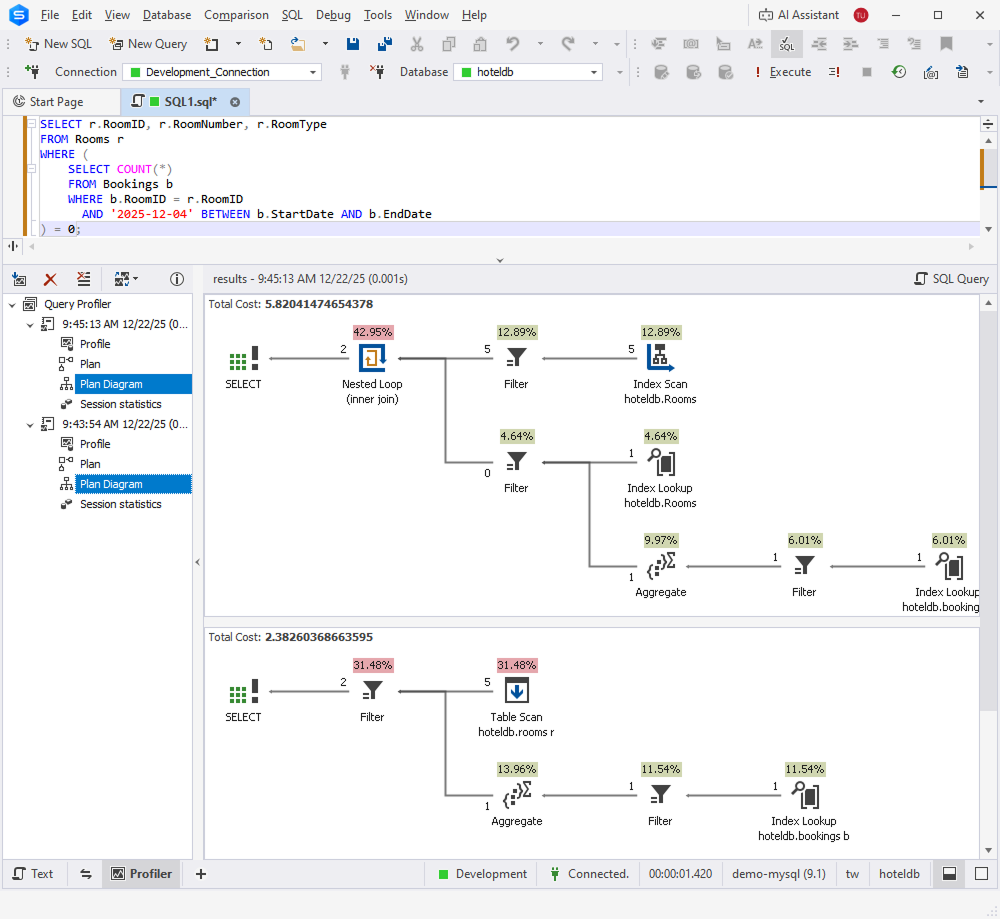
Execution plan diagram in MySQL Query Profiler
MySQL Query Profiler now includes an execution plan diagram to make query analysis faster and more intuitive. Instead of interpreting plan output line by line, you can view a clear visual representation of how MySQL executes a statement and identify the most expensive parts of the plan at a glance.
This update helps you troubleshoot slow queries more efficiently, validate indexing and join strategies, and fine-tune SQL with greater confidence—right in the profiler, without switching tools.
AWS RDS Proxy with caching_sha2_password authentication
dbForge Studio for MySQL now supports connecting through AWS RDS Proxy when the user account is configured with the caching_sha2_password authentication plugin. This helps you keep using modern MySQL authentication defaults while benefiting from RDS Proxy for connection pooling and improved application resiliency.
Scroll bar annotations
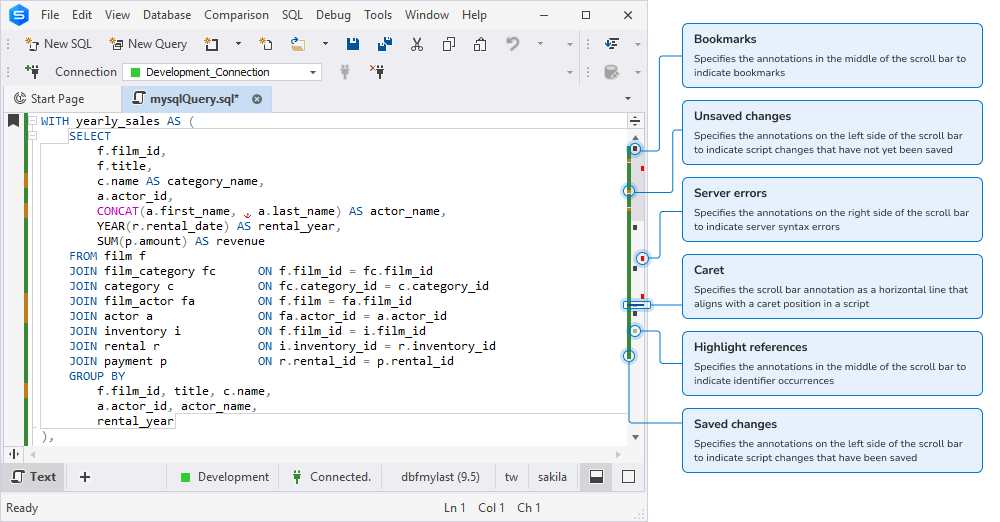
Scroll bar annotations are now available to help you navigate large scripts and quickly locate important areas in the editor. Colored markers on the vertical scroll bar show modified lines (saved and unsaved), bookmarks and breakpoints, identifier occurrences, server and parsing syntax errors, warnings, and the current caret position.
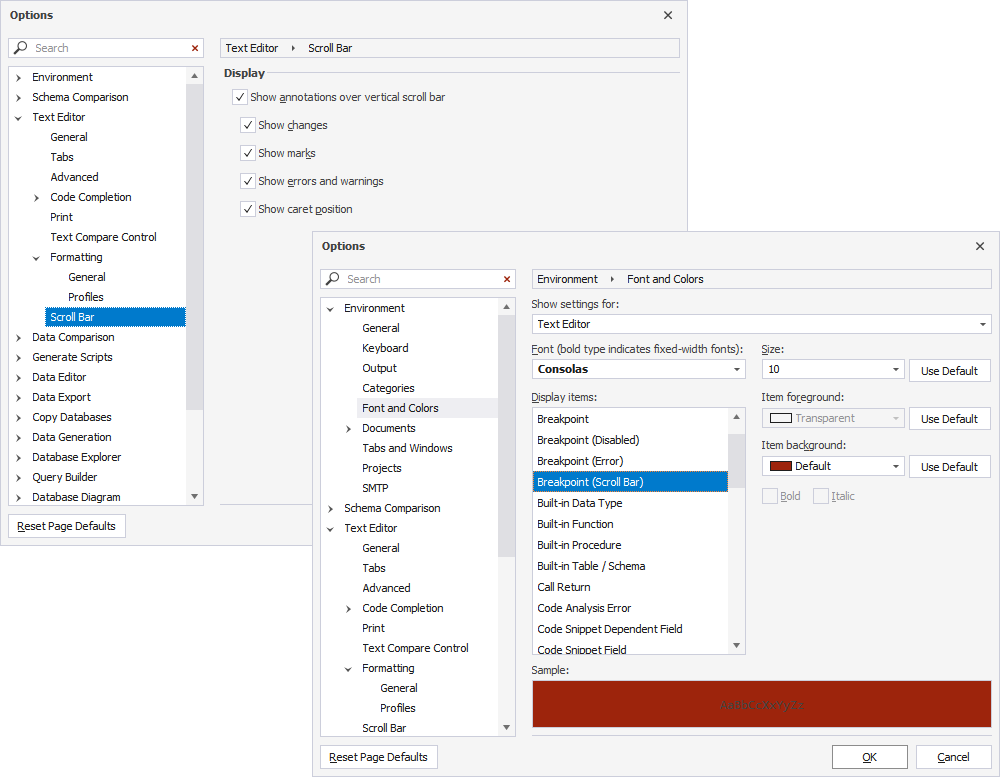
You can enable and configure annotations in Tools > Options > Text Editor > Scroll Bar by selecting Show annotations over vertical scroll bar and choosing which annotation types to display. You can also customize most annotation colors in Tools > Options > Environment > Font and Colors.
Automatically surround selections
Automatically surround selections is now available in the SQL Editor to speed up editing and reduce manual typing. When you select text and type an opening character, dbForge Studio for SQL Server wraps the selection with the matching pair.
The feature supports ( ), [ ], { }, < >, " ", ' ', and ` `. It is enabled by default and can be turned off in Tools > Options > Text Editor > General by clearing Automatically surround selections when typing quotes or brackets.
Search in Database Diagram
Search is now available in Database Diagram, so you can find text and objects directly on the diagram and jump to the matching items. In addition to object names, the search covers stamp fields (company and project name), notes, relationships, and container names.
You can search across the current diagram or all open documents and refine results with options such as Match case, Match whole word, and support for regular expressions or wildcards. Matches are highlighted in blue, and you can step through them with Find Next or display all matches in the Find Results pane and open any result by double-clicking it.
camelCase formatting for identifiers
Formatting profiles now support camelCase for identifiers to help you align scripts with common team naming conventions. A new camelCase option has been added to the Text Case settings across Alias Case, Built-in Datatype Case, Built-in Function Case, Identifier Case, and Variable Case.
To make case options clearer and more consistent, Initial caps has been renamed to Capitalized, and Initial caps each word has been renamed to PascalCase. PascalCase is also now available in Alias Case.
Previously saved formatting profiles remain compatible and continue to work without changes.
Connectivity and compatibility updates
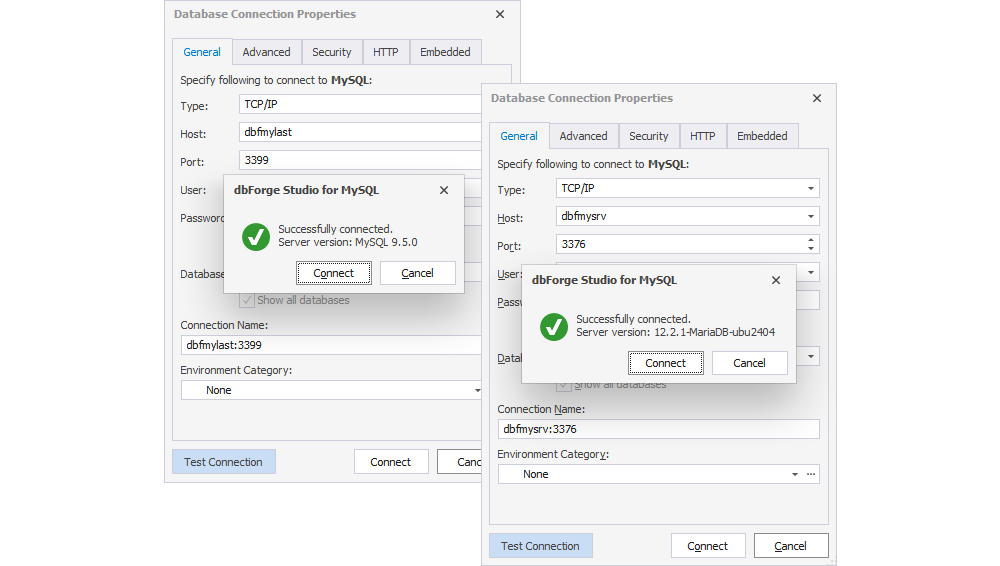
dbForge Studio for MySQL v2025.3 expands server compatibility to help you stay current with the latest database versions. This release adds support for MySQL 9.5 and MariaDB 12.2, so you can connect to these servers and continue working with your schemas and data in the Studio as you upgrade your environments.
Expanded statement support and code completion
This release adds full support for common security and access management statements, including CREATE OR ALTER USER, SET PASSWORD, and CREATE ROLE. These updates make it easier to create and maintain users and roles directly from the editor with consistent parsing and validation.
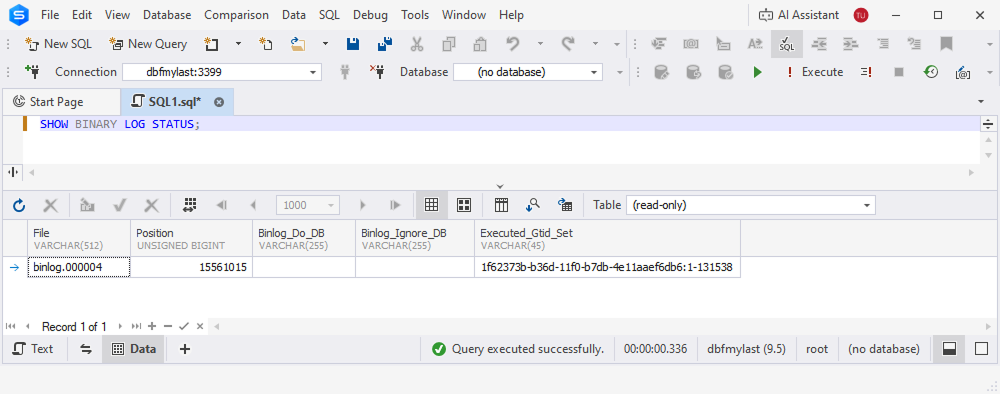
Support has also been added for SHOW BINARY LOG STATUS, helping you work more effectively with binary log configuration and status checks as part of replication and troubleshooting workflows.