If you skipped activation when installing Devart SSIS Data Flow Components, you can activate the components later using the command-line activation utility. You can also use the utility to:
After you install the Data Flow Components, the utility is located at: C:\Documents and Settings\All Users\Application Data\Devart\SSIS Data Flow\SSISActivator.exe. |
 Before you begin
Before you run any command using the activation utility, complete the following steps: 1. Open Command Prompt as an administrator. 2. Navigate to the folder that contains the SSISActivator.exe file. cd "C:\Documents and Settings\All Users\Application Data\Devart\SSIS Data Flow" |
View help information
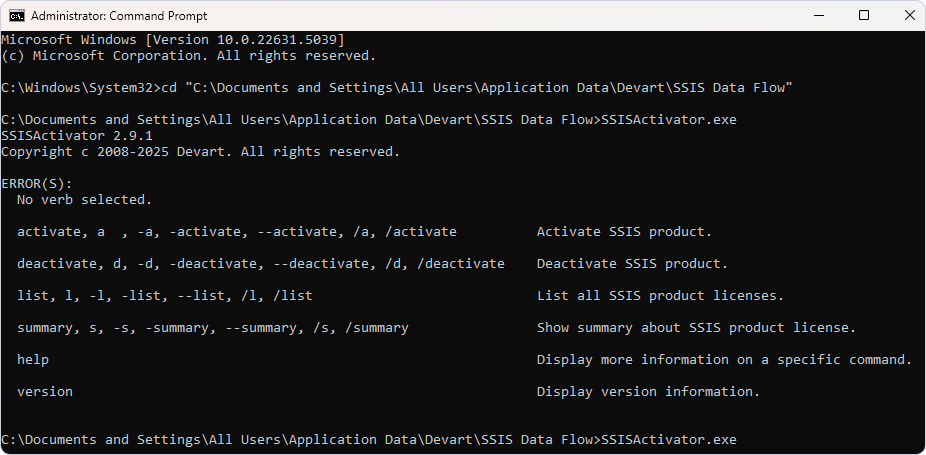
To view all available supported commands and their parameters, run the utility without parameters. .\ssisactivator.exe
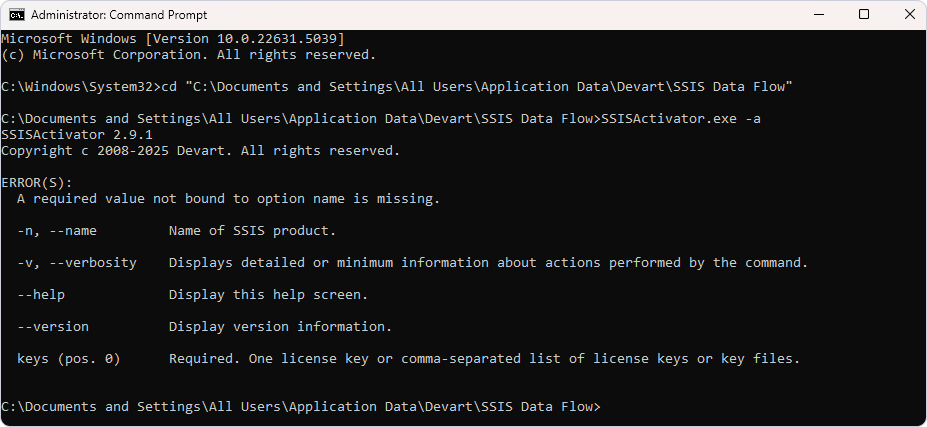
If a command requires additional parameters, the utility displays them when you run the command with no parameters. For example, if you run the activation command without specifying an activation key, the utility returns the list of supported parameters and their descriptions. .\SSISActivator.exe -a
|
Activate a license
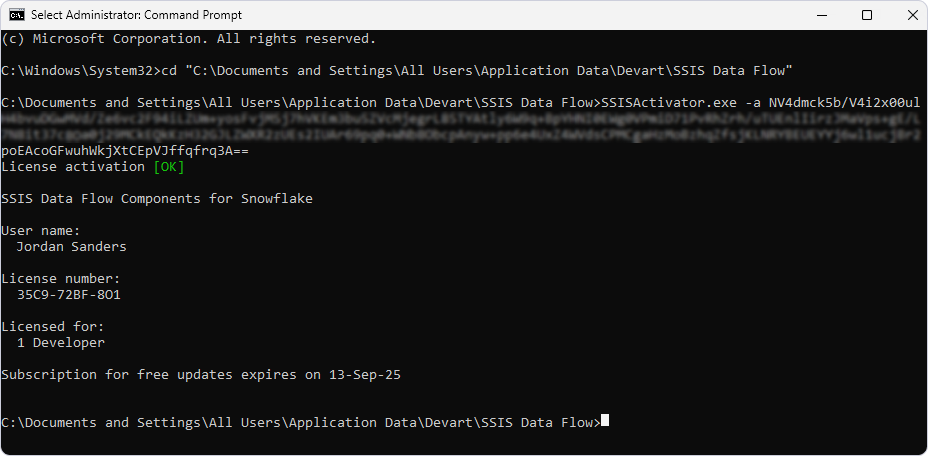
To activate a product, run one of the following commands: activate, a, -a, -activate, --activate, /a, or /activate. Provide an activation key, a comma-separated list of keys, or the path to a license file as the second parameter. Replace [activationa-key | path-to-license-file] with your actual key or file path. .\SSISActivator.exe -a [activation-key | path-to-license-file]
To specify the product name, use the -n or --name parameter. If the license key doesn't match the product name, the activation utility returns an error. |
Deactivate a license
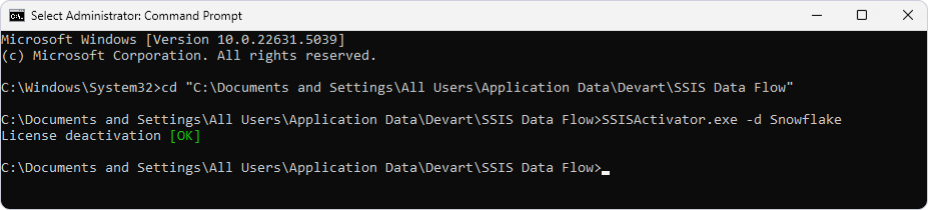
To deactivate a product, run one of the following commands: deactivate, d, -d, -deactivate, --deactivate, /d, or /deactivate. Replace [product-name] with the name of a product (for example, Salesforce or Oracle). .\SSISActivator.exe -d [product-name]
|
View the license status of all installed products
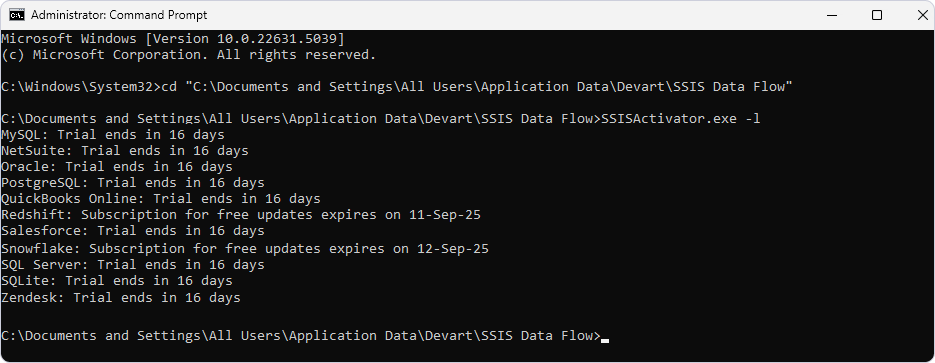
To view the current license status of all installed Data Flow Components, run one of the following commands: list, l, -l, -list, --list, /l, or /list. .\SSISActivator.exe -l
|
View the license status of a product
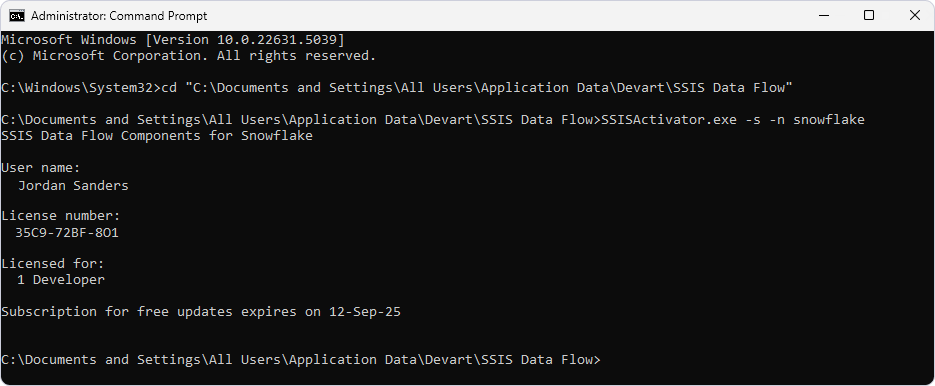
To view the license status of a specific product, run one of the following commands: summary, s, -s, -summary, --summary, /s, or /summary. Replace [data-source] with the name of the data source (for example, Salesforce or Oracle). SSISActivator.exe -s -n [data-source]
|