SQL Document Shortcut Keys

Use following shortcut keys when working with an SQL document or stored procedure.
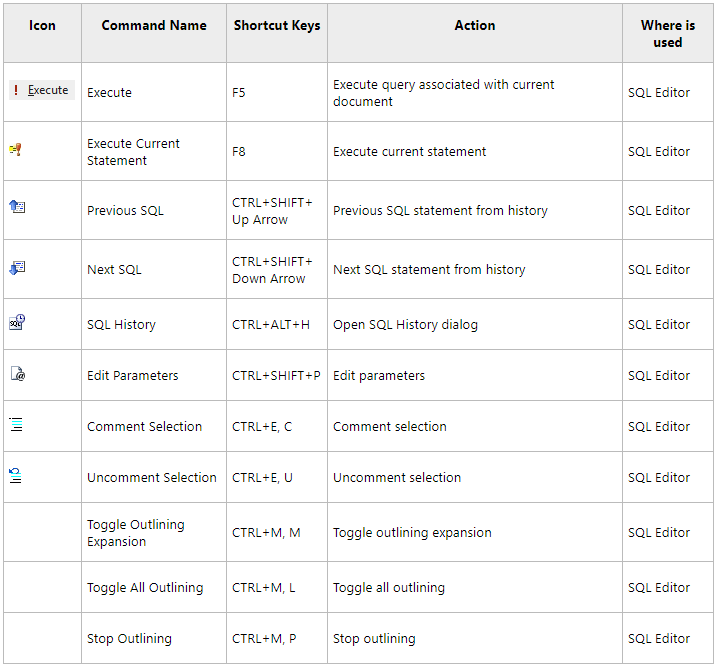
Icon Command Name Shortcut Keys Action Where is used
Execute Execute F5 Execute query associated with current document SQL Editor
Execute Current Statement Execute Current Statement F8 Execute current statement SQL Editor
Previous SQL Previous SQL CTRL+SHIFT+Up Arrow Previous SQL statement from history SQL Editor
Next SQL Next SQL CTRL+SHIFT+Down Arrow Next SQL statement from history SQL Editor
SQL history SQL History CTRL+ALT+H Open SQL History dialog SQL Editor
Edit parameters Edit Parameters CTRL+SHIFT+P Edit parameters SQL Editor
— Select Current Statement Ctrl+Shift+A Select the current SQL statement or code block at the cursor position SQL Editor
Comment selection Comment Selection CTRL+E, C Comment selection SQL Editor
Uncomment selection Uncomment Selection CTRL+E, U Uncomment selection SQL Editor
— Toggle Outlining Expansion CTRL+M, M Toggle outlining expansion SQL Editor
— Toggle All Outlining CTRL+M, L Toggle all outlining SQL Editor
— Stop Outlining CTRL+M, P Stop outlining SQL Editor

These shortcuts are default shortcuts. All shortcuts can be customized.