Activate from the command line
Note
You need to activate the driver even for the trial version.
You can activate the driver from the command line over the internet. This method works for both Perpetual and Subscription licenses.
Activate the driver
To activate Devart ODBC Driver for SQLite on macOS from the command line:
1. Open Terminal and navigate to the folder where the driver is installed. The default installation path is: /Library/ODBC/Devart/SQLite.
cd /Library/ODBC/Devart/SQLite
2. Optional: To open the Customer Portal in your browser and locate your activation key, run the following command:
./sqliteodbcactivator -g
Tip
You can also find your activation key in the registration email.
3. Run the activation command with superuser privileges, using either the activation key or the path to the file containing the key:
To activate the driver using the activation key:
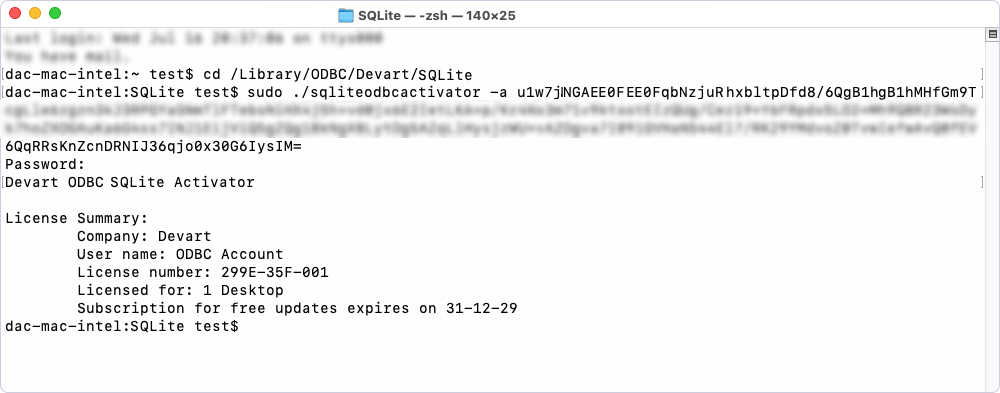
sudo ./sqliteodbcactivator -a <your_activation_key>
Note
Replace
<your_activation_key>with the driver activation key.
To activate the driver using a file with the key:
sudo ./sqliteodbcactivator -a <path_to_your_activation_file>
Note
Replace
<path_to_your_activation_file>with the full path of the file containing the activation key.
Once completed, the driver is activated, and the License Summary is displayed in the console.
Deactivate the driver
To deactivate Devart ODBC Driver for SQLite on macOS from the command line:
1. Open Terminal and navigate to the folder where the driver is installed. The default installation path is: /Library/ODBC/Devart/SQLite.
cd /Library/ODBC/Devart/SQLite
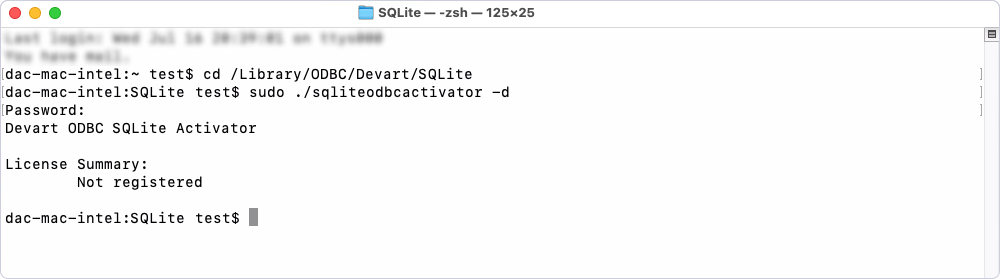
2. Run the following command with superuser privileges to deactivate the driver:
sudo ./sqliteodbcactivator -d