
|
ODBC Driver for Microsoft Access Enable or Disable Usage Statistics on macOS - ODBC Driver for Microsoft Access |

|
|
|
ODBC Driver for Microsoft Access Enable or Disable Usage Statistics on macOS - ODBC Driver for Microsoft Access |
|
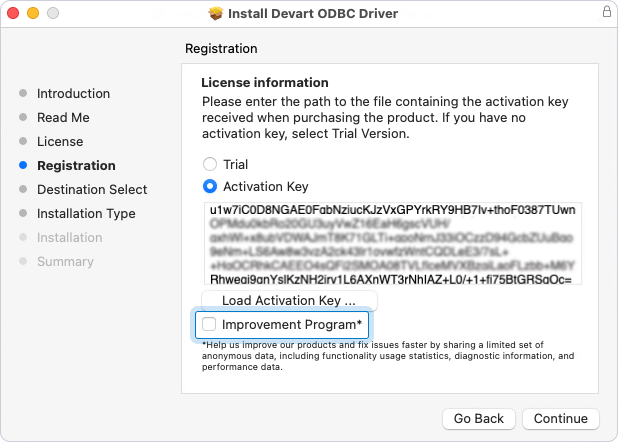
Usage statistics is enabled by default when you install the driver. You can disable it in the installation wizard or later using a console application.
To disable usage statistics in the installation wizard, on the Registration page, clear the Improvement Program checkbox.
To enable or disable usage statistics using a console application:
/Library/ODBC/Devart/Access.
-u option. Set the value to false to disable usage statistics or true to enable it.
sudo ./accessodbcactivator -u falsesudo ./accessodbcactivator -u true