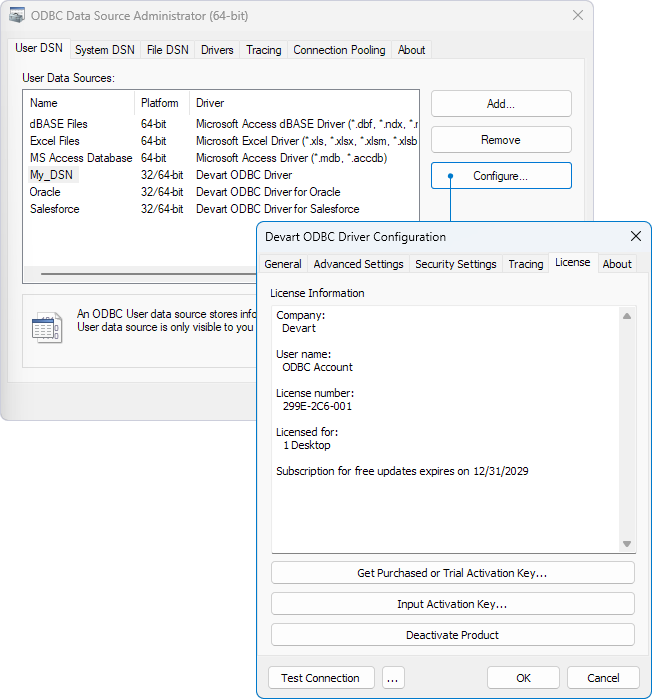
View license information on Windows
To view the license information for your installed driver:
1. Open the ODBC Data Source Administrator.
2. On the User DSN or System DSN tab, double-click the driver for which you want to view license information.
Alternatively, select the driver, then click Configure.
3. Navigate to the License tab to view the license details.