DSN-less connections
A DSN-less connection enables you to specify the required parameters, such as the driver name, authentication details, and server information, directly in a connection string without having to configure a DSN in the ODBC Data Source Administrator.
Create a DSN-less connection
You can create a DSN-less connection by directly specifying all the connection parameters in the string.
Example for OAuth authentication
DRIVER={Devart ODBC Driver for Zoho CRM};Domain=crm.zoho.com;Refresh Token=<your_refresh_token>
The connection string contains the following parameters:
DRIVER– The driver name.Domain– The Zoho CRM domain you are connecting to.Refresh Token– The refresh token for your Zoho CRM account.
Example for proxy authentication
DRIVER={Devart ODBC Driver for Zoho CRM};Domain=crm.zoho.com;Refresh Token=<your_refresh_token>;Proxy Server=<your_proxy_server>;Proxy Port=<your_proxy_port>;Proxy User=<your_proxy_username>;Proxy Password=<your_proxy_password>
The connection string contains the following parameters:
DRIVER– The driver name.Domain– The Zoho CRM domain you are connecting to.Refresh Token– The refresh token for your Zoho CRM account.Proxy Server– The proxy hostname or IP address.Proxy Port– The proxy port.Proxy User– The proxy username.Proxy Password– The proxy password.
Test the connection
You can test the DSN-less connection by running your application or using tools such as isql or ODBC Test to verify that the connection is established successfully.
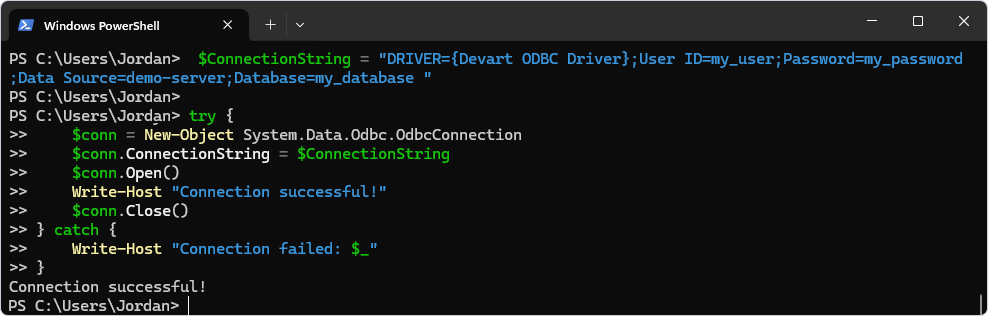
The following example uses the New-Object cmdlet to create an ODBC connection.
$ConnectionString = "DRIVER={Devart ODBC Driver for Zoho CRM};Domain=crm.zoho.com;Refresh Token=your_refresh_token;"

try {
    $conn = New-Object System.Data.Odbc.OdbcConnection
    $conn.ConnectionString = $ConnectionString
    $conn.Open()
    Write-Host "Connection successful!"
    $conn.Close()
} catch {
    Write-Host "Connection failed: $_"
}
Additional parameters
Devart ODBC Driver for Zoho CRM enables configuring additional parameters to customize the connection and the driver’s behavior. For a full list of available parameters, see Zoho CRM ODBC connection string parameters.
Use a DSN-less connection in a .NET application
using System;
using System.Data.Odbc;

class Program
{
    static void Main()
    {
        string connectionString = "DRIVER={Devart ODBC Driver for Zoho CRM};Domain=crm.zoho.com;Refresh Token=your_refresh_token;";

        using (OdbcConnection connection = new OdbcConnection(connectionString))
        {
            connection.Open();
            Console.WriteLine("Connected to Zoho CRM!");

            // Perform your queries or operations here.
        }
    }
}