Connection pooling
The driver supports connection pooling, which improves performance and scalability by reusing existing database connections. Instead of opening a new connection for each request, the driver retrieves a connection from a pre-established pool, reducing the time and resources required to establish new connections. This is especially beneficial in scenarios that involve frequent connect/disconnect operations.
By default, an unused connection is kept in a pool for 60 seconds.
To change the connection pool timeout or disable connection pooling:
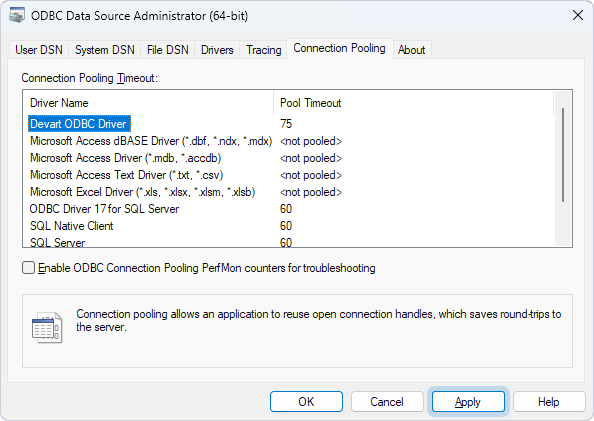
1. In the ODBC Data Source Administrator, navigate to the Connection Pooling tab.
2. Double-click Devart ODBC Driver for Zoho CRM.
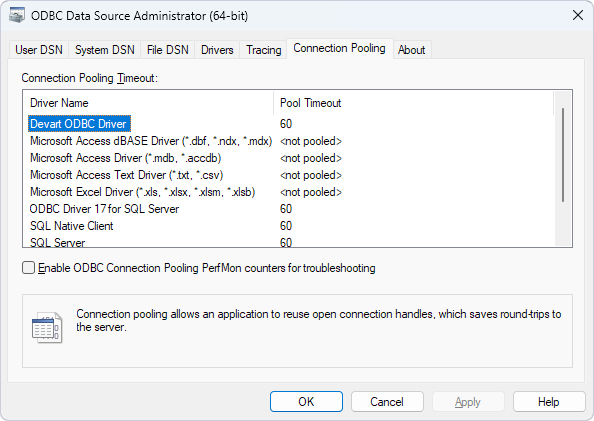
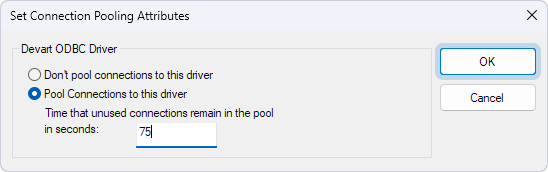
3. In the Set Connection Pooling Attributes dialog, configure connection pooling:
-
To change the connection pool timeout, select Pool Connections to this driver and enter the new time (in seconds) for connections to remain in the pool.
-
To disable connection pooling, select Don’t pool connections to this driver.
4. Click OK.
5. In the ODBC Data Source Administrator, click Apply.