Connection options
Devart ODBC Driver for xBase enables direct connection to FoxPro 2, Visual FoxPro, dBase, and other xBase-compatible databases, with no need to distribute any additional client software.
To establish a direct connection, specify the following required parameters in the driver configuration dialog:
-
Database – The path to the xBase database files.
-
File Format – The database format to use when creating new tables and working with indexes. Available values: Auto, dBaseIII, dBaseIV, dBaseV, dBaseVII, FoxPro2, VisualFoxPro, HiPerSix, Codebase, Clipper. When Auto is selected, the driver automatically detects the format of each table based on its DBF file header. When any other value is selected, the DBF file header is ignored, and the specified format is forcefully applied to all DBF files in the folder.
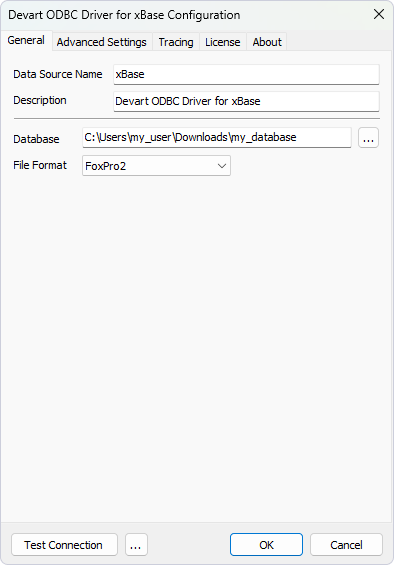
Sample connection string:
DRIVER={Devart ODBC Driver for xBase};Database=C:\Users\my_user\Downloads\my_database;DBFFormat=FoxPro2;