DSN-less connections
A DSN-less connection enables you to specify the required parameters, such as the driver name, authentication details, and server information, directly in a connection string without having to configure a DSN in the ODBC Data Source Administrator.
Create a DSN-less connection
You can create a DSN-less connection by directly specifying all the connection parameters in the string.
Example for Direct mode connection
DRIVER={Devart ODBC Driver for SQLite};Database=myDatabase
The connection string contains the Database parameter, which specifies the path to the SQLite database file.
Example of a connection using the client library
DRIVER={Devart ODBC Driver for SQLite};Direct=False;Database=myDatabase;Client Library=myClientLibrary
The connection string contains the following parameters:
Direct– The value must beFalse.Database– The path to the SQLite database file.Client Library– The path to the SQLite3 client library.
Test the connection
You can test the DSN-less connection by running your application or using tools such as isql or ODBC Test to verify that the connection is established successfully.
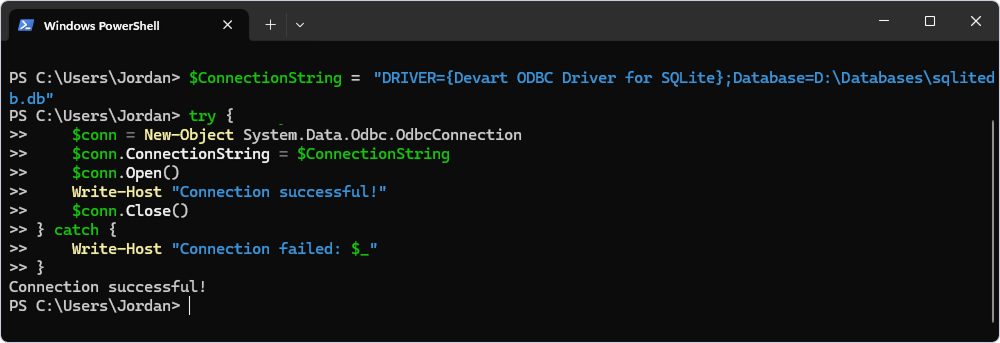
The following example uses the New-Object cmdlet to create an ODBC connection.
$ConnectionString = "DRIVER={Devart ODBC Driver for SQLite};Database=D:\Databases\sqlitedb.db"

try {
    $conn = New-Object System.Data.Odbc.OdbcConnection
    $conn.ConnectionString = $ConnectionString
    $conn.Open()
    Write-Host "Connection successful!"
    $conn.Close()
} catch {
    Write-Host "Connection failed: $_"
}
Additional parameters
Devart ODBC Driver for SQLite allows configuring additional parameters to customize the connection and the driver’s behavior. For a full list of available parameters, see SQLite ODBC connection string parameters.
Use a DSN-less connection in a .NET application
using System;
using System.Data.Odbc;

class Program
{
    static void Main()
    {
        string connectionString = "DRIVER={Devart ODBC Driver for SQLite};" +
            "Database=C:\\path\\to\\your.db;";

        using (OdbcConnection connection = new OdbcConnection(connectionString))
        {
            connection.Open();
            Console.WriteLine("Connected to SQLite!");

            // Perform your queries or operations here.
        }
    }
}