Uninstall the driver
To uninstall ODBC Driver for Salesforce on Windows:
1. Open the Control Panel: Press Windows + R, type control, then press Enter.
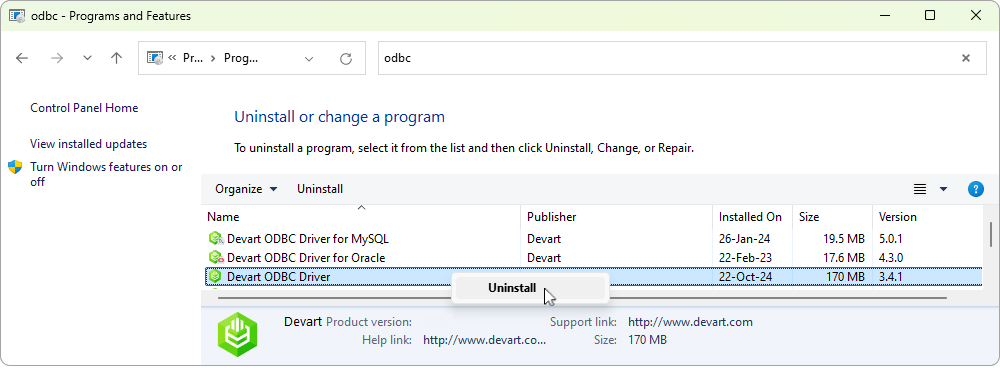
2. In the Control Panel, navigate to Programs > Programs and Features > Uninstall a program.
3. In the list of installed programs, locate Devart ODBC Driver for Salesforce. Right-click it, then click Uninstall.
4. Follow the uninstallation wizard prompts to complete the process.
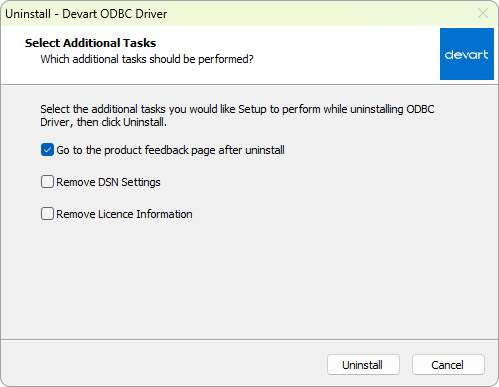
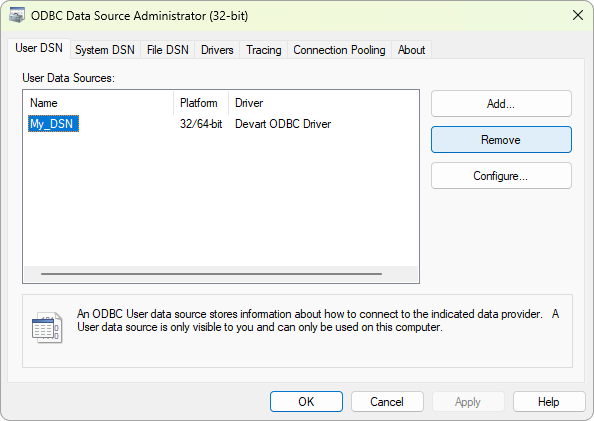
5. Optional: If you want to remove the associated DSN configurations manually:
5.1. Open ODBC Data Source Administrator.
5.2. Remove any entries associated with the driver on the User DSN or System DSN tabs.