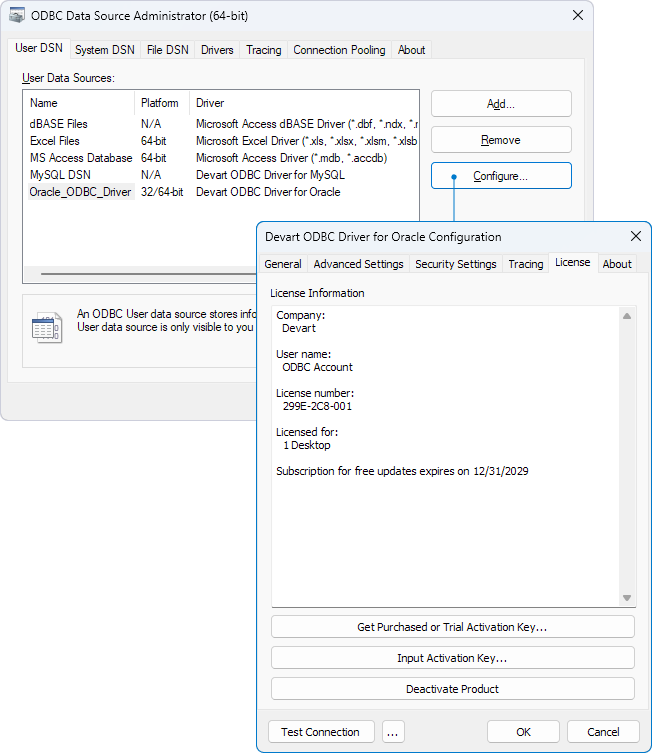
View license information on Windows
To view the license information for your installed driver:
1. Launch the ODBC Data Source Administrator.
2. In the ODBC Data Source Administrator window, on the User DSN tab, double-click the driver for which you want to view license information.
Alternatively, select the driver and click Configure.
3. In the Devart ODBC Driver for Oracle Configuration dialog, navigate to the License tab to view the license details.