DSN-less connections
A DSN-less connection enables you to specify the required parameters, such as the driver name, authentication details, and server information, directly in a connection string without having to configure a DSN in the ODBC Data Source Administrator.
Create a DSN-less connection
You can create a DSN-less connection by directly specifying all the connection parameters in the string.
Example for Direct mode connection
DRIVER={Devart ODBC Driver for Oracle};Direct=True;Host=myServer;Service Name=myServiceName;User ID=myUsername;Password=myPassword
The connection string contains the following parameters:
Direct– The value must beTrue.Host– The host name of the server hosting your Oracle database.Port– The port number for the connection. The default value is1521.Service Name– The service name of your Oracle database.User ID– The Oracle username.Password– The Oracle password.Connect Mode– The system privilege used by the user when connecting to the server. The default value isNormal.
The required privilege must be granted to the user beforehand.
Example for OCI mode connection
DRIVER={Devart ODBC Driver for Oracle};Data Source=myServer;Home Name=myHomeName;User ID=myUsername;Password=myPassword
The connection string contains the following parameters:
Home Name– The identifier of the Oracle client installation to use.Server– The host name or IP address of the Oracle server.User ID– The Oracle username.Password– The Oracle password.Connect Mode– The system privilege used by the user when connecting to the server. The default value isNormal.
The required privilege must be granted to the user beforehand.
Test the connection
You can test the DSN-less connection by running your application or using tools such as isql or ODBC Test to verify that the connection is established successfully.
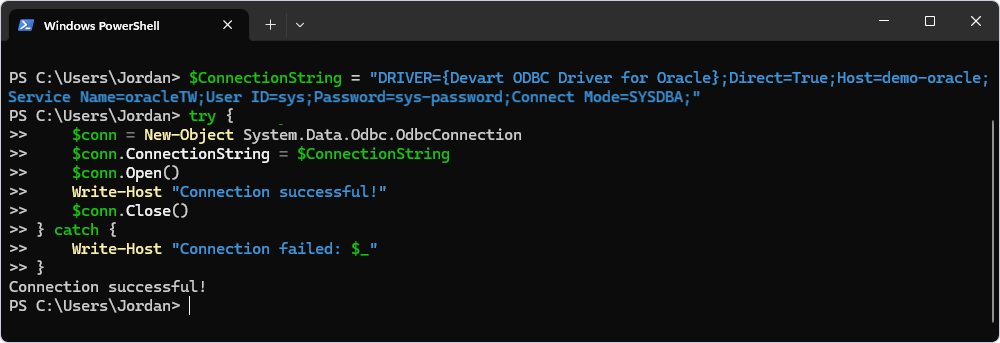
The following example uses the New-Object cmdlet to create an ODBC connection.
$ConnectionString = "DRIVER={Devart ODBC Driver for Oracle};Direct=True;Host=your_server;Service Name=your_service_name;User ID=your_username;Password=your_password;Connect Mode=your_privilege;"

try {
    $conn = New-Object System.Data.Odbc.OdbcConnection
    $conn.ConnectionString = $ConnectionString
    $conn.Open()
    Write-Host "Connection successful!"
    $conn.Close()
} catch {
    Write-Host "Connection failed: $_"
}
Additional parameters
Devart ODBC Driver for Oracle enables configuring additional parameters to customize the connection and the driver’s behavior. For a full list of available parameters, see Oracle ODBC connection string parameters.
Use a DSN-less connection in a .NET application
using System;
using System.Data.Odbc;

class Program
{
    static void Main()
    {
        string connectionString = "DRIVER={Devart ODBC Driver for Oracle};Direct=True;Host=your_server;Service Name=your_service_name;User ID=your_username;Password=your_password;Connect Mode=your_privilege;";

        using (OdbcConnection connection = new OdbcConnection(connectionString))
        {
            connection.Open();
            Console.WriteLine("Connected to Oracle!");

            // Perform your queries or operations here.
        }
    }
}