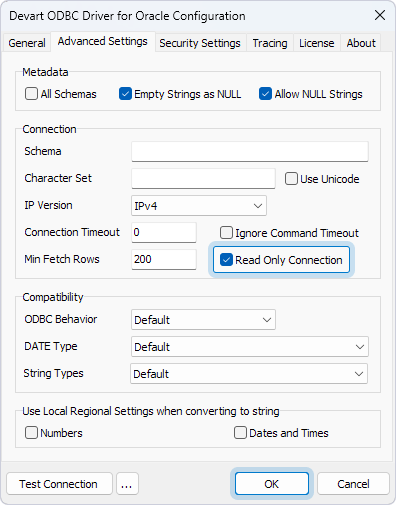
ReadOnly mode
If you’re concerned that a third-party tool or application connecting to your Oracle database via the ODBC driver may accidentally or intentionally modify your data, you can protect your database by enabling ReadOnly mode.
ReadOnly mode is a driver-level setting that ensures the database connection is strictly limited to read operations. When ReadOnly mode is enabled, only queries such as SELECT are permitted, and any attempt to execute data modification commands (such as INSERT, UPDATE, DELETE) will be blocked.
To enable ReadOnly mode in ODBC Data Source Administrator:
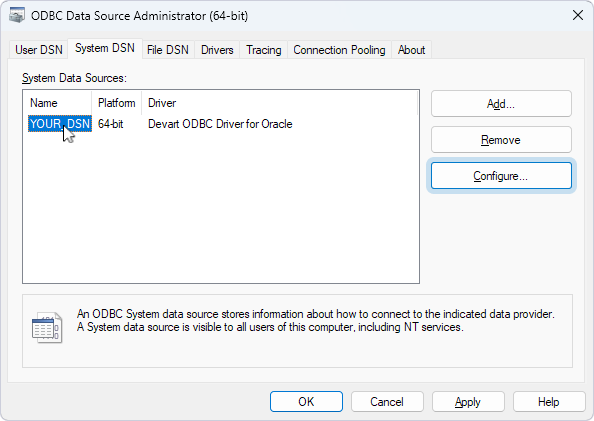
1. Select your DSN, then click Configure.
2. Select the Advanced Settings tab.
3. Select Read Only Connection.
4. Click OK.