Connection options
ODBC Driver for ASE lets your apps connect to SAP Adaptive Server Enterprise directly over TCP/IP—no additional client software required.
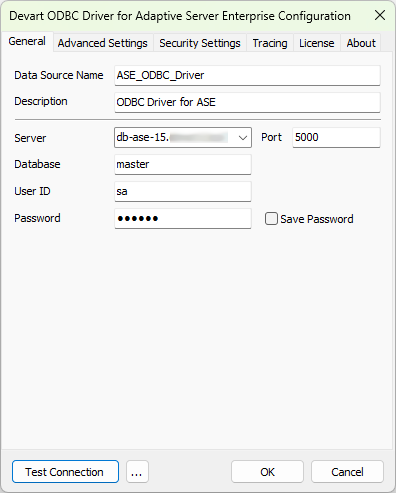
To establish a direct connection, specify the following required parameters in the driver configuration dialog:
-
Server – The host name or IP address of the ASE server.
-
Port – The port number for the connection. The default port is
5000. -
Database – The default database to connect to.
-
User ID – The ASE username.
-
Password – The ASE password.
Sample connection string:
DRIVER={Devart ODBC Driver for ASE};Server=your_ase_server;Database=your_database_name;Port=your_port_number;User ID=your_username;Password=your_password